
Small Business Automation: Workflow Automation for Small Business
Discover small business automation essentials and learn what to automate first to boost efficiency and reduce manual tasks.
Introduction to Small Business Automation
Small business owners face a familiar constraint: too much work, not enough hours. You spend evenings entering invoices, mornings chasing appointments, and weekends reconciling spreadsheets. Workflow automation for small business addresses this by handling repetitive tasks without adding headcount. The challenge is not whether to automate—it is deciding what to automate first.
The answer depends on where manual work costs you the most. For service businesses, appointment scheduling and client follow-up consume hours each week. For product businesses, inventory updates and order confirmations create bottlenecks. The right starting point is the task that happens frequently, follows a predictable pattern, and currently requires someone to remember to do it. Automation platforms now connect with thousands of apps, allowing small teams to link tools they already use—CRM, accounting software, email, calendars—into workflows that run without supervision.
Starting small proves the concept. One automated workflow—sending appointment reminders, for example—saves time immediately and demonstrates measurable ROI. Once that works, you expand to invoicing, reporting, or lead nurturing. The platform does not matter as much as the process: choose a task that hurts when it is delayed, map the steps, and let software handle the repetition.
This guide walks through what small business automation is, why it matters now, and how to identify your first candidate. You will see best practices that work across industries, common mistakes that waste time, and answers to the questions business owners ask before committing to automation. By the end, you will know which process to automate first and how to measure whether it worked.
Explore essential areas of small business automation and learn what to automate first for efficiency.
What is Small Business Automation?
Small business automation replaces repetitive manual tasks with software-driven processes that run without constant human intervention. Instead of typing the same client email every Monday or manually copying invoice data into a spreadsheet, you configure a system once and let it handle the task on schedule or when triggered by an event. The scope ranges from single-step actions—like auto-forwarding a form submission—to multi-step workflows that update records, notify team members, and generate reports in sequence.
The key components of workflow automation for small business include triggers, actions, and conditions. A trigger is the event that starts the workflow: a new lead fills out a contact form, a calendar appointment is booked, or inventory drops below a threshold. Actions are the steps the system executes in response: send a confirmation email, create a task in your project tracker, update a customer record. Conditions add logic—if the lead is in a specific service area, route it to the local technician; otherwise, queue it for the main office. Together, these components let you design processes that mirror your business rules without writing code.
Common Automation Categories
Most small businesses automate tasks in a few core areas. Customer relationship management workflows handle lead capture, follow-up sequences, and appointment reminders. Invoicing and payment workflows generate invoices when work is marked complete, send payment reminders, and reconcile transactions with accounting software. Reporting workflows pull data from multiple tools and deliver dashboards or summaries on a schedule. Document management workflows centralize files, enforce version control, and route approvals. Platforms like Jobber AI can turn live business data into a custom report in just minutes, reducing the manual effort of compiling metrics from disparate sources.
Small business automation is not a single product. It is the practice of connecting your existing tools—CRM, scheduling, invoicing, email—so information flows between them automatically. You might use native integrations, middleware platforms like Zapier, or built-in automation features within your software stack. The goal is the same: reduce the number of times you re-enter the same data, chase the same update, or remember to send the same message. When configured correctly, automation becomes invisible infrastructure that keeps your operations consistent even when you are focused elsewhere.
Why Small Business Automation Matters
Small businesses operate with constraints that enterprises rarely face: every hour counts, every dollar has a job, and every team member wears multiple hats. Workflow automation for small business addresses these constraints directly by eliminating repetitive manual tasks that consume time without creating value. When a five-person team spends eight hours a week on data entry, scheduling, or invoice reconciliation, that's 416 hours per year that could have gone toward customer acquisition, product development, or strategic planning.
Automation delivers measurable efficiency gains by removing friction from core operations. Syncing timesheets and reimbursable expenses automatically leads to fast, accurate, and compliant payroll, which reduces errors and the time spent correcting them. Connecting business systems through integration platforms allows data to flow between tools without manual re-entry, cutting down on the administrative overhead that bogs down lean teams. These improvements compound: a task that takes fifteen minutes manually but runs in seconds when automated saves hours across a month and days across a year.
Cost Reduction Through Process Efficiency
Automation reduces costs in two ways: it lowers the labor hours required to complete routine tasks, and it minimizes the error rate that triggers rework or customer service escalations. A manual invoicing process might take twenty minutes per invoice and introduce billing errors in five percent of cases. An automated workflow generates invoices in under a minute with near-zero error rates, cutting both the direct labor cost and the downstream cost of fixing mistakes. For service businesses managing dozens of jobs per week, this difference adds up to thousands of dollars in saved labor and retained customer trust.
The cost benefit extends beyond labor. Automated systems reduce the need for additional headcount as the business scales. A company that automates its appointment reminders, payment follow-ups, and inventory alerts can handle 30% more volume without hiring another administrative role. This operational leverage is critical for small businesses that need to grow revenue faster than overhead.
Competitive Advantage in Customer Experience
Customers judge responsiveness and consistency, and automation delivers both. Automated confirmation emails, status updates, and follow-up sequences ensure that every customer receives timely communication without relying on a team member to remember. This consistency builds trust and reduces the perceived friction of doing business with a smaller company. When a prospect receives a quote within minutes instead of hours, or when a customer gets an appointment reminder the day before service, the business earns a reputation for reliability that's hard to match manually.
Automation also frees team members to focus on high-touch interactions that differentiate the business. When administrative tasks run in the background, customer-facing staff can spend more time solving problems, answering questions, and building relationships. For businesses exploring broader operational improvements, AI search engine optimization strategies demonstrate how automation and intelligent systems work together to improve visibility and customer acquisition.
The cheapest hour is the one you automate once and never pay for again.
Risk Mitigation and Compliance
Manual processes introduce risk through inconsistency and human error. Automated workflows enforce business rules uniformly: every invoice includes the required line items, every contract goes through the same approval steps, and every compliance deadline triggers a reminder. This consistency reduces the risk of regulatory penalties, customer disputes, and internal miscommunication. For businesses handling sensitive data or operating in regulated industries, automation provides an auditable trail that manual processes cannot match.
Automation also protects against knowledge loss. When a critical process lives in one person's head, the business is vulnerable if that person leaves or is unavailable. Codifying that process into an automated workflow documents the steps, ensures continuity, and makes it easier to onboard new team members. The workflow becomes institutional knowledge rather than individual expertise.
How to Identify Workflow Automation for Small Business Priorities
The hardest part of workflow automation for small business is choosing where to start. Most owners see dozens of tasks that could be automated, but attempting to automate everything at once leads to fragmented tools, confused teams, and abandoned projects. The right approach is methodical: identify high-impact processes, validate them against clear criteria, and implement in sequence.
Map Your Repetitive Tasks
Start by documenting every task your team performs more than twice a week. This includes customer intake, scheduling, invoicing, follow-up emails, inventory updates, and reporting. The goal is visibility—you cannot automate what you have not named. Spend a week tracking tasks in a simple spreadsheet: task name, frequency, time per occurrence, and who performs it. Tasks that consume more than two hours per week per person are strong automation candidates.
Apply the Automation Priority Matrix
Once you have a task inventory, evaluate each task against two dimensions: frequency and complexity. High-frequency, low-complexity tasks deliver the fastest return. Examples include appointment confirmations, payment reminders, and lead assignment. High-frequency, high-complexity tasks—like proposal generation or project scheduling—may deliver greater long-term value but require more sophisticated tools and longer implementation timelines.
Low-frequency tasks, regardless of complexity, should wait. Automating a quarterly report that takes 30 minutes will not move the efficiency needle. Save those for later phases after your core workflows are running smoothly.
Step 1
Identify the bottleneck
Look for tasks where work stalls waiting for manual input. Common bottlenecks include invoice approval, customer onboarding paperwork, and job dispatch. These delays cost you money in lost productivity and customer frustration.
Step 2
Calculate the time cost
Multiply task frequency by time per occurrence. A five-minute task performed 40 times per week costs over three hours weekly—150 hours annually. That is nearly four work weeks your team could redirect to revenue-generating activities.
Step 3
Check for existing integrations
Before committing to automation, confirm that your current software stack supports it. Tools with open APIs or native integrations reduce implementation risk. For service businesses, platforms that centralize scheduling, dispatch, and billing often include automation features that handle multiple workflows in one system.
Start With Customer-Facing Workflows
Customer communication workflows—appointment reminders, booking confirmations, follow-up requests—are ideal first automation targets. They are repetitive, time-sensitive, and directly affect customer experience. Automating these workflows improves response consistency and frees staff to handle complex customer needs. Mobile workforce tools that enable field teams to update job status, capture photos, and complete checklists in real time eliminate redundant data entry and improve service delivery speed.
For businesses managing service agreements or recurring work, automating contract renewals and maintenance schedules reduces missed revenue opportunities. Systems that flag upcoming renewals and generate reminders ensure no customer falls through the gap between service cycles.
Validate Before You Scale
Pilot your first automation with a single process and a small team segment. Monitor for errors, gather feedback, and refine the workflow before rolling it out company-wide. Automation that breaks or produces incorrect outputs erodes trust faster than manual processes ever did. Run the automated and manual processes in parallel for at least two weeks to confirm accuracy and completeness.
Once validated, document the new workflow and train the full team. Automation only delivers value when people trust it enough to stop doing the manual version. Clear documentation and hands-on training sessions prevent shadow processes from persisting alongside your new automated workflows.
The best first automation is the one your team will actually use—not the one with the most features.
For service businesses evaluating field operations, local SEO and operational efficiency often improve in parallel when workflows are standardized and automated.
Best Practices for Small Business Automation
Successful automation follows patterns that work across industries and business sizes. The companies that gain the most from automation treat it as a system change, not a software purchase. They document current processes before switching tools, they train staff on new workflows before going live, and they measure specific outcomes rather than counting features enabled. These practices separate automation that delivers ROI from automation that creates new work.
Start with Documentation, Not Software
Before evaluating any automation platform, map the current process on paper or in a shared document. Write down every step, every handoff, and every decision point. This documentation reveals which steps are truly repetitive (good automation candidates) and which require judgment (poor candidates). It also creates the training material you will need when the new system goes live. Teams that skip documentation tend to automate broken processes, which means the automation runs faster but produces the same errors at higher volume.
Automate Communication with Dynamic Content
Email and SMS automation drives engagement when messages feel relevant to the recipient. Platforms that support dynamic content let you personalize appointment reminders, service follow-ups, and estimate approvals with customer-specific details like service history, scheduled date, or property notes. This approach keeps customers informed without requiring manual effort from your team. According to service business software providers, automating and customizing emails and SMS texts with dynamic content drives higher engagement than static templates.
Equip Mobile Teams with Real-Time Tools
For businesses with field staff, mobile access to automation tools determines whether the system actually gets used. Technicians and crew members need the ability to update job status, complete checklists, log time, and capture photos from their phones. When mobile tools sync automatically with the back office, managers see accurate job progress without phone calls or end-of-day reconciliation. Service platforms recommend equipping mobile workforces with tools for scanning, tasks, checklists, and timekeeping that function anywhere, anytime to enhance productivity.
Step 1
Choose platforms with offline mobile capability
Select automation tools that allow field staff to log work even without cell signal. The data syncs when connectivity returns, preventing gaps in your records.
Sync Financial Systems Early
Payroll and accounting errors consume disproportionate time relative to their frequency. Automating the flow of timesheet data, reimbursable expenses, and invoice details into your accounting platform eliminates manual entry and reduces compliance risk. Syncing timesheets and reimbursable expenses automatically leads to fast, accurate, and compliant payroll, which is essential for small business operations. Connect your automation platform to QuickBooks, Xero, or your existing accounting system before you scale usage — retrofitting integrations after you have months of manual data creates cleanup work that offsets the automation benefit.
Measure Specific Outcomes, Not Activity
Automation dashboards often highlight activity metrics: emails sent, tasks created, workflows triggered. These numbers confirm the system is running, but they do not confirm it is working. Define outcome metrics tied to business goals before you launch automation. Examples: average time from estimate to approval, percentage of invoices paid within terms, or number of follow-up appointments booked per completed job. Track these metrics monthly and compare them to pre-automation baselines. If outcomes do not improve within 90 days, the automation is not solving the right problem.
The value of automation shows up in cycle time and error rate, not in the count of automated tasks.
Train Staff Before Launch, Not After
Automation changes how people work, and resistance comes from uncertainty rather than laziness. Schedule hands-on training sessions where staff can practice using the new system with real scenarios from your business. Record short walkthrough videos for common tasks so employees can review steps on demand. Assign a point person in each role (office, field, management) to answer questions during the first two weeks. When you invest in training up front, adoption happens faster and you avoid the pattern where automation sits unused because no one feels confident operating it.
For service businesses looking to improve their digital presence alongside operational automation, local SEO strategies can amplify the customer acquisition benefits of streamlined workflows.
Common Mistakes to Avoid in Small Business Automation
Automation failures in small businesses rarely stem from bad technology. They come from automating the wrong thing, or automating before the manual process works. When you rush to automate a broken workflow, you scale the dysfunction — faster mistakes do not improve outcomes. The most expensive automation projects are the ones that run flawlessly while producing results no one can use.
Below are the pitfalls that derail automation initiatives before they deliver measurable efficiency gains.
Automating Before Documenting the Current Process
Many businesses automate tasks they have never written down. If the person doing the work cannot describe the steps in sequence, the automation will encode their assumptions rather than a repeatable process. You cannot automate what you have not standardized.
Document the workflow first: inputs, decision points, outputs, and exceptions. Test the documented process manually until it runs consistently. Only then should you consider automation. Skipping this step means you will spend more time troubleshooting the automation than you would have spent fixing the original process.
Choosing Tools Based on Features Instead of Fit
Feature lists sell software, but they do not predict whether a tool will work in your environment. A platform with hundreds of integrations is useless if it does not connect to the three systems you actually use. Businesses often select automation tools during demos, then discover during implementation that the tool requires custom development to handle their data format.
Evaluate tools against your documented workflows and existing stack. Run a pilot with real data before committing to an annual contract. The best automation tool is the one that works with what you already have, not the one with the most impressive roadmap.
Ignoring the Human Handoff Points
Automation breaks down where it touches people. A workflow that sends an email, waits for a reply, and then continues based on that reply depends on humans checking their inbox and understanding what to do. If the notification is unclear, or if the recipient is out of office, the automation stalls.
Map every point where the automation hands control to a person. Design those handoffs with clear instructions, deadlines, and fallback paths. If someone does not respond within the expected timeframe, the system should escalate or reroute — not wait indefinitely. Automation that depends on perfect human behavior will fail in production.
Failing to Disclose Automation in Customer-Facing Content
When automation generates content that customers see — confirmation emails, status updates, support responses — transparency about its origin builds trust. Users who assume they are interacting with a person may feel misled when they discover the response was automated, especially if the tone or accuracy falls short of expectations.
It's helpful to readers to know how a piece of content was produced — disclosing automation usage is useful where someone might reasonably ask, "How was this created?"
Include brief, natural disclosures in automated communications when the context warrants it. A footer line in an auto-generated report or a note in a chatbot greeting clarifies the interaction without undermining the automation's value. For more on how automation affects search visibility and content strategy, transparency in AI-generated content is becoming a baseline expectation.
Over-Automating Without Measuring Impact
Automation for its own sake wastes resources. Businesses sometimes automate every task they can, then struggle to measure whether the effort improved anything. If you cannot quantify the time saved or the error rate reduced, you cannot justify the ongoing maintenance cost.
Start with one high-impact workflow. Measure baseline performance before automation: time per task, error frequency, and cost. After implementation, measure again. If the improvement is marginal, the automation may not be worth scaling. Prioritize workflows where the measurable gain justifies the setup and monitoring overhead.
Frequently asked questions
What is the easiest process to automate first?
Email responses and appointment scheduling are typically the easiest starting points. These processes involve predictable triggers and limited decision trees, making them ideal for initial automation efforts. Most businesses see immediate time savings without requiring complex integration work.
How much does small business automation cost?
Costs vary widely based on the tools and scope you choose. Basic email automation platforms start around $20–50 per month, while comprehensive workflow systems can range from $100–500 monthly. Many platforms offer tiered pricing that scales with your business size and feature needs.
Do I need technical skills to implement automation?
Most modern automation platforms are designed for non-technical users. Tools with visual workflow builders and pre-built templates let you create automations through drag-and-drop interfaces. However, complex integrations or custom workflows may benefit from technical consultation.
How long does it take to see ROI from automation?
Simple automations often show returns within the first month through immediate time savings. More complex workflow systems typically demonstrate measurable ROI within three to six months once teams adapt to new processes and optimize their workflows.
Will automation replace my employees?
Automation typically shifts employee focus rather than eliminating positions. Staff move from repetitive manual tasks to higher-value work like customer relationship building, strategic planning, and problem-solving that requires human judgment.
Can I automate customer service without losing the personal touch?
Yes, when implemented strategically. Automation handles initial responses, routing, and information gathering, while human staff manage complex inquiries and relationship-building conversations. Many businesses find this hybrid approach actually improves customer experience by reducing response times.
What happens if an automation fails?
Reliable automation platforms include error notifications and fallback procedures. Best practice involves monitoring dashboards that alert you to failures and maintaining manual backup processes during initial implementation. Most failures stem from configuration issues rather than platform problems.
How do I measure automation success?
Track time saved per task, error rate reduction, customer response times, and employee satisfaction with new workflows. Compare these metrics to baseline measurements taken before automation. For more guidance on measuring operational improvements, see our SEO Reporting KPIs for Executives: Essential Metrics to Review which covers similar measurement frameworks.
Should I automate everything at once?
No. Phased implementation allows you to learn from each automation, adjust processes, and maintain business continuity. Automating one process at a time also helps your team adapt without overwhelming them with simultaneous changes.
Conclusion: Steps Forward in Small Business Automation
Workflow automation for small business is not a single project—it is a sequence of deliberate choices that compound over time. The businesses that automate successfully start with high-frequency, low-complexity tasks: appointment scheduling, invoice generation, client intake, and basic follow-up. They measure the time saved, document the reduction in errors, and use those wins to justify the next automation. The businesses that stall treat automation as a vendor purchase rather than a process discipline.
The research across this guide confirms a pattern: the companies that automate first in customer-facing workflows see faster returns than those that begin with internal reporting or back-office exceptions. Client communication, payment collection, and scheduling produce measurable time savings within weeks because the volume is high and the rules are stable. Reporting automation and complex integrations deliver value later, once the foundational workflows are locked in and the team has built confidence with the tools.
If you are deciding where to start, inventory your weekly calendar and identify the tasks you perform more than ten times. Those are your automation candidates. Choose one workflow, document the current process in writing, select a tool that handles 80 percent of the cases without customization, and run it in parallel with your manual process for two weeks. Measure the time difference, fix the gaps, and then commit. Do not automate everything at once; automate the next most painful thing every quarter.
For service businesses managing field teams, client pipelines, and recurring revenue, automation becomes the infrastructure that supports scale without proportional headcount growth. The tools exist, the integrations work, and the ROI is measurable—but only if the business defines success as time saved per task, not features purchased. Start with scheduling, then invoicing, then follow-up. Build from there.
For operators looking to tighten both client acquisition and retention workflows, Local SEO for Contractors: The Owner-Operator's Playbook walks through the visibility and reputation systems that feed the top of your automated pipeline. Automation works best when the leads coming in are consistent and the follow-up is immediate.
Sources(17)
- ServiceTitan
- Jobber — Pricing page
- Local Service Business OS
- FieldPulse
- Housecall Pro
- RingCentral — AI Receptionist
- Smith.ai — AI Receptionist pricing
- Xenco Labs — Sonoma Wash Co. case study
- ServiceTitan
- Google Business Profile guidelines
- Smith.ai
- owner-operated-field-services (vertical_workflow)
- sonoma-wash-co (vertical_workflow)
- Small | Nanoscience & Nanotechnology Journal | Wiley Online Library
- Small - Wiley Online Library
- google-search-central (source_extract)
- google-business-profile-guidelines (source_extract)
Written by
Xenco Labs Editorial
Published October 20, 2026 · 20 min read
The Xenco Labs editorial team writes about building and shipping AI products to production.
You Might Also Like
More from the Xenco Labs blog
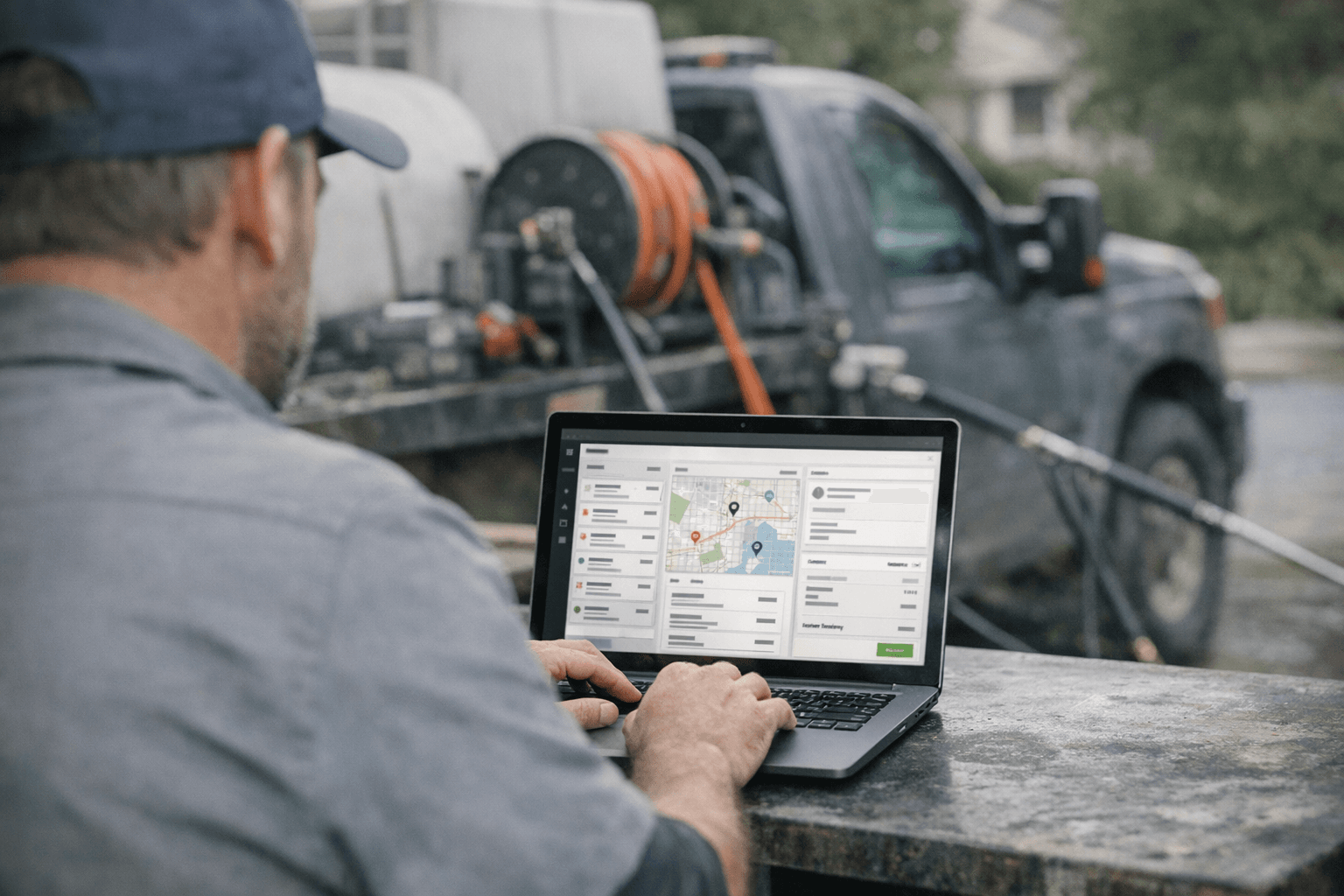
Pressure Washing Software: What an Owner-Operator Actually Needs
Discover the pressure washing software owner-operators need for scheduling, invoicing, customer management, and efficient operations in 2025. Learn how pressure washing

Workflow Automation for Small Business
Discover what workflow automation for small business is and how to implement it for small business operations. Boost efficiency, save time, and streamline tasks.

Pressure Washing CRM Business Software: Automate Beyond Customer
Discover how pressure washing CRM business software optimizes your operations by automating scheduling, invoicing, routing, and tasks beyond customer records.

How Much Does Small Business Automation Cost? Small Business Guide
Discover how much small business automation costs, including pricing factors, AI receptionist options, and budgeting strategies.