Pressure Washing Software: What an Owner-Operator Actually Needs
Discover the pressure washing software owner-operators need for scheduling, invoicing, customer management, and efficient operations in 2025. Learn how pressure washing
Introduction to Pressure Washing Business Software
Running a pressure washing business as an owner-operator means you are the crew, the scheduler, the bookkeeper, and the customer service team. Every minute spent on paperwork is a minute you are not washing driveways or closing the next job. Pressure washing business software exists to solve that problem: it automates the administrative tasks that pull you off the job site and replaces manual processes with systems that run while you work.
The core value of pressure washing business software is operational efficiency without hiring office staff. Owner-operated service businesses grow when the owner can focus on service delivery rather than chasing invoices, returning missed calls, or rebuilding lost job records. Software designed for field service businesses handles scheduling, customer communication, job documentation, invoicing, and payment collection in a single system. When implemented correctly, it removes the friction between completing a job and getting paid.
This guide covers what pressure washing business software does, why it matters for owner-operators, how to choose the right system, and how to avoid the common mistakes that turn a productivity tool into another administrative burden. If you are evaluating software for the first time or replacing a system that does not fit your workflow, the framework here will help you identify what you actually need. For a broader view of operational automation in service businesses, see Small Business Automation: Workflow Automation for Small Business.
The sections that follow break down the specific functions of pressure washing business software, the operational gaps it fills, and the criteria that separate tools that save time from tools that create new problems. The goal is to help you make a decision based on what your business actually needs, not what a feature list promises.
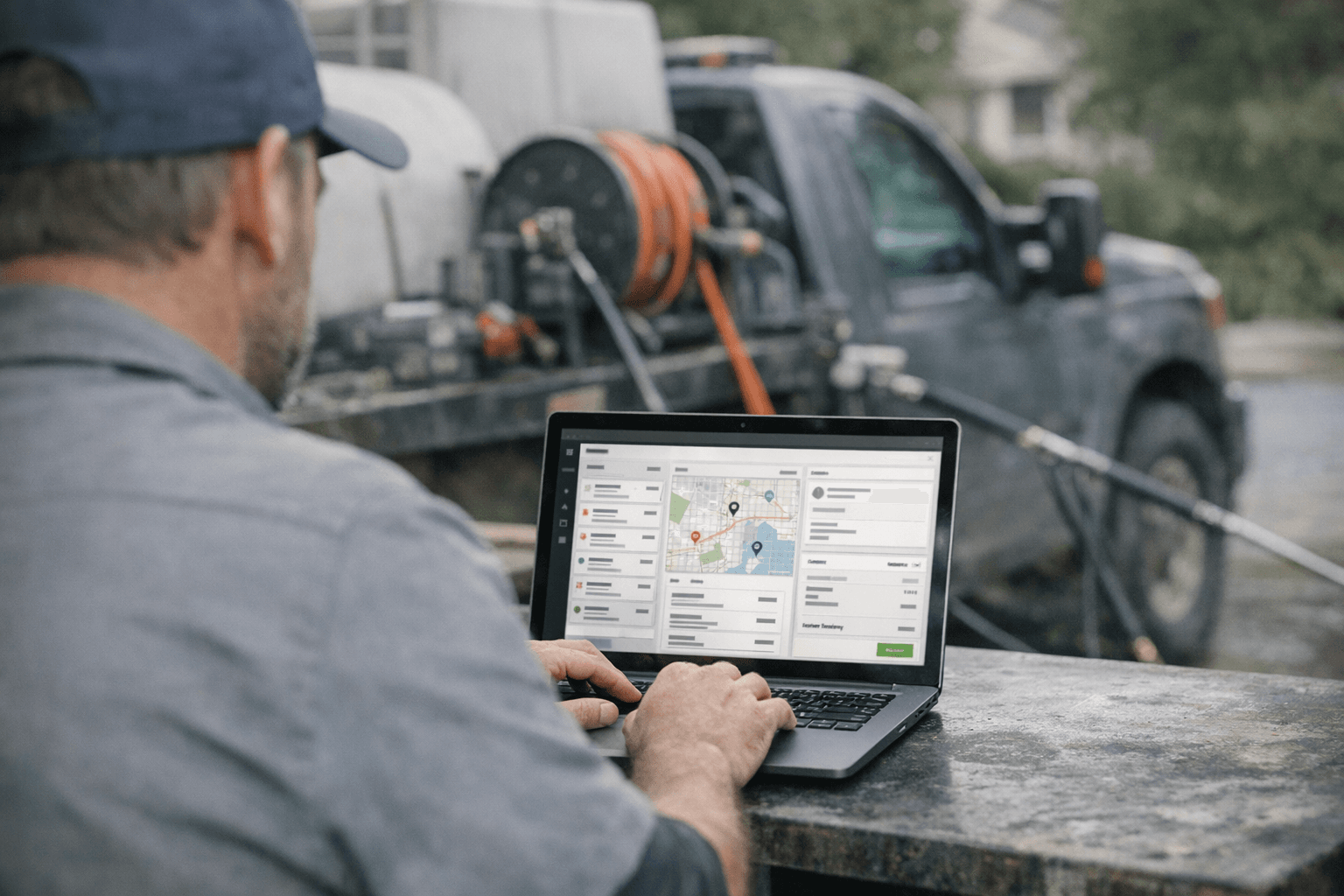
Explore what pressure washing business software an owner-operator truly needs for efficient business management.
What is Pressure Washing Business Software?
Pressure washing business software is a system designed to manage the operational and administrative tasks of owner-operated service businesses and small field teams. The software consolidates scheduling, customer communication, invoicing, payment processing, and field documentation into a single platform, allowing operators to run their businesses without adding office overhead.
For pressure washing owner-operators, this means replacing spreadsheets, paper forms, and disconnected tools with an integrated workflow. A typical implementation includes appointment booking, instant estimates, customer relationship management, electronic agreements, invoicing, and payment collection. Some platforms also incorporate AI-powered receptionists and marketing automation to handle lead follow-up without manual intervention.
Core Components of Pressure Washing Business Software
Most pressure washing business software packages share a common set of features tailored to field service operations:
- Scheduling and dispatch — calendar management, appointment reminders, and route optimization for multi-job days
- Customer management — contact records, service history, property notes, and communication logs
- Estimating and quoting — instant pricing calculators, custom quote generation, and approval workflows
- Invoicing and payments — automated invoice delivery, integrated payment processing (Stripe, Square), and receipt generation
- Field documentation — mobile apps for completion checklists and customer sign-off
- Marketing automation — follow-up sequences, review requests, and recurring service reminders
The best implementations are built for businesses where the owner or a small crew sells measurable field work, documents completion, and collects payment after service. This model applies across exterior cleaning, window and gutter work, pool service, landscaping, junk removal, mobile detailing, pest control, and similar verticals. The software adapts to the business rather than forcing the business to adapt to rigid workflows.
How It Differs from General Business Software
General-purpose tools like QuickBooks or Google Calendar can handle pieces of the workflow, but they lack the field-service context that pressure washing operators need. Pressure washing business software is purpose-built for the rhythm of service work: a lead comes in, you generate an estimate, the customer books, you complete the job, you document it, you invoice, and you collect payment. Each step connects to the next without manual data entry or tool-switching.
For example, small business automation helps owner-operators identify which workflows to centralize first, but pressure washing business software goes further by pre-configuring those workflows for field service. The difference is specificity: the software knows what a pressure washing job looks like, what documentation regulators or customers expect, and how to structure pricing for square footage or linear footage.
The result is a system that scales with the business. An owner-operator can handle more jobs per week without hiring administrative staff, because the software handles intake, scheduling, invoicing, and follow-up automatically. When the business adds a second crew member, the software extends the same workflow to the new operator without requiring a separate onboarding process or additional licenses.
Why Pressure Washing Business Software Matters for Owner-Operators
Owner-operators run lean operations where every hour counts. When you're the person doing the work, estimating the next job, and chasing down last week's invoice, administrative overhead becomes the constraint on growth. Pressure washing business software addresses this by moving clerical tasks out of your truck and into automated workflows that run while you're on-site.
The core benefit is time reallocation. Software that handles scheduling, invoicing, and customer follow-up lets you spend more hours estimating and completing jobs instead of managing a paper trail. For field-service businesses where the owner sells measurable work and collects after completion, this shift directly impacts revenue capacity—you can take on more jobs without hiring office staff.
Operational Efficiency and Customer Experience
Automation tools like voice agents and instant estimate calculators reduce the friction between inquiry and booking. Instead of playing phone tag or manually drafting quotes, customers can price their property and schedule assessments based on live availability. This shortens the sales cycle and improves conversion rates without adding labor.
Documentation workflows—e-sign agreements, field task tracking—create a verifiable service record that protects both parties. When a customer questions whether moss treatment was applied or a surface was cleaned, you have timestamped evidence. This transparency reduces disputes and supports repeat business.
The right software lets an owner-operator grow revenue capacity without growing office overhead.
For businesses managing recurring services like seasonal soft washing or scheduled maintenance, automated follow-up and renewal reminders keep the pipeline full without manual calendar tracking. You set the interval once; the system handles the rest. This is particularly valuable for small business automation workflows where consistency drives retention.
Financial Control and Payment Collection
Integrated invoicing and payment processing eliminate the gap between job completion and cash flow. When invoices generate automatically after service and customers can pay via Stripe or another processor immediately, you reduce outstanding receivables and the administrative cost of collections. Owner-operators who invoice manually often delay billing because they're busy with the next job—software removes that delay.
Published pricing and transparent rate cards also filter inquiries. When customers see your pricing structure upfront, the conversations that reach you are already qualified. You spend less time explaining rates and more time closing work that fits your capacity and margin requirements.
How to Choose the Right Pressure Washing Business Software
Owner-operators need pressure washing business software that solves real problems without creating new ones. The right platform handles scheduling, invoicing, and customer records in a way that fits how you already work — not how a developer imagines field service should work. The wrong platform adds clicks, duplicate entry, and monthly fees for features you will never use.
Start with the Work You Actually Do
Before evaluating any platform, write down the tasks that consume time but do not generate revenue: booking callbacks, sending estimates, tracking which properties need seasonal reminders, reconciling payments. If a platform does not address at least three of those tasks without requiring you to change your entire workflow, it is not solving your problem — it is creating a new project.
Look for pressure washing business software that tracks service history automatically so you can send personalized reminders and quote faster on repeat properties. Platforms that store equipment details and surface conditions per property let you price accurately without a site visit every time. If the system requires manual data entry for information it should infer from past jobs, you are paying to do clerical work.
Pricing Control and Scope Guardrails
Automation only works when it operates within boundaries you control. The platform should let you set approved rates, define service packages, and flag any estimate that falls outside normal parameters before a customer sees it. If the software can generate a quote without checking your rate card or surface-type rules, it will eventually send a price you cannot honor.
Maintaining control over pricing and final field scope is crucial for business owners, ensuring that automated systems operate within approved knowledge and workflows. A good platform makes it easy to update rates seasonally or by service area without breaking existing customer records or requiring a support ticket.
Integration with Financial Tools
If you use QuickBooks or another accounting system, the pressure washing business software must sync invoices and payments without manual exports. The integration with QuickBooks allows for efficient financial management, enabling faster payment processing and tracking. Platforms that require you to re-enter invoice data into your accounting software double your admin time and introduce reconciliation errors.
Check whether the platform supports the payment methods your customers actually use: credit cards, ACH transfers, and financing options for larger jobs. One-click digital invoicing with automated reminders reduces the time between job completion and payment, but only if customers can pay through the channel they prefer.
Lead and Estimate Conversion
Managing your sales funnel with a workflow management board can help convert leads and estimates into actual jobs. The platform should show you which estimates are pending, which customers opened but did not approve, and which leads went cold without a follow-up. If you cannot see the status of every lead in one view, you will lose track of opportunities that should have closed.
Look for automated follow-up sequences that send reminders at intervals you define, not intervals the vendor thinks are best. The system should let you customize email and SMS content so follow-ups sound like you, not a generic service bot. For broader guidance on building effective marketing workflows, see Home Service Marketing: A Channel Plan for Owner-Operated Businesses.
Document every step from inquiry to payment: where leads come from, how you send estimates, when you collect deposits, how you schedule callbacks. The software should handle each step with fewer clicks than your current method.
Use trial periods to process actual estimates, not demo data. Enter a multi-surface property, apply your real rate card, and see whether the output matches what you would quote manually. If the trial estimate is wrong, the production estimate will be wrong.
Most of your work happens in the field. Open the platform on your phone, create an invoice, update a job status, and check whether the interface is usable without zooming or horizontal scrolling. If the mobile experience is clunky, you will avoid using it when it matters most.
Customer Communication and Self-Service
Customers expect to see past jobs, approve estimates, and pay invoices without calling you. A customer portal that shows service history and upcoming appointments reduces inbound questions and makes rebooking faster. Platforms that require customers to create an account with a password and security questions add friction that kills conversions — look for magic-link or SMS-based access instead.
If the platform offers automated booking, confirm that it respects your availability rules and does not double-book time slots. Automation that creates scheduling conflicts costs more time than it saves.
For more on structuring customer acquisition workflows that align with how owner-operators actually operate, see Small Business Automation: Workflow Automation for Small Business.
Best Practices for Implementing Pressure Washing Business Software
Successful pressure washing business software implementation depends on planning the transition before you flip the switch. Owner-operators who treat software as a process change — not just a purchase — avoid the disruption that kills adoption. Start by mapping your current workflow on paper: how quotes move from inquiry to invoice, where customer data lives, and which tasks consume the most time. The software should slot into that workflow, not replace it overnight.
Start with One Core Function
Deploy scheduling or invoicing first, then add modules as the team adjusts. Trying to activate CRM, payment processing, job documentation, and marketing automation simultaneously guarantees confusion and incomplete data. Choose the function that causes the most friction today — often scheduling for solo operators or invoicing for crews — and make that work reliably before expanding. Once that module runs without manual backup systems, layer in the next capability.
Configure Customer-Facing Tools Early
Online booking, estimate approvals, and payment links shape how clients perceive professionalism. Configure these touchpoints to match your brand and service terms before you send the first link. Test the booking flow yourself: book a fake appointment, approve a test estimate, and submit a payment using a personal card. If the experience feels clunky to you, it will lose customers. Platforms built for field-service businesses often include instant estimates, appointment booking, e-sign agreements, and payment processing designed to work together without custom integration.
Train on Real Jobs, Not Demo Data
Walk through three actual customer scenarios using live data: a new inquiry, a recurring service renewal, and a completed job that needs invoicing. Demo data hides the edge cases that break workflows — unusual service areas, partial payments, rescheduled appointments. Real jobs expose those gaps while the stakes are low. Record short screen-capture videos of each process so crew members can replay steps without calling you.
For owner-operators managing small business automation, the goal is to eliminate repetitive tasks without introducing new points of failure. Software should reduce the number of decisions you make per job, not increase them.
Set Up Integrations Before You Need Them
Connect accounting software, payment processors, and communication tools during setup, not when a customer is waiting. Most platforms integrate with QuickBooks, Stripe, and SMS providers, but each connection requires API keys, permission grants, and test transactions. Waiting until you need to send an invoice or charge a card means troubleshooting under pressure. Verify that data flows correctly — a test invoice should appear in your accounting system with the right line items and tax rates.
Establish Data-Entry Standards
Decide how addresses, service descriptions, and customer notes will be formatted, then enforce that standard from day one. Inconsistent data makes reporting useless and breaks automations that rely on matching text. For example, if one job lists "driveway cleaning" and another lists "Driveway Cleaning (concrete)," filters and reports will treat them as separate services. Write a one-page style guide covering capitalization, abbreviations, and required fields, then reference it when training new users.
Common Mistakes to Avoid with Pressure Washing Business Software
Owner-operators often stumble over the same handful of missteps when adopting pressure washing business software. These mistakes burn time, erode customer trust, and turn a promising tool into a liability. Recognizing them early means you can route around the friction before it costs you.
Treating Software as a Filing Cabinet Instead of a Workflow Engine
Many operators load customer names and addresses into a system, then continue booking jobs by phone and text. The software becomes a glorified Rolodex—searchable contact storage with no operational leverage. If you are not using the platform to trigger estimates, send invoices, and schedule follow-ups automatically, you are paying subscription fees for a static list.
The fix: map your actual job cycle—inquiry, quote, approval, work order, invoice, payment—and configure the pressure washing business software to move each record through those stages without manual transcription. When a customer says yes to a quote, the system should generate the work order and calendar block in one click.
Ignoring Mobile-First Reality
Pressure washing happens on-site. If your pressure washing business software requires a laptop to log job notes, capture photos, or mark a task complete, you will defer updates until evening—and by then details blur. Operators who rely on desktop-only platforms end up with incomplete records, missed follow-ups, and no real-time visibility into which jobs are running behind.
Choose a platform with a native mobile app or a responsive web interface that works offline. Test it in the field before you commit: can you photograph the finished driveway, attach it to the work order, and send the invoice while standing next to the trailer? If the answer is no, the tool will not stick.
Skipping Customer Communication Automation
Some operators configure scheduling and invoicing but leave appointment reminders, follow-up requests, and review prompts as manual tasks. This creates a bottleneck: you finish the work, then wait days to send the invoice because you forgot, or you never ask for a review because it feels awkward in the moment.
Automated messaging closes that gap. A well-configured system sends a reminder 24 hours before the appointment, a thank-you note with the invoice minutes after you mark the job complete, and a review request three days later. None of this requires your attention—it runs whether you are on another job or off for the weekend. For guidance on automating repetitive tasks across your operation, see Small Business Automation: Workflow Automation for Small Business.
Overbuying Features You Will Never Use
Enterprise-tier platforms offer fleet tracking, multi-crew dispatch, inventory management, and CRM analytics. If you operate solo or with one helper, most of those modules sit unused while you pay for the full bundle. The complexity also slows onboarding—more menus to learn, more fields to ignore, more friction between you and the core functions you actually need.
Start with the minimum feature set that covers scheduling, invoicing, and customer records. As your operation grows, you can migrate to a more robust platform. Buying for future scale before you have current-state discipline wastes money and attention.
The best pressure washing business software is the one you actually open every day—not the one with the longest feature list in the demo.
Neglecting Data Hygiene from Day One
Duplicate customer records, inconsistent address formats, and missing phone numbers accumulate quickly when you are rushing between jobs. Six months in, your database becomes unreliable: you cannot tell which "John Smith" record is current, and bulk messaging bounces because half the email addresses are typos.
Establish a simple input standard and enforce it. Require a phone number and service address for every new customer. Use the software's duplicate-detection feature before creating a record. Clean data is not a luxury—it determines whether your automated reminders reach the right person and whether your reporting reflects reality.
Failing to Track Which Marketing Channels Drive Jobs
If you do not tag each new inquiry with its source—Google search, Facebook ad, door hanger, referral—you cannot measure which marketing efforts pay off. Operators often realize months later that they have been spending heavily on a channel that produces few bookings, while an organic source they ignored is responsible for most of their revenue.
Most platforms include a "lead source" or "referral" field. Use it consistently. When a customer calls, ask how they found you and log it immediately. Over time, this data tells you where to double down and where to cut spending.
Ignoring the Software's Reporting Features
Many operators never open the analytics dashboard. They know they are busy, but they cannot quantify revenue per job type, average days to payment, or seasonal demand patterns. Without those metrics, pricing decisions and capacity planning remain guesswork.
Set a monthly cadence: review total revenue, job count by service type, and outstanding invoices. Most platforms generate these reports automatically. If a particular service consistently takes longer or pays less than expected, you have the data to adjust pricing or stop offering it. The software already collected the numbers—you just have to look at them.
Assuming One-Time Setup Is Enough
Business needs shift. You add a new service, change your pricing structure, or hire a part-time helper. If you do not update the pressure washing business software—service catalog, rate tables, user permissions—it drifts out of sync with how you actually operate. Estimates reflect old prices, and the helper cannot see the jobs you assigned to them.
Schedule a quarterly review of your software configuration. Verify that service descriptions, rates, and automated message templates still match reality. Treat the platform as a living tool, not a static archive.
Summary
Most mistakes with pressure washing business software stem from underuse or misconfiguration, not from the platform itself. Operators who treat the system as a passive record store rather than an active workflow engine miss the efficiency gains they paid for. Avoiding these pitfalls means committing to mobile-first data capture, automating customer communication, and regularly reviewing both your configuration and your reports. The software works when you work it—consistently, with clean data and realistic expectations about which features you actually need.
Frequently Asked Questions about Pressure Washing Business Software
Owner-operators ask the same questions when evaluating pressure washing business software. These answers address the practical concerns that surface after you've moved past the sales pitch and started thinking about daily use.
What is the typical cost of pressure washing business software?
Pricing structures vary by feature set and business size. Most platforms charge monthly subscriptions ranging from $30 to $150 per user. Entry-level plans cover scheduling and invoicing; mid-tier plans add customer management and payment processing; top-tier plans include route optimization and advanced reporting.
Some vendors charge per job or transaction instead of per user. Calculate your monthly job volume and compare fixed subscription costs against percentage-based fees. Factor in payment processing rates — these typically run 2.5% to 3.5% per transaction and can exceed the software subscription cost if your average job value is high.
Can I use pressure washing business software on mobile devices?
Most modern platforms offer native iOS and Android apps or mobile-responsive web interfaces. Mobile access is non-negotiable for field work — you need to view schedules, update job status, process payments, and capture photos from the job site.
Test the mobile experience during your trial period. Verify that offline mode works when cellular coverage drops, that photo uploads don't fail on slower connections, and that the interface remains usable on a phone screen in direct sunlight. Some platforms require constant connectivity; others cache critical data locally.
How long does it take to implement pressure washing business software?
Initial setup takes one to three days for a solo operator. You'll import or manually enter customer records, configure service templates and pricing, connect your payment processor, and customize invoice branding. Larger operations with multiple crew members need additional time for user training and workflow alignment.
The real implementation timeline extends weeks beyond initial setup. You'll refine your service categories, adjust scheduling buffers based on actual drive times, and discover which reports matter. Budget two months before the software feels like a natural part of your operation rather than an added task.
What happens to my data if I switch software providers?
Data portability varies significantly. Most platforms let you export customer lists, job history, and financial records as CSV files. Some lock proprietary data — route optimization history, custom field configurations, or integrated payment records — in formats that don't transfer cleanly.
Before committing to a platform, verify export capabilities and test an actual export. Confirm that customer contact details, service history, and outstanding invoices export in a usable format. Ask the vendor's support team about migration assistance if you're moving from another system — some offer free data import; others charge migration fees.
Do I need separate accounting software if I use pressure washing business software?
It depends on your business structure and tax complexity. Pressure washing business software handles invoicing, payment tracking, and basic income reporting. If you operate as a sole proprietor with straightforward expenses, the built-in financial tools may suffice for daily operations.
Most owner-operators still use dedicated accounting software or work with a bookkeeper. Pressure washing business software tracks job revenue and customer payments; accounting software manages equipment depreciation, loan payments, payroll taxes, and quarterly estimated tax calculations. Look for platforms that integrate with QuickBooks or Xero if you want to avoid duplicate data entry. For more guidance on automating business workflows, consider which tasks create the most manual overhead.
Can pressure washing business software help with customer retention?
Automated follow-up tools improve retention when used consistently. Most platforms send appointment reminders, request reviews after job completion, and schedule recurring service reminders. These touchpoints keep your business visible between jobs without requiring manual effort.
Retention depends more on service quality than software features, but systematic follow-up prevents customers from forgetting about you. Set up automated emails for seasonal services — spring house washing, fall gutter cleaning — and track which customers haven't booked in twelve months. The software surfaces opportunities; you still need to deliver work worth rebooking.
Conclusion: Making the Most of Pressure Washing Business Software
Pressure washing business software is not a luxury for owner-operators — it is the operational backbone that separates businesses that scale from those that stall. The right system handles scheduling, invoicing, customer management, and field documentation without requiring office staff, letting you focus on the work that generates revenue.
The key is choosing pressure washing business software that fits the way you already work. Systems built for owner-operated field services align with the reality of managing jobs from the truck, documenting completion on-site, and collecting payment before moving to the next property. Generic tools force you into workflows designed for office teams; purpose-built platforms adapt to your constraints.
Implementation success depends on treating pressure washing business software as a process change, not just a purchase. Train yourself and any crew members on core workflows before adding complexity. Use the system consistently for every job — partial adoption creates more chaos than running manual processes. Review reports monthly to identify patterns in customer behavior, job profitability, and scheduling efficiency.
Owner-operators who document their processes, collect payment at completion, and maintain clean customer records position themselves for growth without proportional increases in administrative overhead. The software does not run the business, but it removes the friction that prevents you from running it well. For operators ready to move beyond spreadsheets and paper trails, exploring local SEO strategies for contractors alongside operational software creates a foundation for sustainable growth.
The businesses that thrive in this industry are the ones that treat operational discipline as a competitive advantage. Pressure washing business software gives you the tools to build that discipline into every job.
Sources(14)
- Local Service Business OS
- Xenco Labs — Sonoma Wash Co. case study
- Housecall Pro
- Sonoma Wash Co. — Home page
- Jobber
- Sonoma Wash Co.
- ServiceTitan
- FieldPulse
- local-service-business-os (xl_local_os_editorial)
- sonoma-wash-co (shared_fact)
- sonoma-wash-co (shared_fact)
- sonoma-wash-co (shared_fact)
- pressure-washing-exterior-cleaning (vertical_workflow)
- fieldpulse (competitive_claim)
Written by
Xenco Labs Editorial
Published October 20, 2026 · 23 min read
The Xenco Labs editorial team writes about building and shipping AI products to production.
You Might Also Like
More from the Xenco Labs blog

Workflow Automation for Small Business
Discover what workflow automation for small business is and how to implement it for small business operations. Boost efficiency, save time, and streamline tasks.
Pressure Washing CRM Business Software: Automate Beyond Customer
Discover how pressure washing CRM business software optimizes your operations by automating scheduling, invoicing, routing, and tasks beyond customer records.

How Much Does Small Business Automation Cost? Small Business Guide
Discover how much small business automation costs, including pricing factors, AI receptionist options, and budgeting strategies.

Field Service CRM: Service Business CRM vs Operating System: Key
Explore the key differences between field service CRM and Service Business Operating Systems to optimize your field service operations and growth.