Estimate Software for Contractors: Quote to Invoice Explained
Learn how estimate software for contractors streamlines contractor estimates, from instant quotes to final invoicing, and improves your bidding process.
Introduction
Quote to invoice software for contractors closes the gap between quoting a job and collecting payment by linking estimates, approvals, scope changes, and billing into a single system. When a customer asks for a price, you need an answer that's fast enough to win the bid and accurate enough to protect your margin. The challenge is that speed and precision pull in opposite directions — instant estimates get you in the door, but a final quote locks in the scope and sets expectations for what the invoice will reflect.
The distinction matters because an estimate is a written projection based on a published rate card, while an invoice is the legal instrument that collects payment for completed work. In our work with small business automation, we've seen contractors lose weeks to manual reconciliation when estimates and invoices live in separate systems. The best estimate software treats the quote as the foundation: it captures the customer's configuration, converts it into a scope document after owner verification, and generates the final invoice from the same data set.
This guide walks through how estimate software for contractors supports both instant estimates and final quotes, when to use each approach, and how to structure your bidding process so that the estimate you present matches the invoice you send. The goal is a system where pricing updates propagate automatically, scope changes are tracked in real time, and every job moves from quote to cash without manual re-entry.
Problem Statement

Contractors operate in a market where speed and accuracy define competitive advantage. A homeowner calls three companies for a bathroom remodel quote; the one that delivers a credible number first often wins the job before the other two finish their site visits. Yet speed without precision creates a different problem: underestimated labor hours, missed material costs, or forgotten permit fees turn a winning bid into a loss-making project. The tension between rapid response and detailed accuracy sits at the center of every estimating workflow.
The Instant Estimate Trap
Many contractors lean on mental math or simple spreadsheets to generate instant estimates during the first customer conversation. This approach feels efficient — no software learning curve, no data entry overhead — but it systematically undervalues complexity. A kitchen gut-and-remodel involves demolition labor, waste hauling, structural assessment, electrical and plumbing rough-in, finish carpentry, and final inspection coordination. Each line item carries variable costs depending on material availability, crew scheduling, and local code requirements. When you quote from memory, you're averaging across past jobs that may not match the current scope, and you're guessing at costs that fluctuate weekly.
The result is predictable: either you pad every estimate to cover uncertainty (losing price-sensitive jobs to competitors), or you bid tight and discover mid-project that your margin evaporated because the HVAC subcontractor raised rates or the tile you quoted is backordered for six weeks. Both outcomes damage profitability and client trust.
The Final Quote Delay Problem
On the opposite end, contractors who insist on detailed final quotes before committing to a number face a different constraint: time. Building a line-item estimate with current supplier pricing, accurate labor rates, and contingency buffers can take hours or even days for complex projects. During that window, the homeowner may accept a faster competitor's bid, or their urgency may cool and the project gets postponed indefinitely. The most accurate quote in the world has zero value if it arrives after the client has moved on.
This delay also creates internal workflow friction. Estimators spend evenings and weekends preparing quotes that never convert, burning hours that could go toward managing active jobs or refining processes. When the quote to invoice cycle stretches across multiple revisions and email threads, administrative overhead compounds, and the business loses the ability to scale beyond the owner's personal capacity.
Disconnected Systems and Data Re-Entry
Even contractors who use software often face a fragmented toolchain: one system for initial estimates, another for project management, a third for invoicing, and spreadsheets filling the gaps. Each handoff introduces re-entry risk — transposing a material cost incorrectly, forgetting to update labor hours after a scope change, or losing track of change orders that should flow into the final invoice. When the quote to invoice path requires manual data migration, errors accumulate and the administrative burden scales linearly with job volume.
This fragmentation also obscures performance trends. Without a unified system, you can't easily compare estimated versus actual costs across jobs to identify which types of work you consistently underestimate or which suppliers deliver on time and on budget. You're operating on anecdote rather than data, which makes it nearly impossible to refine your estimating accuracy over time.
Lack of Real-Time Material Pricing
Construction material costs shift constantly — lumber prices swing with futures markets, electrical components face supply chain delays, and local suppliers adjust rates based on regional demand. A quote built on last month's pricing can be obsolete before the client signs. Contractors without integrated supplier feeds either absorb unexpected cost increases (eroding margin) or go back to the client to renegotiate (damaging credibility and delaying project start).
For service businesses managing multiple concurrent bids, tracking material price changes manually across dozens of line items becomes unworkable. The estimator either locks in conservative high prices (losing competitive bids) or accepts the risk that actual costs will exceed the quote (losing money on won jobs). Neither path is sustainable as the business grows.
The estimating challenge is not whether to prioritize speed or accuracy — it's building a system where speed and accuracy reinforce each other instead of competing.
Contractors need a way to generate credible instant estimates that protect margin while preserving the ability to refine those estimates into detailed final quotes without re-entering data or losing momentum. The workflow automation principles that apply to other service business operations apply here: eliminate redundant data entry, connect upstream estimates to downstream invoices, and surface cost variance early enough to adjust before it becomes a loss.
Solution Steps
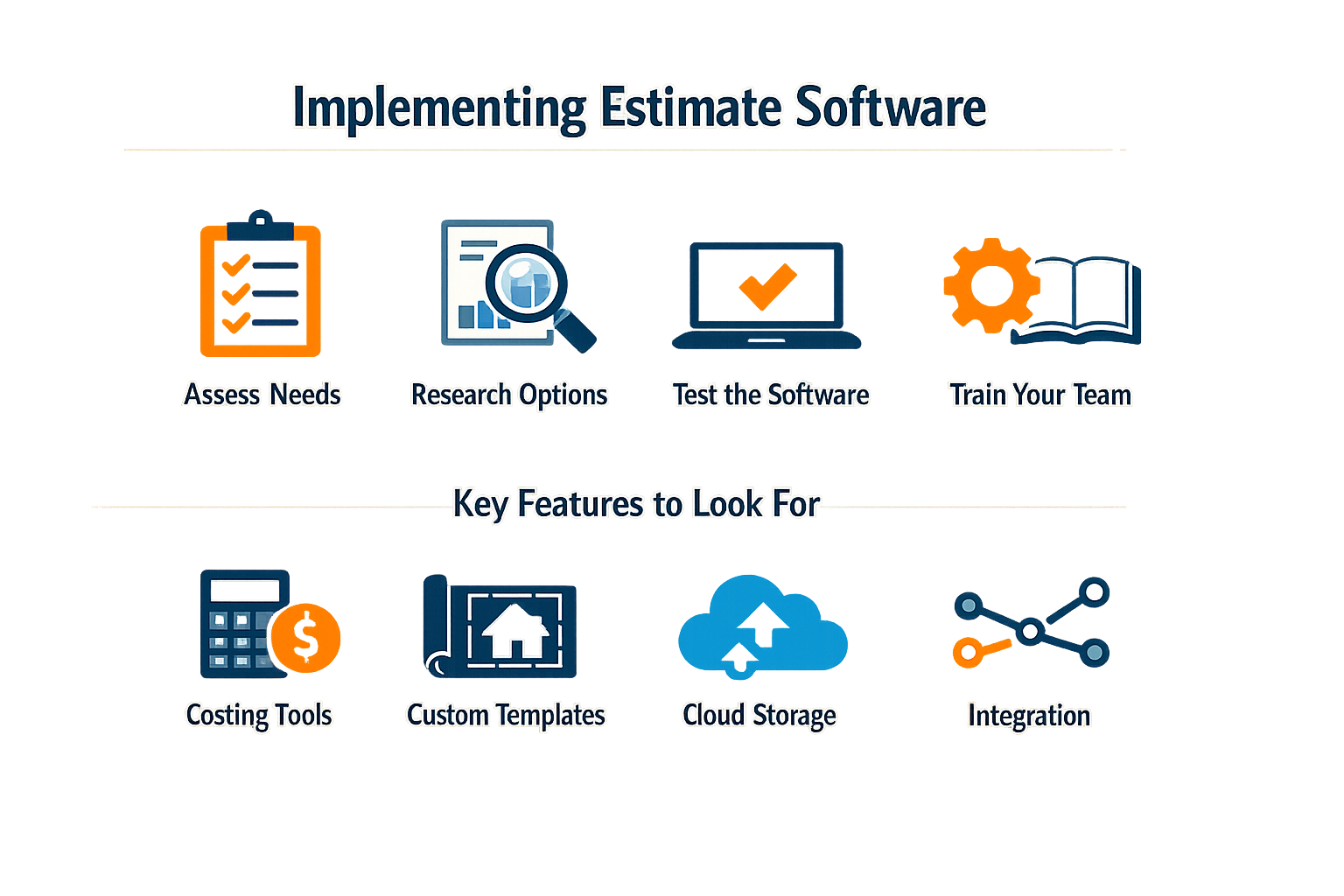
Implementing estimate software for contractors that handles the full quote to invoice workflow requires choosing a platform with the right feature set, then configuring it to match how your business actually operates. The steps below outline what to evaluate and how to roll out a system that supports both instant estimates and formal final quotes.
Evaluate Core Quote-to-Invoice Features
Start by cataloging the features your workflow requires. Look for platforms that let you build estimates in the field, present them to customers in real time, and convert approved quotes directly into invoices without re-entering data. The system should support customizable pricebooks so you can keep labor rates, material costs, and markup formulas current across all estimates. Digital forms and mobile access are non-negotiable — your field team needs to generate accurate quotes on-site, not back at the office.
Step 1
Audit your current estimate-to-payment process
Document every handoff: how quotes are created, who approves them, how they become invoices, and where payment is collected. Identify any step that requires duplicate data entry or manual reconciliation — those are the friction points your software must eliminate.
Step 2
Map required integrations
List the systems that touch your estimates: accounting software, CRM, scheduling tools, payment processors. Confirm that candidate platforms offer native integrations or reliable API access. A quote to invoice system that cannot push finalized invoices into your accounting ledger creates a new manual step instead of removing one.
Step 3
Test quote creation and conversion workflows
Request demos that show the full cycle: building a multi-line estimate, adjusting it based on customer feedback, marking it approved, and converting it to an invoice with payment terms attached. Pay attention to how many clicks each action requires and whether the interface works on a phone or tablet in direct sunlight.
Configure Payment Terms and Branding
Once you select a platform, configure payment terms, deposit requirements, and invoice branding before rolling it out to the field. Set default terms that match your standard contracts — net 30, deposit on approval, progress billing milestones — so techs do not have to remember policy on every job. Customize templates with your logo, brand colors, and standard footer language. Platforms that support editable templates let you adjust memo fields, payment instructions, and page layout without developer help.
Enable multiple payment methods in the dashboard so customers can pay by card, ACH, or other options without you writing custom code. Systems that offer over 40 payment methods and manage them centrally reduce the friction between quote approval and cash collection.
Train Field Teams and Set Approval Workflows
Field techs need hands-on training with the mobile interface — not a PDF walkthrough. Run practice sessions where they build estimates for common job types, adjust line items, and walk through the customer approval flow. Establish clear rules for when an estimate requires office approval versus when a tech can finalize it on-site. Track task completion and quote to invoice conversion rates in the early weeks to identify techs who need additional coaching.
For contractors managing small business automation, quote to invoice software is often the first workflow to automate because it touches sales, operations, and finance in a single system.
The best estimate software is the one your field team actually uses — which means the interface has to work under job-site conditions, not just in a conference room demo.
Monitor Conversion Metrics and Iterate
After go-live, track how many quotes convert to approved invoices, average time from estimate to payment, and how often quotes require revision. Surface sales opportunities by identifying patterns in declined estimates — if customers consistently reject a specific service tier or pricing structure, adjust your pricebook or bundling strategy. Use the data to refine your templates, adjust default terms, and coach teams on positioning.
Platforms that provide billing recommendations based on completed work can auto-generate invoices for progress billing or change orders, reducing the manual effort required to keep projects on schedule and cash flow predictable.
Tips and Tricks
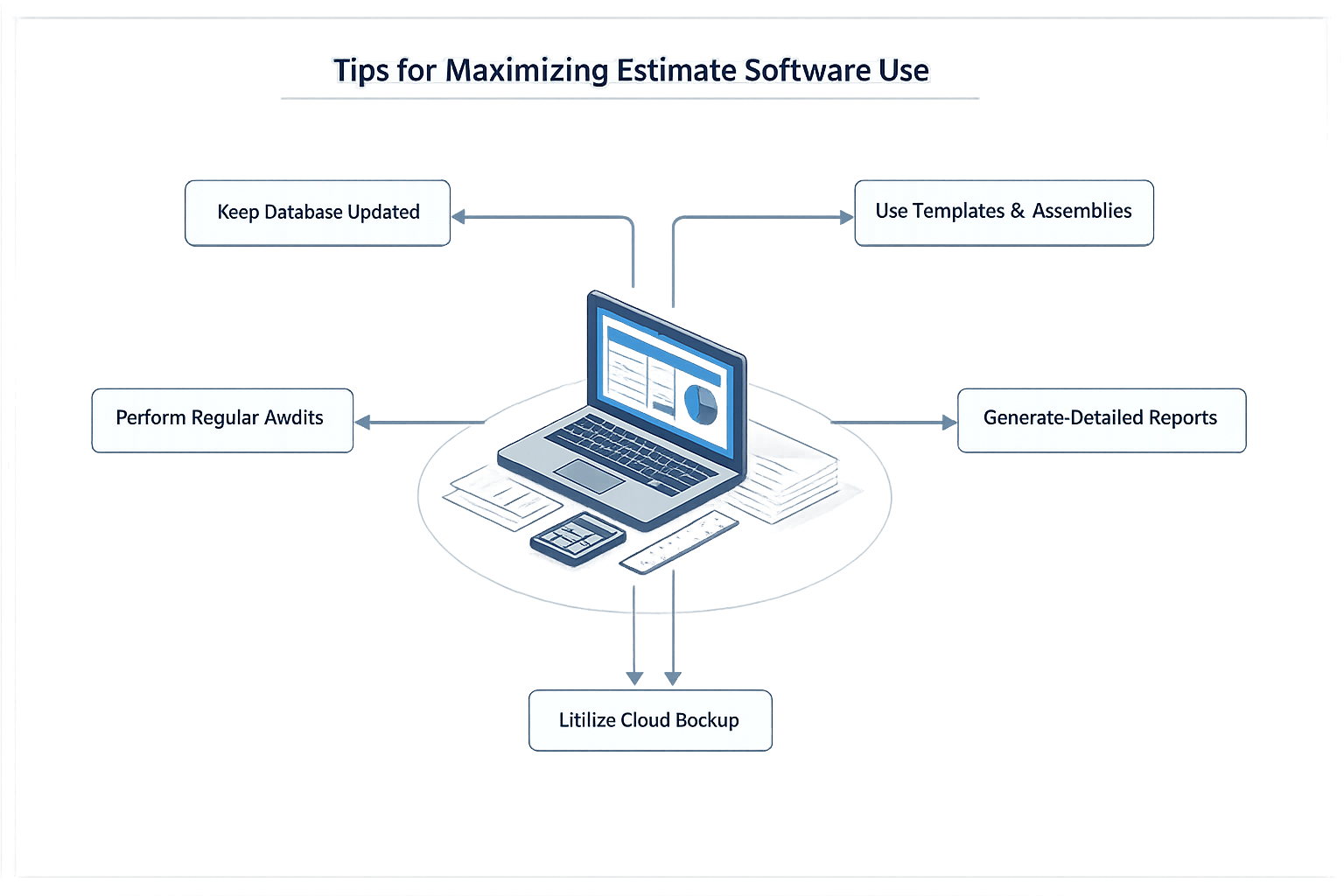
Contractors who treat estimate software for contractors as a sales tool—not just a calculation engine—close more jobs and waste less time chasing unpaid invoices. The difference between a platform that sits idle and one that drives revenue often comes down to a handful of workflow habits.
Automate Follow-Ups to Keep Deals Moving
Most quotes die in silence. A prospect requests an estimate, you send it, and then nothing. Platforms that auto-follow-up via email or text after a set interval keep your bid visible without requiring manual tracking. Set reminders to trigger 48 hours after delivery, then again at five days if there's no response. The system does the nudging; you focus on the next job.
Use Payment Reminders to Shorten Collection Cycles
Once a quote converts to invoice, auto reminders become critical for cash flow. Configure the software to send payment notices the day an invoice is due, then again at three days past due. This removes the awkwardness of manual collection calls and ensures every client gets the same professional treatment. The result: faster payment cycles and fewer aged receivables.
Build Templates That Reflect Real Job Costs
Generic line items produce vague quotes. Invest time upfront building templates with accurate labor rates, material costs, and markup percentages for each service type. When a new request comes in, you're drafting from a proven baseline rather than guessing. Update templates quarterly as supplier pricing shifts—this keeps your margins predictable and your quotes competitive.
The fastest quote is worthless if the pricing doesn't cover your actual costs; templates built on real job data prevent margin erosion.
Integrate Quote to Invoice Workflows
The moment a client accepts a quote, the software should generate a matching invoice without re-entering data. This eliminates transcription errors and speeds up billing. Look for platforms where quote approval triggers automatic invoice creation, job scheduling, and payment reminders in one sequence. The fewer manual handoffs between estimate and payment, the fewer opportunities for revenue to leak.
For broader efficiency gains, consider how marketing for home service businesses and local SEO for contractors integrate with your quote to invoice process to create a complete customer acquisition and fulfillment system.
Conclusion
Choosing the right estimate software for contractors directly affects how quickly you close work and how cleanly you get paid. When your quote to invoice workflow runs on a single platform, you eliminate the version-control chaos that kills margins — no more spreadsheet estimates that drift from the final invoice, no more manual re-entry that introduces pricing errors, and no more payment delays caused by inconsistent documentation.
The systems that work best for owner-operators share three traits: they turn site notes into formatted quotes in minutes, they convert approved quotes to invoices without manual transcription, and they support the payment methods customers actually use. Platforms that let you automate repetitive workflows without sacrificing control give you the operational leverage to bid more jobs without hiring estimators.
We've watched contractors double their close rates by switching from email threads and PDFs to integrated estimate-to-invoice tools that customers can approve and pay from their phones. The software itself matters less than the discipline: one source of truth from initial walkthrough to final payment, with every line item tracked and every change logged. When your estimating process feeds directly into your invoicing process, you spend less time reconciling paperwork and more time on the next job.
If your current workflow requires you to re-type estimates into invoices or chase customers for payment confirmations, that's the friction point to fix first. The right software doesn't just speed up quoting — it closes the loop so you get paid faster and your books stay clean.
Frequently asked questions
What is quote to invoice software?
Quote to invoice software is a unified platform that connects the entire contractor workflow from initial estimate creation through final payment collection. It eliminates manual data re-entry by converting approved quotes directly into invoices, maintaining pricing consistency and reducing administrative overhead.
How does quote to invoice software improve cash flow?
Quote to invoice software accelerates payment cycles by automating invoice generation, sending payment reminders, and supporting multiple payment methods. Contractors report faster quote-to-cash cycles because customers can approve estimates and pay invoices from the same platform without manual follow-up.
Should contractors use instant estimates or detailed quotes?
The answer depends on project complexity and customer expectations. Instant estimates work for straightforward jobs with predictable scope, while detailed quotes protect margin on complex projects. The best quote to invoice software supports both approaches, letting you start with a quick estimate and refine it into a detailed quote without re-entering data.
What features matter most in quote to invoice software?
Prioritize mobile access for field teams, customizable pricing templates, automatic quote-to-invoice conversion, integrated payment processing, and real-time cost tracking. Platforms that connect estimates, invoices, and accounting systems eliminate the manual handoffs that create errors and delays.
Sources(14)
- ServiceTitan
- Local Service Business OS
- Housecall Pro
- Jobber — Pricing page
- Smith.ai
- Google Search Central — AI features and your website
- Stripe Invoicing documentation
- Stripe Documentation — Invoicing
- Stripe Invoicing documentation
- Stripe Invoicing documentation
- sonoma-wash-co (operational_policy)
- local-service-business-os (shared_fact)
- sonoma-wash-co (shared_fact)
- jobber (competitive_claim)
Written by
Xenco Labs Editorial
Published October 20, 2026 · 14 min read
The Xenco Labs editorial team writes about building and shipping AI products to production.
You Might Also Like
More from the Xenco Labs blog

Pressure Washing Software: What an Owner-Operator Actually Needs
Discover the pressure washing software owner-operators need for scheduling, invoicing, customer management, and efficient operations in 2025. Learn how pressure washing

Workflow Automation for Small Business
Discover what workflow automation for small business is and how to implement it for small business operations. Boost efficiency, save time, and streamline tasks.

Pressure Washing CRM Business Software: Automate Beyond Customer
Discover how pressure washing CRM business software optimizes your operations by automating scheduling, invoicing, routing, and tasks beyond customer records.

How Much Does Small Business Automation Cost? Small Business Guide
Discover how much small business automation costs, including pricing factors, AI receptionist options, and budgeting strategies.