
Quote to Invoice: Estimate to Contract to Invoice Workflow: Connect
Learn how to connect estimates, contracts, jobs, and invoices seamlessly with an estimate to contract to invoice workflow for better project management. Implement
Introduction
Most service businesses treat estimates, contracts, jobs, and invoices as separate documents managed in different systems. An estimate lives in a spreadsheet, the contract sits in a PDF folder, the job runs on a paper checklist, and the invoice gets generated in accounting software. Each handoff requires someone to re-key data, match line items, and hope nothing was missed. When those handoffs fail, you bill for work that was never approved, forget to invoice completed tasks, or spend hours reconciling what was quoted against what was delivered.
An estimate to contract to invoice workflow connects these stages so that accepted scope becomes the job record, and completed work becomes the invoice—without retyping, without version conflicts, and without wondering whether the price on the invoice matches what the customer agreed to. The expensive part is not the software. It is connecting the business so that phone intake, estimate logic, contracts, job documentation, and invoicing all agree about the same customer and the same job.
When service businesses implement a connected workflow, the office work follows the job automatically. A lead generates an estimate, the estimate converts to a signed agreement, the agreement becomes a job checklist with documentation requirements, and job completion triggers an invoice with the exact scope and pricing the customer approved. For businesses looking to reduce administrative overhead, small business automation starts with eliminating these manual handoffs.
This guide walks through how to connect estimates, contracts, jobs, and invoices so that each stage inherits verified data from the one before it, and your team spends less time reconciling documents and more time completing billable work.
Problem Statement
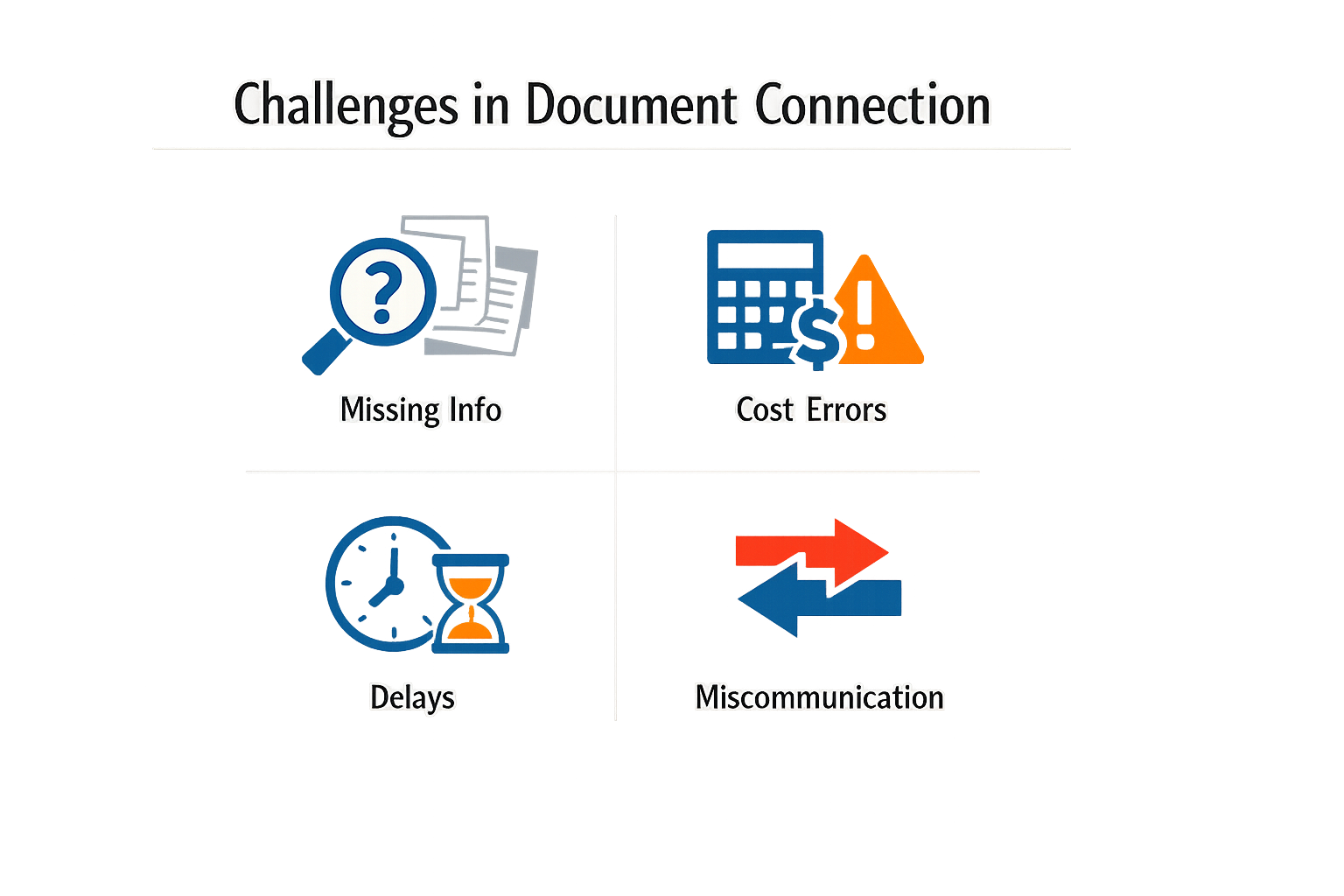
When estimates, contracts, jobs, and invoices exist as disconnected documents, every handoff becomes a point of failure. A customer agrees to an estimate, the contract reflects different line items, the field crew references outdated scope, and the invoice arrives with charges no one can reconcile. Each gap costs time, erodes trust, and creates exposure when a customer disputes what they agreed to pay.
The expensive part is not the individual documents. It is connecting the business. Phone intake, estimate logic, calendar, contracts, job scope, documentation, customer records, recurring service, invoicing, and follow-up all have to agree about the same customer and the same job. When these systems do not share a single source of truth, teams spend hours copying data between tools, chasing down what was actually approved, and explaining discrepancies that should never have existed.
Rework and Revenue Leakage
Disconnected workflows force rework at every stage. An estimate approved by the customer does not automatically populate the contract, so someone re-enters the scope manually. The job checklist does not reflect contract amendments, so the crew completes work that was never authorized—or misses work that was. The invoice pulls from a different system entirely, requiring another round of data entry and another chance to introduce errors.
Revenue leakage follows predictably. Scope completed in the field but missing from the invoice never gets billed. Change orders agreed to verbally never make it into the contract or the final invoice. Customers dispute charges because the invoice does not match the estimate they signed, and without a connected record, the business has no clean way to prove what was agreed.
Operational Friction and Customer Experience
Operational friction compounds as teams grow. The person who writes the estimate is not the person who drafts the contract. The crew in the field does not see contract notes. The billing clerk invoices from a spreadsheet that does not reflect change orders. Every handoff requires communication, and every communication is an opportunity for something to fall through.
Customers experience this friction as inconsistency. They receive an estimate, sign a contract with different terms, and then get an invoice that does not match either. When they call to ask what they are paying for, the business cannot answer without pulling records from multiple places. That hesitation signals disorganization, and disorganization signals risk. Customers who perceive operational chaos start shopping for alternatives before the job is even finished.
Solution Steps for Connecting Estimates, Contracts, Jobs, and Invoices
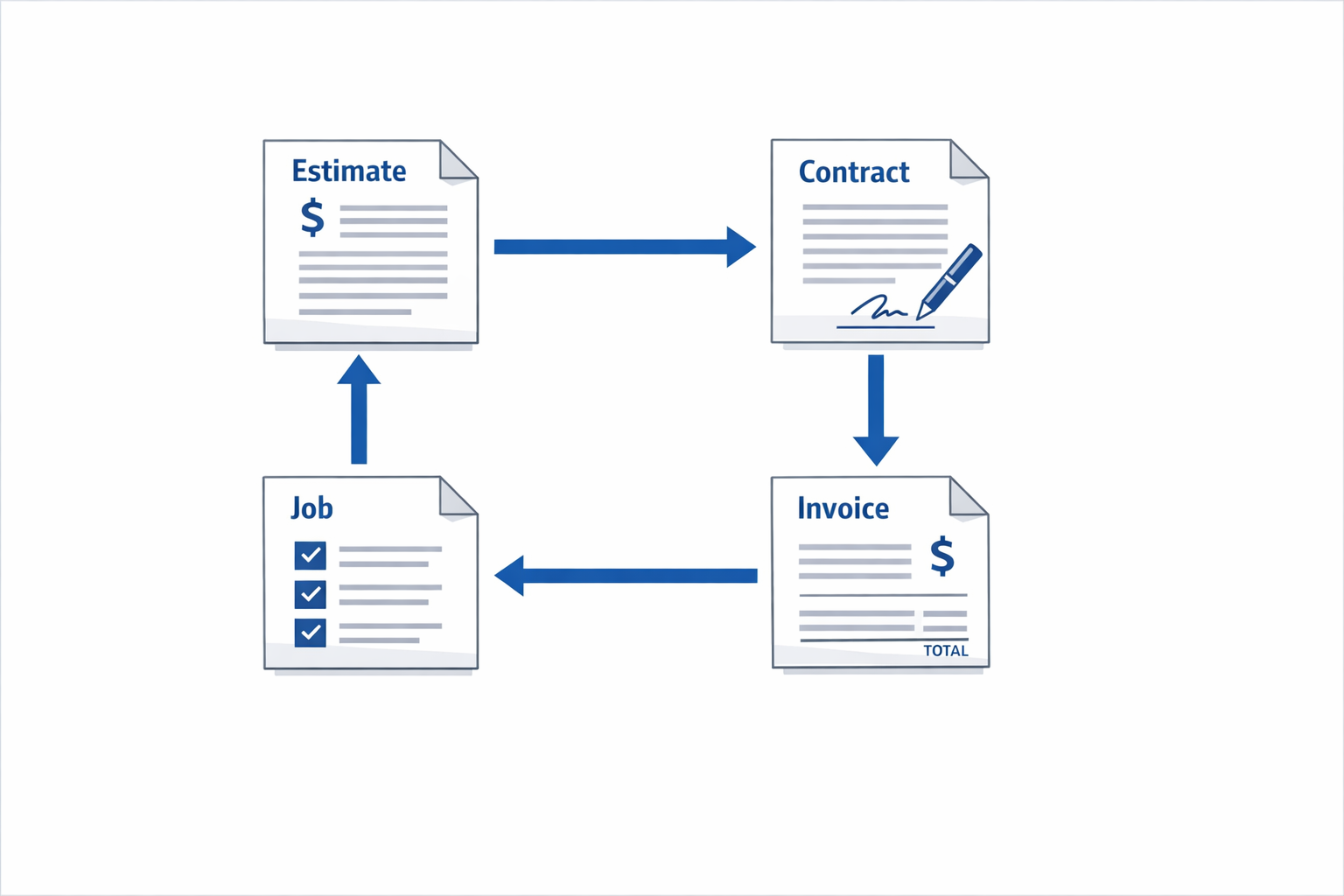
Building an estimate to contract to invoice workflow requires treating each document as a single version of truth that flows forward. When an estimate becomes a contract, the contract becomes the job scope, and the completed job triggers the invoice, you eliminate the reconciliation work that kills margins on small projects.
Step 1: Establish the Estimate as the Foundation
Start by creating estimates that contain all the information needed downstream. Line items, quantities, rates, customer details, and job parameters must be structured data, not prose. If your estimate is a PDF with paragraph descriptions, you will retype everything later.
Step 1
Build estimates with structured line items
Use a system that captures each service, material, or task as a discrete record with a price, quantity, and description. Avoid free-text estimates. Every line in the estimate should be a field that can flow into a contract, a job checklist, and an invoice without manual re-entry.
The estimate is not a quote for negotiation — it is the first draft of the job record. If the customer requests changes, version the estimate and keep the audit trail.
Step 2: Convert the Accepted Estimate into a Binding Contract
Once the customer accepts, the estimate becomes the contract. This conversion should be a single action, not a rewrite. Platforms like Stripe allow you to send a quote or estimate and convert it to an invoice once finalized, preserving the original line items and terms.
The contract must include payment terms, scope boundaries, and any conditions that affect invoicing. If the job scope can change, define the change-order process in the contract so amendments flow through the same system.
Step 3: Turn the Contract into a Job Record
The signed contract becomes the job. Every line item in the contract should populate a job checklist or work order. Field teams need to see the same scope the customer signed, not a summarized version.
Step 2
Create job records directly from contract data
Link the job to the contract ID and customer record. Populate the job checklist with the exact line items from the contract. If the contract says "pressure wash 2,000 sq ft driveway," the job checklist should say the same thing, with the same unit and the same quantity.
Job completion should require verification of each line item. Photos, timestamps, and sign-offs create the audit trail that supports the invoice. If you bill for work the job record does not confirm, you have a documentation gap.
Step 4: Generate the Invoice from the Completed Job
When the job is marked complete, the invoice generates automatically from the job record. The invoice line items match the contract line items, and any change orders or adjustments are documented as amendments with their own approval trail.
Step 3
Automate invoice creation from job completion
Configure your system to create an invoice when the job status changes to "complete." The invoice should pull line items, quantities, and rates directly from the job record, which inherited them from the contract. Manual invoice creation introduces errors and delays payment.
Invoices are used to collect one-time or recurring payments from a specific customer, and the invoice must reference the contract and job ID for traceability. If a customer disputes a charge, you should be able to trace the invoice line back to the signed contract and the completed job checklist in under 60 seconds.
Step 5: Close the Loop with Payment and Record Reconciliation
Payment closes the loop. When the invoice is paid, update the job record, the customer record, and your financial system in one transaction. If payment is partial or disputed, the system should flag the discrepancy and require resolution before marking the job closed.
| Document | Role | Key Requirement |
|---|---|---|
| Estimate | Initial scope and pricing | Structured line items, not prose |
| Contract | Binding agreement | E-signature, locked scope, payment terms |
| Job | Work order and checklist | Inherits contract line items, requires completion verification |
| Invoice | Payment request | Auto-generated from job, traceable to contract |
The estimate to contract to invoice workflow works when each document is a view of the same underlying data. If you are copying and pasting between systems, you do not have a workflow — you have a manual process with workflow labels.
For businesses looking to automate repetitive tasks across this workflow, small business automation strategies can help identify which steps to prioritize first.
Tips and Tricks for Effective Integration
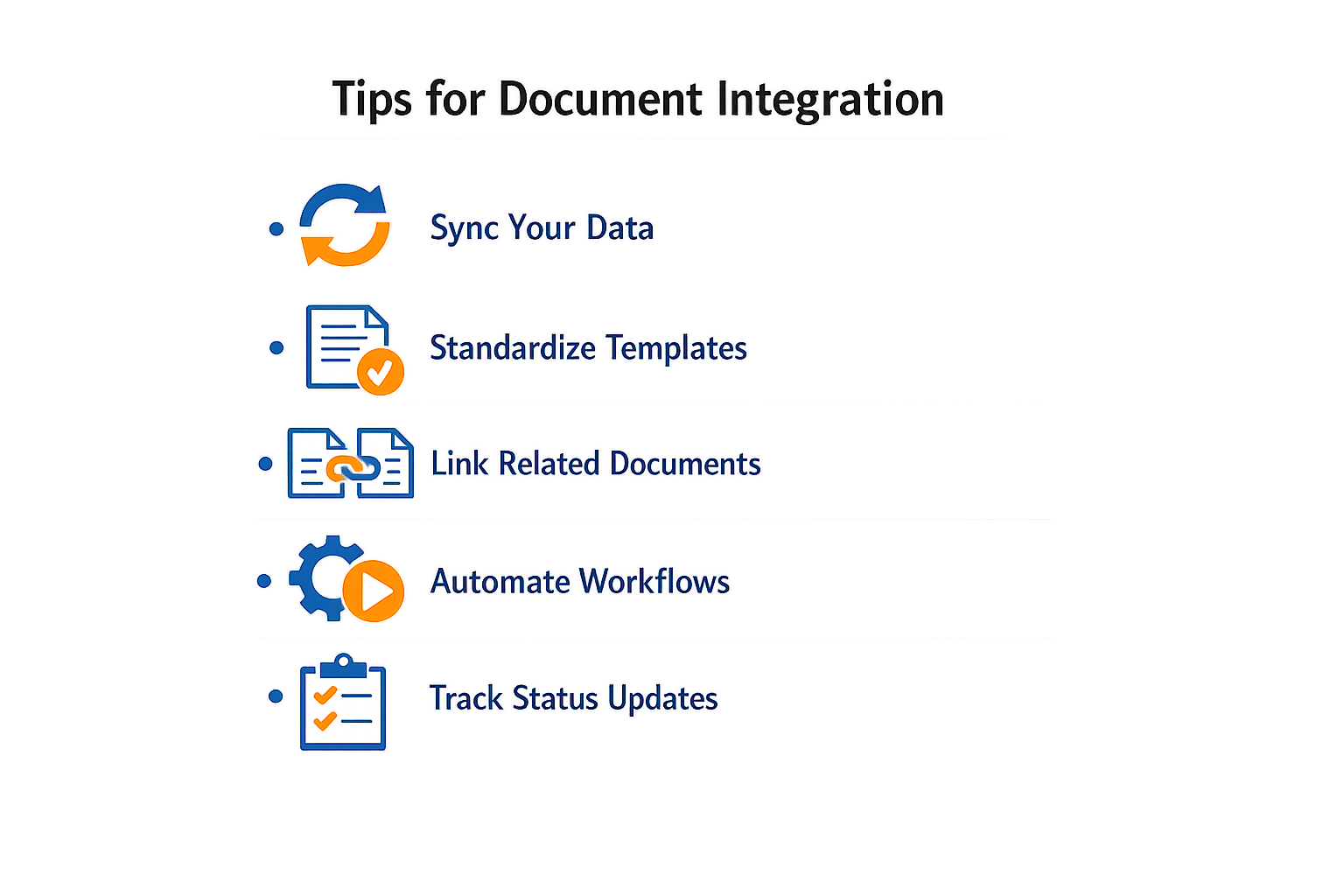
Maintaining a cohesive estimate to contract to invoice workflow requires more than initial setup. The system degrades when teams bypass steps, duplicate data, or fail to track status changes. These best practices address the friction points that appear after the workflow is live.
Standardize Field Workflows with Digital Forms
Digital forms eliminate the ambiguity that breaks document chains. When field teams use standardized forms for job completion, scope changes, and customer sign-offs, the data flows cleanly into contracts and invoices without manual reconciliation. This standardization also supports compliance tracking, since every form captures the same required fields in the same order.
Handle Payment Events Before They Become Exceptions
Payment workflows generate events that need immediate handling: payment initiated, payment failed, partial payment received. When you configure your system to respond to these events automatically, you prevent invoices from sitting in ambiguous states. A payment-initiated event should trigger customer notification; a payment-failed event should trigger retry logic or escalation to the billing team.
Monitoring these events in real time keeps the invoice status accurate and prevents the common problem of marking an invoice paid when the payment is still pending.
Use Credit Notes to Adjust Without Breaking the Chain
When a job changes after invoicing, issuing a credit note against the open invoice preserves the original document trail while adjusting the amount due. If the credit reduces the balance to zero, the invoice transitions to paid status automatically. This approach keeps the estimate-to-invoice lineage intact instead of deleting and recreating documents, which breaks reporting and audit trails.
Issuing a credit note against an open invoice reduces the amount due, and if it reduces the balance to zero, the invoice transitions to paid status.
Separate One-Time Payments from Recurring Billing
Invoices and payment links serve different purposes in the estimate to contract to invoice workflow. Use invoices for customer-specific transactions tied to a job or contract. Use payment links for productized offerings, subscriptions, or donations that do not require job-level tracking. Mixing the two creates confusion in reporting and makes it harder to trace which invoice corresponds to which job.
For businesses that need both, configure separate workflows so that job-based invoices never share a status dashboard with generic payment links.
Track Uncollectible Invoices for Accurate Reporting
When an invoice becomes unlikely to be paid, marking it as uncollectible preserves the record for bad debt accounting without inflating your accounts receivable. This status keeps the invoice visible in reports but removes it from active collection workflows. It is more accurate than voiding the invoice, which erases the transaction history, and cleaner than leaving it open indefinitely.
For more on automating these workflows from the start, see our guide on small business automation.
Conclusion
A functioning estimate to contract to invoice workflow is not a luxury — it is the baseline for knowing what you sold, what you delivered, and what you collected. When estimates convert cleanly into contracts, contracts generate jobs with the correct scope, and jobs close into invoices that match the original agreement, you eliminate the reconciliation work that consumes evenings and weekends. The alternative is a pile of spreadsheets, a folder of unsigned PDFs, and no confident answer when a customer calls six months later asking what they paid for.
The steps are straightforward: choose tools that enforce a single source of truth, map each handoff so nothing gets retyped, test the full cycle with a real job before you scale, and audit the connections quarterly to catch drift before it becomes expensive. The return is not just faster billing — it is the ability to trust your own records when a dispute arises, when an auditor asks for documentation, or when you need to forecast cash flow beyond next week.
We have seen this pattern hold across service businesses of every size: the ones that automate the estimate to contract to invoice workflow spend less time reconciling and more time serving customers. If you are still stitching together disconnected systems, start with the smallest complete cycle you can close — one estimate, one contract, one job, one invoice — and prove that the data flows correctly before you add complexity. The infrastructure you build now determines whether growth makes your business more profitable or just more chaotic.
For broader strategies on automating foundational business processes, see our guide on small business automation.
Related reading
AI Receptionist for Small Business: Key Functions and Benefits
SEO Content Brief to Published Page: Content Operations Workflow
Home Service Marketing: A Channel Plan for Owner-Operated Businesses
Sources(14)
- Local Service Business OS
- FieldPulse
- Google Business Profile guidelines
- Google Business Profile Help — Guidelines for representing your business on Google
- Stripe Documentation — Invoicing
- Stripe Invoicing documentation
- Stripe Invoicing documentation
- Stripe Invoicing documentation
- Stripe Documentation — Hosted invoice page
- Stripe Invoicing documentation
- Xenco Labs — Sonoma Wash Co. case study
- Google Search Central — Local business (LocalBusiness) structured data
- local-service-business-os (shared_fact)
- sonoma-wash-co (xl_local_os_editorial)
Written by
Xenco Labs Editorial
Published October 20, 2026 · 12 min read
The Xenco Labs editorial team writes about building and shipping AI products to production.
You Might Also Like
More from the Xenco Labs blog

Pressure Washing Software: What an Owner-Operator Actually Needs
Discover the pressure washing software owner-operators need for scheduling, invoicing, customer management, and efficient operations in 2025. Learn how pressure washing

Workflow Automation for Small Business
Discover what workflow automation for small business is and how to implement it for small business operations. Boost efficiency, save time, and streamline tasks.

Pressure Washing CRM Business Software: Automate Beyond Customer
Discover how pressure washing CRM business software optimizes your operations by automating scheduling, invoicing, routing, and tasks beyond customer records.

How Much Does Small Business Automation Cost? Small Business Guide
Discover how much small business automation costs, including pricing factors, AI receptionist options, and budgeting strategies.