
AI Receptionist vs Answering Service: What Is an Answering Service?
Discover what is an answering service and explore the key differences between AI receptionists and traditional answering services for your business. Learn about AI
Introduction
What is an answering service? An answering service is a dedicated solution that handles incoming calls when your team cannot, ensuring every caller receives immediate attention. Traditional answering services deploy live agents to answer phones, take messages, and route calls according to your instructions. AI receptionists automate the same tasks using conversational AI trained on your business information, operating continuously without staffing constraints.
Missed calls cost service businesses more than the immediate lost opportunity. By the time you return a call, the prospect has already moved to a competitor or, worse, left a negative review because no one answered. This operational reality drives the demand for what is an answering service — solutions that ensure every inbound call receives a response.
The choice between AI and human answering services is not purely technological. It hinges on call patterns, the complexity of customer questions, integration requirements with existing systems like calendars and CRMs, and whether your business benefits more from consistent automation or nuanced human judgment. For businesses exploring small business automation, understanding these distinctions clarifies where each solution fits in your operations stack.
This guide walks through the operational differences, cost structures, and deployment considerations for both AI receptionists and traditional answering services. You will see where each excels, where each falls short, and how to match the right solution to your business model.
Problem Statement
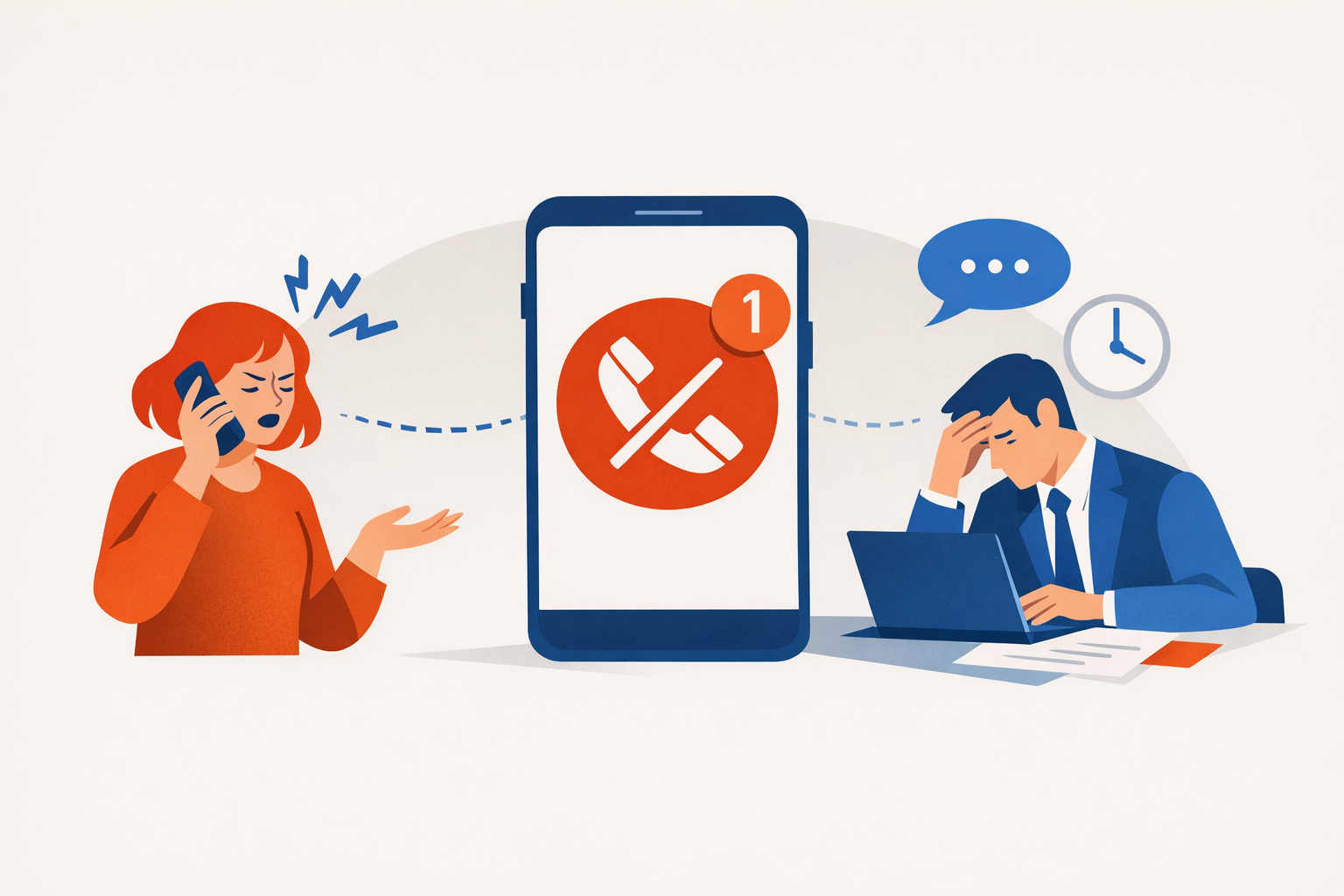
Every missed call is a missed opportunity. When a potential customer reaches voicemail instead of a live response, they move to the next provider in the search results. By the time you return the call, the lead has already chosen someone else — or worse, they leave a negative review because no one answered.
This problem scales with business growth. A single-location service business might handle incoming calls during business hours, but what happens after 5 PM, on weekends, or during peak appointment times when staff are already occupied? Traditional front-desk coverage requires staffing decisions that pit labor costs against the risk of lost revenue.
The Coverage Gap
Most businesses face a structural mismatch between when customers call and when staff are available to answer. Inbound inquiries arrive during lunch breaks, after hours, and on holidays. Even businesses with dedicated receptionists experience overflow during high-volume periods, leaving callers on hold or sent to voicemail.
The cost of coverage creates a second problem. Hiring full-time staff to answer phones means paying for idle time during slow periods, plus benefits, training, and management overhead. Outsourcing to a traditional answering service introduces per-minute fees that can become unpredictable, especially for businesses with variable call volume.
Inconsistent Customer Experience
When calls are handled by multiple people — or not handled at all — the customer experience fragments. One caller gets detailed answers, another gets transferred three times, and a third lands in voicemail. This inconsistency damages trust and makes it harder to convert inquiries into booked appointments.
Businesses need a solution that answers every call, captures every lead, and delivers consistent responses without requiring additional headcount. The question is whether that solution should be a human-staffed answering service or an AI-powered receptionist — and understanding what an answering service actually does is the first step in making that choice. For service businesses evaluating automation priorities, call handling sits at the top of the list because it directly impacts revenue capture.
How Does an Answering Service Work?
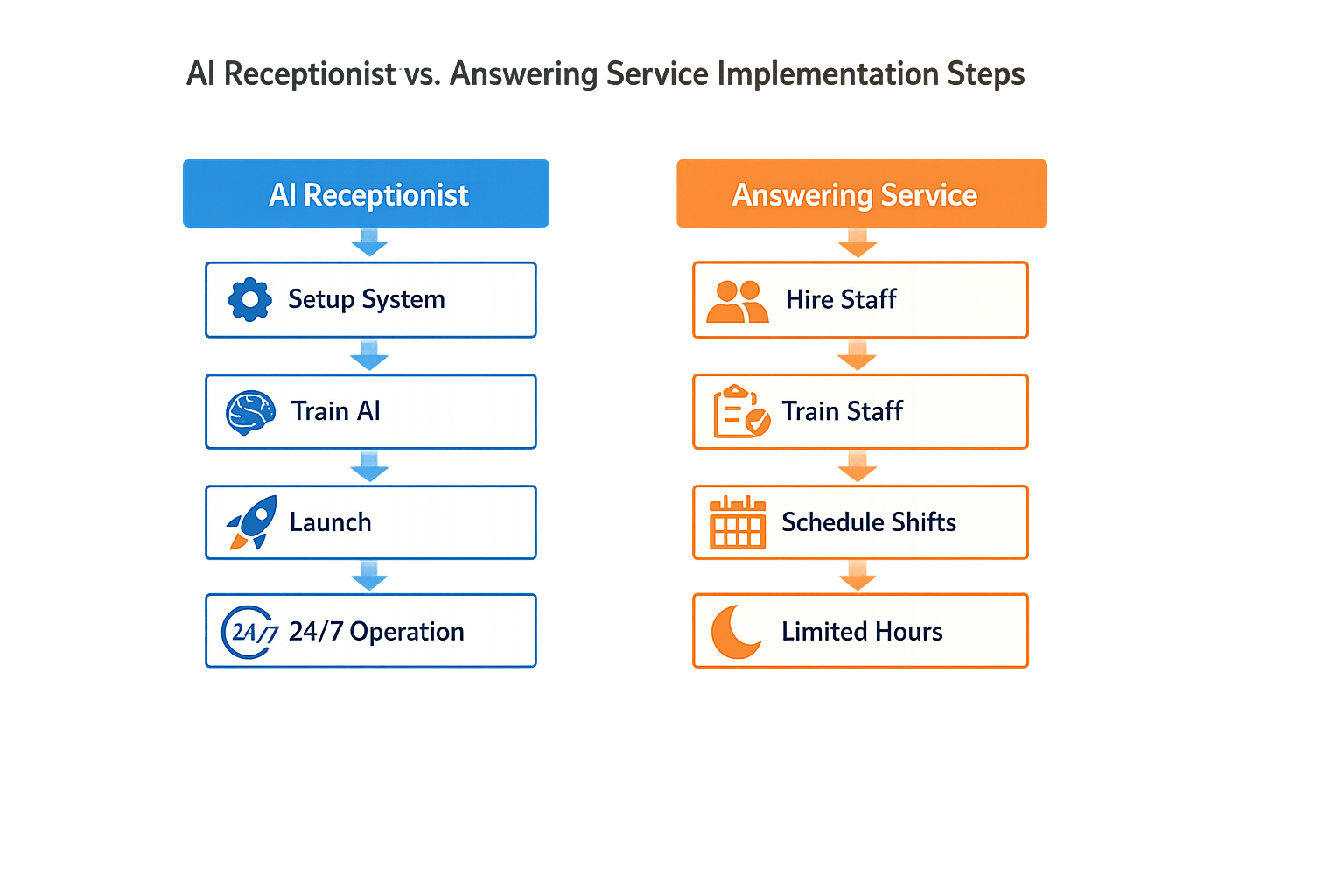
Choosing between an AI receptionist and a traditional answering service requires a structured evaluation of your business needs, operational constraints, and customer expectations. The steps below outline how to implement either solution, along with the practical trade-offs you'll encounter at each stage.
Step 1: Assess Your Call Volume and Patterns
Start by tracking inbound call volume for at least two weeks. Count total calls, peak hours, after-hours requests, and the percentage of calls that require immediate human judgment versus routine information.
Step 1
Inventory your call traffic
Log every inbound call for 14 days, noting time of day, caller intent (new lead, existing customer, vendor), and whether the inquiry could be handled by a scripted response. This baseline tells you whether you need 24/7 coverage, multilingual support, or complex issue triage.
Traditional answering services price per call or per minute, so unpredictable spikes can inflate costs quickly. AI receptionists typically charge flat monthly fees, making them more predictable for businesses with variable call loads.
Step 2: Define Your Call Handling Requirements
Map out what happens when a call arrives. Does the caller need appointment scheduling, basic FAQ answers, emergency dispatch, or immediate transfer to a technician? The complexity of your workflow determines which solution fits.
| Requirement | AI Receptionist | Traditional Answering Service |
|---|---|---|
| 24/7 availability | Standard feature | Available but costs more |
| Appointment booking | Integrates with calendar APIs | Manual entry, prone to lag |
| Call transfer to live agent | Instant escalation when needed | Already staffed with live agents |
| Custom scripting | Requires setup and testing | Easier to brief human operators |
If your business handles high-stakes calls where empathy and nuance matter—medical emergencies, legal intake, crisis intervention—a traditional answering service with trained operators is safer. If most calls follow predictable patterns (scheduling, hours, pricing), an AI receptionist handles them faster and without staffing constraints.
Step 3: Evaluate Integration with Your Existing Systems
Check whether the solution can connect to your CRM, scheduling software, and communication stack. AI receptionists rely on API integrations to log calls, update calendars, and route leads. Traditional answering services often require manual data entry or email summaries.
AI solutions typically integrate more cleanly with modern SaaS platforms, but they require upfront configuration. Traditional services are plug-and-play for voice calls but create friction when you need call data in your CRM. For businesses already running workflow automation, an AI receptionist slots into the stack with less manual overhead.
Step 4: Test Call Quality and Accuracy
Run a pilot with at least 50 real or simulated calls. For AI receptionists, script common scenarios and edge cases (angry callers, multi-part questions, accents). For traditional services, brief the operators and monitor how they handle your specific terminology and escalation rules.
Step 2
Conduct a controlled pilot
Direct a subset of inbound calls to the new system while keeping your existing setup as backup. Record outcomes: missed information, incorrect transfers, caller satisfaction. A good AI receptionist should handle 80% of routine calls without escalation; a good answering service should match your internal team's accuracy on scripted responses.
AI systems improve with training data, so early performance is not final performance. Traditional services depend on operator turnover and training consistency, which can drift over time.
Step 5: Calculate Total Cost of Ownership
Compare the full cost over 12 months, not just the monthly subscription. Include setup fees, per-call overages, integration labor, and the cost of missed leads.
The cheapest option is the one that doesn't lose a lead because the system couldn't answer a question your competitors handle in real time.
AI receptionists have higher upfront setup costs but lower marginal costs per call. Traditional answering services have minimal setup but scale linearly with volume. If you're growing fast or entering a busy season, the AI model's flat pricing protects your budget.
Step 6: Plan for Escalation and Failover
No system is perfect. Define what happens when the AI can't understand a caller or when the answering service is at capacity. Some AI receptionists can transfer to a live agent when they detect confusion or frustration, ensuring no missed calls. Traditional services are already staffed but may route overflow to voicemail during peak times.
The best implementations use both: AI handles volume and routine inquiries, and a live team takes complex or high-value calls. This hybrid approach balances cost, quality, and coverage.
What Are the Benefits of an Answering Service?
Choosing between an AI receptionist and a traditional answering service requires clarity on what your business actually needs from its front-line communication. The decision is not about which technology sounds more modern — it is about which system handles your call volume, integrates with your operations, and scales without forcing you to rebuild workflows every six months.
Match the Solution to Call Complexity
If your callers need live status updates pulled from a case management system or CRM, an AI receptionist that connects directly to those platforms delivers answers without staff interruption. Traditional answering services excel when calls require empathy, negotiation, or judgment that a script cannot anticipate. Map your most common call types to the capabilities of each system before you commit to a contract.
Evaluate Integration Requirements Early
An AI receptionist that cannot write to your scheduling system or pull client records mid-call creates the same bottleneck as a human operator taking messages on paper. Request a technical integration spec from any vendor before the sales demo ends. If the vendor cannot produce a list of supported APIs or webhook endpoints, you are looking at manual data entry regardless of what the marketing site promises.
For businesses already running small business automation workflows, the receptionist layer should feed directly into those systems — anything that requires a human to copy information between platforms is a regression, not an upgrade. Understanding home service marketing channels helps clarify how call handling fits into your broader customer acquisition strategy.
Test Call Routing Logic Under Load
Both AI receptionists and answering services rely on routing rules to send callers to the right person or department. Build your routing logic on paper first: define priority tiers, escalation paths, and overflow behavior when your team is unavailable. Then test the system with real call scenarios during your trial period. A system that works for ten calls per day often breaks at fifty calls per day if the routing logic was never stress-tested.
The best receptionist solution is the one that fails gracefully when call volume spikes — callers should never hear dead air or get routed to a voicemail box that no one checks.
Plan for Seasonal and Growth Variability
If your call volume doubles during tax season, open enrollment, or a product launch, your receptionist solution must scale without requiring a new contract or a two-week onboarding cycle. AI receptionists typically scale instantly because they are software; answering services require staffing adjustments that take days to weeks. Confirm the vendor's ramp-up policy in writing and verify whether surge pricing applies when you exceed your baseline call count.
Conclusion
Choosing between an AI receptionist and a traditional answering service comes down to understanding what your business actually needs from its front desk. Both solutions handle incoming calls, but they do it in fundamentally different ways — one relies on human flexibility and judgment, the other on automation that scales without adding headcount. If your call volume is predictable and your questions are repetitive, automation handles the load without the per-minute cost structure that makes traditional services expensive at scale. If your callers need nuanced judgment or your business changes its procedures weekly, human agents adapt faster than you can retrain an AI.
The decision is not about which technology is newer or more impressive. It is about which operating model fits the way your business runs today and where it is headed. A successful business cannot afford to miss leads or leave callers waiting, and the right solution is the one that answers every call reliably within the constraints you can actually manage — budget, training time, and operational complexity. You are not just paying for an answering service; you are investing in a solution that stays consistent under load and integrates cleanly with the rest of your stack.
For service businesses looking to automate call handling while maintaining control over lead capture and appointment scheduling, small business automation strategies provide a framework for deciding what to automate first and how to measure whether the automation is working. If you serve local markets, local SEO for contractors and Google Business Profile optimization ensure customers can find you before they ever pick up the phone. The best choice is the one that reduces missed opportunities without creating new operational bottlenecks — and that requires matching the technology to the actual shape of your call flow, not the other way around.
FAQ
What is an answering service?An answering service is a solution that handles incoming phone calls when your team is unavailable, providing coverage for routine questions, lead capture, appointment scheduling, and call routing. Traditional services use live agents; AI-powered services use conversational automation.
How much does an answering service cost?Traditional answering services typically charge per call or per minute, with costs ranging from $0.75 to $1.50 per call or $25 to $100+ per month for basic plans. AI receptionists usually charge flat monthly fees between $50 and $300, making them more predictable for businesses with variable call volume.
Can an answering service integrate with my calendar and CRM?AI receptionists typically integrate directly with modern SaaS platforms through APIs, automatically logging calls and updating records. Traditional answering services often require manual data entry or send email summaries that your team must process separately.
What types of businesses need an answering service?Service businesses with high inbound call volume benefit most: medical practices, law firms, HVAC contractors, plumbing companies, property management, and professional services. Any business where missed calls equal lost revenue should consider an answering solution.
How do I choose between an AI receptionist and a traditional answering service?Evaluate your call complexity, volume patterns, and integration needs. If most calls follow predictable patterns (scheduling, pricing, hours), an AI receptionist handles them efficiently. If calls require empathy, negotiation, or complex judgment, a traditional service with trained operators is safer.
Sources(10)
- Smith.ai — AI Receptionist pricing
- Smith.ai
- RingCentral — AI Receptionist
- Xenco Labs — Local Service Business OS narrated product pitch brief (2026-10-08)
- Local Service Business OS
- Google Search Central — AI features and your website
- ringcentral (competitive_claim)
- local-service-business-os (shared_fact)
- google-business-profile-guidelines (source_extract)
- google-maps-review-policy (source_extract)
Written by
Xenco Labs Editorial
Published October 20, 2026 · 12 min read
The Xenco Labs editorial team writes about building and shipping AI products to production.
You Might Also Like
More from the Xenco Labs blog
Pressure Washing Software: What an Owner-Operator Actually Needs
Discover the pressure washing software owner-operators need for scheduling, invoicing, customer management, and efficient operations in 2025. Learn how pressure washing

Workflow Automation for Small Business
Discover what workflow automation for small business is and how to implement it for small business operations. Boost efficiency, save time, and streamline tasks.

Pressure Washing CRM Business Software: Automate Beyond Customer
Discover how pressure washing CRM business software optimizes your operations by automating scheduling, invoicing, routing, and tasks beyond customer records.

How Much Does Small Business Automation Cost? Small Business Guide
Discover how much small business automation costs, including pricing factors, AI receptionist options, and budgeting strategies.