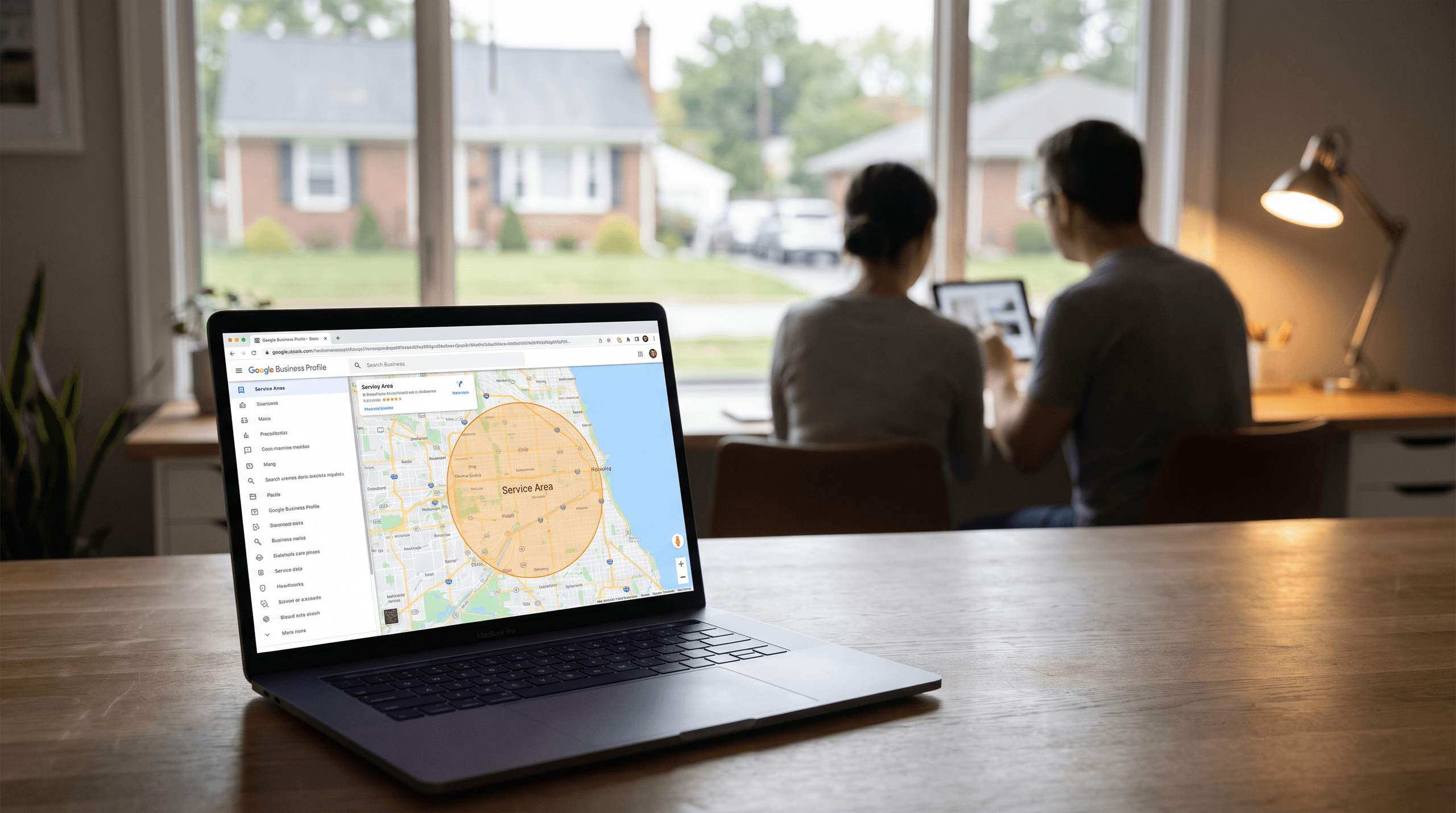
Google Business Profile Optimization: Service Area Business SEO
Learn effective service area business SEO strategies for Google Business Profile optimization to enhance visibility and attract more customers in your service areas.
Introduction
Service area businesses — plumbers, electricians, landscapers, home cleaners, HVAC contractors — operate in a search visibility gap. You serve specific geographic areas, but you don't have a physical location customers visit. Google's local search algorithms were built around storefronts, and the platform's guidance for businesses without a public-facing address has evolved in ways that create both opportunity and confusion.
The Google Business Profile is your primary ranking signal when traditional location signals don't apply. Unlike businesses with walk-in traffic, you can't rely on foot traffic patterns, parking lot proximity, or street-level visibility to reinforce your relevance. Your profile must do that work alone. When configured correctly, it tells Google exactly where you operate, what services you provide, and why you should appear when someone in your service area searches for what you do. When configured poorly — or left in the default state after initial setup — it becomes invisible or shows up for the wrong queries in the wrong places.
This guide walks through the specific optimization steps that matter for service area business SEO. We focus on the profile settings, content elements, and operational practices that affect whether you rank in local search results. The strategies here assume you understand that your business model requires different tactics than a restaurant or retail store, and that best practices for deploying AI web apps in other contexts don't directly transfer to the constraints of local service visibility.
The following sections identify the common mistakes service businesses make with their profiles, then lay out the configuration and maintenance steps that close the visibility gap.
Problem Statement
Service-area businesses — plumbers, electricians, HVAC contractors, landscapers — face a structural disadvantage when optimizing their Google Business Profiles. Unlike brick-and-mortar stores with a single physical location customers visit, service-area businesses operate across multiple ZIP codes without a public-facing storefront. Google's interface was built for the retail model, and the platform's guidance often assumes you want foot traffic to a physical address. When you hide your address to comply with Google's service-area business policy, you lose the geographic anchor that drives local pack rankings in many markets.
The first challenge is visibility itself. Google's local algorithm weighs proximity heavily — searchers near a listed address see that business ranked higher. When your address is hidden, Google relies on your service-area boundaries and the centroid of your ZIP code or city to estimate relevance. If you serve a 30-mile radius but your registered address sits at the edge of that radius, you may rank poorly in the center of your actual service territory. Competitors with visible addresses in high-demand neighborhoods consistently outrank you, even when your service quality and review count are superior.
The second challenge is category and keyword alignment. Google's category taxonomy was designed for storefronts and restaurants; service categories like "plumber" or "HVAC contractor" exist, but they lack the granularity that matches searcher intent. A searcher looking for "emergency furnace repair" may not find your profile if you selected "heating contractor" as your primary category and buried "furnace repair" in your service list. Google does not surface service-area businesses in map pack results as reliably as it does location-based businesses, so every category and keyword choice carries outsize weight. Missteps here mean you do not appear for the searches that convert.
The third challenge is trust signals. Service-area businesses depend on reviews, but collecting them is harder when you do not have a physical location customers associate with a visit. A restaurant can prompt reviews at the point of sale; a plumber must send a follow-up email or text after the job is complete, and response rates are lower. Negative reviews hit harder because service businesses have fewer transactions per month than retail locations, so a single one-star review can drag your average below competitors with higher transaction volume. Google's ranking algorithm treats review velocity and recency as key factors, and service-area businesses struggle to maintain the pace that retail locations achieve naturally.
When your address is hidden, Google estimates your relevance by service-area boundaries and ZIP code centroids — not by where you actually do the most work.
Finally, there is the operational complexity of managing service areas themselves. Google allows you to define up to 20 service areas, but the interface is clunky and the boundaries are not always intuitive. You can specify cities, ZIP codes, or radius-based areas, but mixing formats creates gaps or overlaps that confuse the algorithm. If you serve parts of a county but not the whole county, you must list each city individually, and any city you miss is a city where you may not rank. Updating service areas as your business grows requires manual edits in the Google Business Profile dashboard, and there is no bulk-edit tool for businesses that operate across state lines or metro areas with dozens of municipalities.
These challenges compound. Poor category selection reduces visibility, which reduces clicks, which reduces the review volume that would otherwise improve your ranking. A hidden address in the wrong ZIP code centroid means you rank poorly in your best neighborhoods, so you do not get the jobs that would generate the reviews and the signals Google needs to trust your profile. The system is not broken, but it is not built for the way service-area businesses actually operate. Fixing it requires deliberate, tactical optimization at every layer of the profile.
Solution Steps for Google Business Profile Optimization
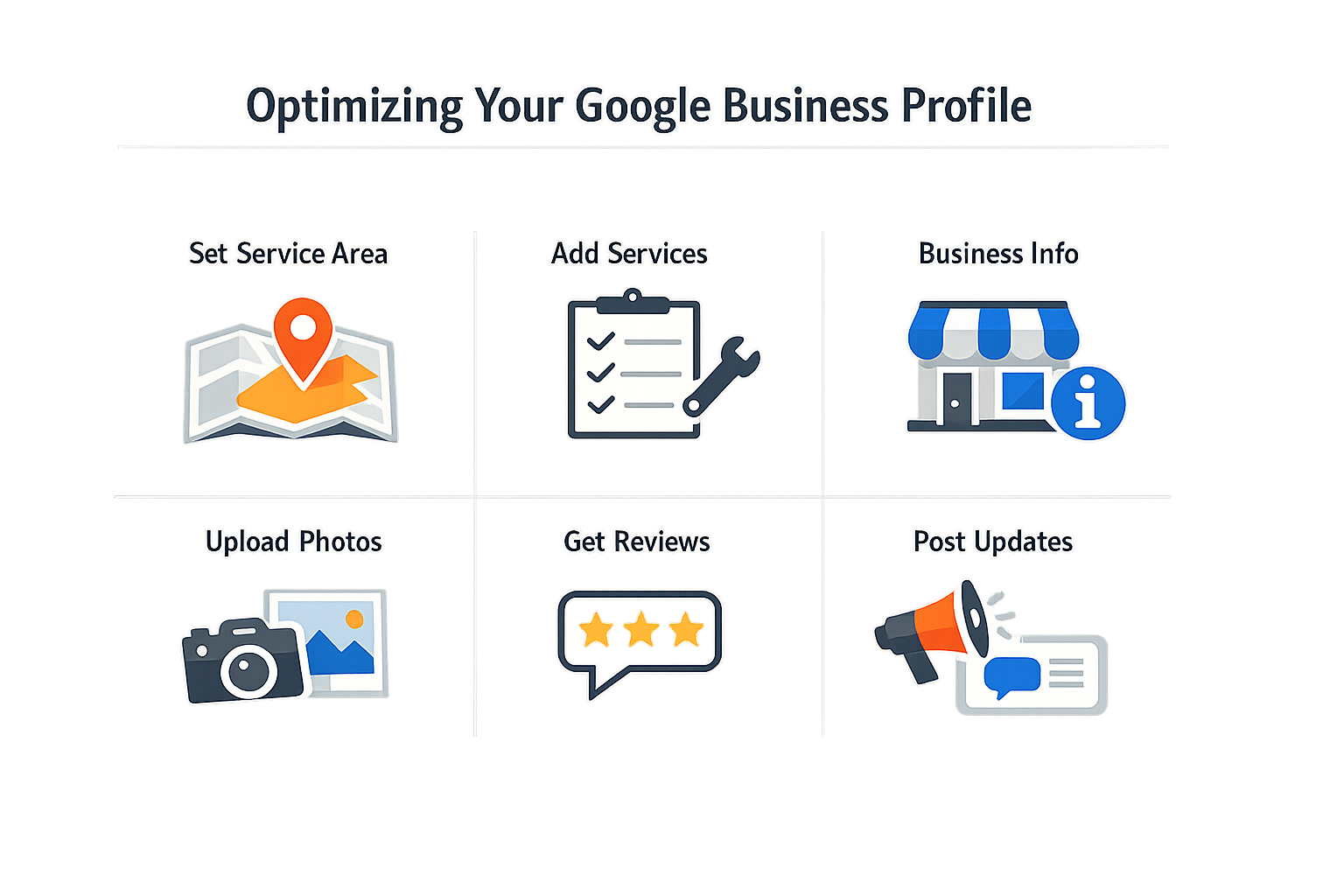
Optimizing a Google Business Profile for a service-area business requires a different approach than a storefront operation. The profile must communicate service coverage without confusing Google's systems or creating false expectations for customers. Follow these steps to build a profile that works with the platform's constraints rather than against them.
Step 1: Configure Your Service Area Settings Correctly
Step 1
Set your service area boundary
In your Google Business Profile dashboard, navigate to the service area settings and define the specific cities, ZIP codes, or radius you serve. Do not list your home address if customers do not visit that location — Google penalizes profiles that show a physical address for service-only businesses. Instead, hide your address and rely entirely on service area designations.
Be precise about coverage. If you serve three counties, list them explicitly rather than selecting a broad radius that includes areas you cannot realistically serve. Google cross-references service area claims with customer activity patterns; overstating your reach can trigger ranking suppression.
Step 2: Choose the Right Primary Category
Your primary category drives which searches surface your profile. For a plumbing service, "Plumber" is the correct primary category — not "Emergency Plumber" or "Commercial Plumber," even if those describe your focus. Google treats the primary category as the core service; use additional categories to specify niches like "Drain Cleaning Service" or "Water Heater Repair Service."
Limit yourself to categories that describe actual services you perform. Adding tangential categories to capture more searches dilutes your profile's relevance signal and can push you out of the results you actually want.
Step 3: Implement Local Business Structured Data
Add schema markup to your website that mirrors the information in your Google Business Profile. Include @type: LocalBusiness, your service areas, operating hours, and contact details. This reinforces the profile data and helps Google understand the relationship between your website and your GBP listing. Capturing reviews about your business and other businesses can improve your online presence and credibility in the eyes of potential customers — structure your review collection process to generate consistent schema-compliant review markup.
For service-area businesses, use the areaServed property to list specific cities or regions. This structured data does not replace your GBP service area settings, but it confirms them, reducing the chance Google misinterprets your coverage.
Step 4: Populate Business Hours and Special Hours Accurately
List your actual availability, not aspirational hours. If you take emergency calls 24/7 but only dispatch during business hours, reflect that in your profile description rather than marking yourself as "Open 24 hours." Customers who call outside your stated hours and get voicemail generate negative signals — missed calls hurt your profile's responsiveness score.
Use the special hours feature for holidays, seasonal changes, or temporary closures. Profiles that keep hours current rank better than profiles with stale information, even when the difference is a single holiday.
Step 5: Write a Service-Focused Business Description
Your business description should explain what you do, where you do it, and what makes your approach different. Avoid keyword stuffing — write for the person reading the profile, not for an algorithm. Mention your service areas naturally: "We provide HVAC repair and installation throughout Harris County, including Houston, Pasadena, and Sugar Land."
Keep the description under 750 characters. Longer descriptions get truncated in most views, and the truncated version is what most users see. Front-load the critical information: services, areas, and differentiators.
Step 6: Add High-Quality Photos That Show Your Work
Profiles with recent photos of completed work get more engagement than profiles with stock images or outdated photos.
Upload photos of your team, your vehicles with clear branding, and finished projects. For service businesses, before-and-after shots perform well — they demonstrate capability without requiring the customer to imagine the outcome. Add new photos monthly; recency signals matter for local rankings.
Avoid generic stock photos. Google can identify stock imagery, and profiles that rely on it rank lower than profiles with original content. If you must use stock photos, limit them to your logo and cover image.
Step 7: Collect and Respond to Reviews Systematically
Set up a process to request reviews after every completed job. Send a follow-up message with a direct link to your Google review page. Do not incentivize reviews with discounts or payments — Google detects and penalizes that behavior.
Respond to every review, positive or negative, within 48 hours. Your responses show up in search results and influence whether potential customers trust your business. For negative reviews, acknowledge the issue, explain what happened, and describe how you resolved it. Defensive or dismissive responses hurt more than the original negative review.
For businesses looking to integrate advanced optimization techniques, consider exploring best practices for deploying AI web apps to automate review monitoring and response workflows.
Step 8: Monitor Insights and Adjust Based on Performance
Google Business Profile insights show how customers find your profile, what actions they take, and which search queries trigger your listing. Check insights weekly to identify patterns. If most of your profile views come from branded searches, your non-branded visibility is weak — adjust your service area settings, categories, or description to capture more discovery searches.
Track phone calls, direction requests, and website clicks separately. A profile that generates calls but no direction requests is working correctly for a service business; a profile that generates direction requests means customers think you have a physical location they can visit, which indicates a configuration problem.
Tips and Tricks for Effective Profile Management
Beyond the foundational optimization steps, service area business SEO demands ongoing attention to the signals Google uses to rank and display your profile. The businesses that maintain visibility over time treat their Google Business Profile as a living asset, not a one-time setup task. Small, consistent actions compound into measurable ranking improvements and customer engagement.
Leverage Reviews as a Trust Signal
Customer reviews function as both a ranking factor and a conversion lever. Capturing reviews about your business builds credibility in the eyes of potential customers and signals to Google that your business is active and trusted. When you respond to reviews — positive or negative — you demonstrate engagement, which Google interprets as a sign of a well-managed business. Set a cadence for requesting reviews after completed jobs, and respond to every review within 48 hours. Generic responses do not work; reference specific details from the review to show genuine attention.
Control Access and Monitor Changes
If you work with an SEO provider or agency, grant only the minimum access required. When considering an SEO audit, only grant read access to Search Console initially, and be cautious about what is involved in the audit process. Full admin access to your Google Business Profile should remain with your internal team or a verified account manager. Set up email notifications for profile edits so you catch unauthorized changes immediately. Competitors and automated bots occasionally suggest edits to business profiles; catching these early prevents confusion and ranking disruption.
Update Business Hours and Attributes Proactively
Service area businesses often operate on seasonal schedules or adjust availability based on demand. Update your business hours before changes take effect, not after customers encounter closed doors or unanswered phones. Google penalizes profiles that list hours inconsistent with actual availability. Similarly, keep service attributes current — if you add emergency services or expand into a new trade, reflect that in your profile the same day. Stale information erodes trust faster than missing information.
The profile that answers the question a searcher is asking right now wins the click, even if a competitor has better reviews or longer tenure.
Post Regular Updates to Signal Activity
Google Business Profile posts expire after seven days, but their impact on perceived freshness lasts longer. Post weekly updates highlighting completed projects, seasonal offers, or service reminders. Posts do not need to be long — two sentences and a photo work better than a paragraph of text. Focus on content that answers common customer questions or showcases work quality. Profiles that post consistently see higher impression rates in local search results, even when the posts themselves receive few direct clicks.
For teams managing multiple service area profiles, automation tools can help maintain posting cadence without manual effort. If you're scaling operations across AI-driven workflows, best practices for deploying AI web apps can inform how you structure content pipelines that feed profile updates.
Monitor Insights and Adjust Based on Data
Google Business Profile Insights show how customers find your profile, what actions they take, and which search queries trigger your listing. Review this data monthly and look for patterns. If most discovery searches include a specific service term you have not emphasized in your profile description, add it. If phone calls spike on certain days, consider adjusting your staffing or response protocols. Insights also reveal whether customers are finding you through direct searches (branded) or discovery searches (non-branded). A healthy profile balances both, but service area businesses should aim for discovery search growth as a leading indicator of market expansion.
Conclusion
Service area business SEO through Google Business Profile optimization is not a one-time configuration task. The profile exists in a competitive environment where algorithm updates, competitor activity, and customer behavior patterns shift continuously. Businesses that treat their profile as a living asset — updating service areas when routes change, responding to reviews within business hours, and posting content that reflects actual work — maintain visibility advantages that static profiles cannot match.
The strategies outlined in this guide — accurate service area mapping, category alignment, structured review management, and content consistency — form a baseline operational discipline rather than a complete marketing program. Google's local ranking factors reward businesses that demonstrate ongoing presence in their service areas through verifiable signals: recent reviews mentioning specific neighborhoods, posts tagged to actual job locations, and response patterns that show active management. These signals compound over time when maintained systematically.
For service businesses operating without physical storefronts, the Google Business Profile functions as the primary discovery interface for local search intent. Optimization work that improves profile completeness, citation consistency, and engagement metrics directly affects whether a business appears in the local pack for high-intent searches in its service areas. The operational cost of maintaining an optimized profile is modest compared to the customer acquisition value of consistent local pack placement.
Continuous optimization means monitoring profile performance metrics monthly, auditing citation accuracy quarterly, and adjusting service area boundaries when expansion or contraction occurs. Businesses that integrate profile management into regular operational workflows — posting job completions, requesting reviews after service delivery, updating hours during seasonal changes — build the sustained signal patterns that Google's local algorithm interprets as authority and relevance.
The mechanics of service area business SEO will evolve as Google refines how it interprets service radius data and ranks businesses without fixed locations, but the underlying principle remains stable: demonstrate consistent, verifiable presence in the areas you serve through structured data and customer interaction patterns. Businesses that approach their Google Business Profile as operational infrastructure rather than marketing collateral position themselves to adapt as local search mechanics change. For teams seeking to integrate profile optimization into broader digital operations, exploring best practices for deploying AI web apps can provide frameworks for systematic implementation and monitoring.
Related reading
Sources(11)
- Google Business Profile Help — Guidelines for representing your business on Google
- Google Business Profile guidelines
- Google Business Profile guidelines
- Google Business Profile guidelines
- Google Business Profile guidelines
- Google Business Profile Help — Tips to get more reviews
- Google Business Profile guidelines
- Google Search Central — Local business (LocalBusiness) structured data
- Google Search Central documentation
- Google Business Profile guidelines
- STEP - MyTravelGov
Written by
Xenophon Giannis
Published October 18, 2026 · 15 min read
Xenophon Giannis is the founder and CEO of Xenco Labs, where he designs, builds, deploys and operates production AI software solo — on his own multi-node cluster, with his own LLM gateway and automation infrastructure. Twenty-five years in enterprise technology came first: a decade at AboveNet, hired as its first sales rep after bankruptcy and promoted until he ran the entire Western Pacific region, then sales leadership at Black Lotus and Nexusguard in DDoS mitigation. He writes about what he actually ships, and what actually breaks in production.
You Might Also Like
More from the Xenco Labs blog

How to Design a Request a Quote Form That Captures Qualified Jobs
Learn how to design a request a quote form that effectively captures qualified jobs and leads for your business with proven field strategies.

Speed to Lead: Lead Response Time for Service Businesses: Why Speed
Discover how lead response time impacts conversion rates for service businesses and learn proven strategies to improve your response speed. Speed to lead is crucial

General Contractor Website Design: Features for Winning Jobs
Learn the essential features of general contractor website design that help service businesses win jobs and attract clients effectively.

Landscaping SEO: SEO for Landscaping: How to Get Found Locally
Learn effective landscaping SEO strategies to enhance local visibility and attract customers to your landscaping business online.