
How Wearable Technology Is Transforming Field Operations
Explore how wearable technology field operations are being transformed through smart devices that enhance efficiency, safety, and real-time communication.
Introduction
Field operations have traditionally relied on clipboards, radios, and end-of-day reporting. That model creates gaps—between what's happening on-site and what the office knows, between when a problem occurs and when someone can respond, between the data a technician collects and the system that needs it. Wearable technology closes those gaps by putting connectivity, data capture, and decision support directly on the worker's body.
The shift isn't just about gadgets. It's about eliminating the friction that slows field teams down: the trip back to the truck for paperwork, the phone call to confirm inventory, the guesswork about whether the next job site is ready. When a technician can see the work order, update job status, capture photos, and request parts without setting down tools, the entire operation moves faster. When a dispatcher can see every crew's location and idle time in real time, scheduling stops being a daily negotiation and becomes a continuous optimization.
Wearable devices—smart glasses, rugged wrist-worn tablets, connected helmets—are now integrated into platforms built specifically for field service and logistics. These systems track project progress, allocate resources, and surface sales opportunities without requiring workers to stop what they're doing and fill out forms. For service businesses managing complex workflows, workflow automation extends from the office into the field, with wearables acting as the interface that keeps everyone synchronized.
How Wearable Technology Field Operations Create Competitive Advantage
The advantage isn't speed alone—it's the compounding effect of faster decisions, cleaner data, and tighter coordination. A field team equipped with wearables can respond to customer requests while still on-site, adjust schedules based on real-time conditions, and feed accurate job data back into inventory and billing systems the moment work is completed. That eliminates the reconciliation cycles that bog down traditional operations and creates a continuous flow of verified information from the field to finance.
For specialty contractors and logistics providers, wearable technology transforms how projects are tracked and how margins are protected. Instead of discovering cost overruns after the fact, managers see resource allocation and budget variance as jobs progress. Instead of waiting for end-of-day reports to spot inefficiencies, they can intervene while there's still time to correct course. The result is higher utilization, fewer missed opportunities, and better control over profitability.
Problem Statement
Field operations and logistics teams face a persistent set of challenges that directly impact service delivery, profitability, and competitive positioning. These challenges stem from the fundamental nature of distributed work: technicians, drivers, and field crews operate outside the controlled environment of an office, yet they must execute with the same precision, documentation rigor, and customer responsiveness that headquarters demands.
Coordination Breakdown in Distributed Teams
When a crew is on-site and a scheduling conflict emerges, or when a customer calls with an urgent request, traditional communication channels—phone calls, text threads, paper dispatch sheets—introduce friction at every handoff. The owner or dispatcher juggles inbound calls while trying to track who is where, what job is running late, and which technician has the skills for the next appointment. This coordination overhead compounds as the business scales beyond a single truck.
Many field-service businesses still rely on manual processes that were designed for a smaller operation. The result: missed appointments, duplicate travel, and a constant scramble to answer the question every customer asks first—"When can you be here?"
Documentation Gaps and Post-Service Lag
Completion documentation—photos, notes, time stamps, materials used—often lives on a technician's phone or a paper invoice until the end of the day. That delay creates a blind spot: the office cannot confirm job completion, issue an invoice, or respond to a customer inquiry with confidence until the crew returns and uploads their records. For businesses that bill on completion or need to document regulatory compliance, this lag is not just inconvenient—it is a liability.
The first deployments of workflow automation in field services focus on businesses where the owner or a small crew sells measurable field work, documents completion, and collects after service. The architecture works because it eliminates the post-service lag: data flows from the field to the system in real time, enabling immediate invoicing and customer communication.
Inefficient Resource Allocation
Without integrated analytics, field-service managers make scheduling and routing decisions based on intuition rather than data. They cannot easily identify which jobs are most profitable, which routes waste fuel, or which technicians close upsells most effectively. Workflow automation platforms address this by surfacing operational patterns, but the input data must be captured consistently and immediately—something that manual processes rarely achieve.
The absence of a unified system means that each improvement initiative—better routing, faster invoicing, proactive maintenance reminders—requires its own workaround, and those workarounds rarely talk to each other. The result is a patchwork of tools that increases complexity instead of reducing it.
The cheapest solution is the one that eliminates the need to ask "Where is my crew?" and "Did they finish?" a dozen times a day.
Solution Steps to Implement Wearable Technology
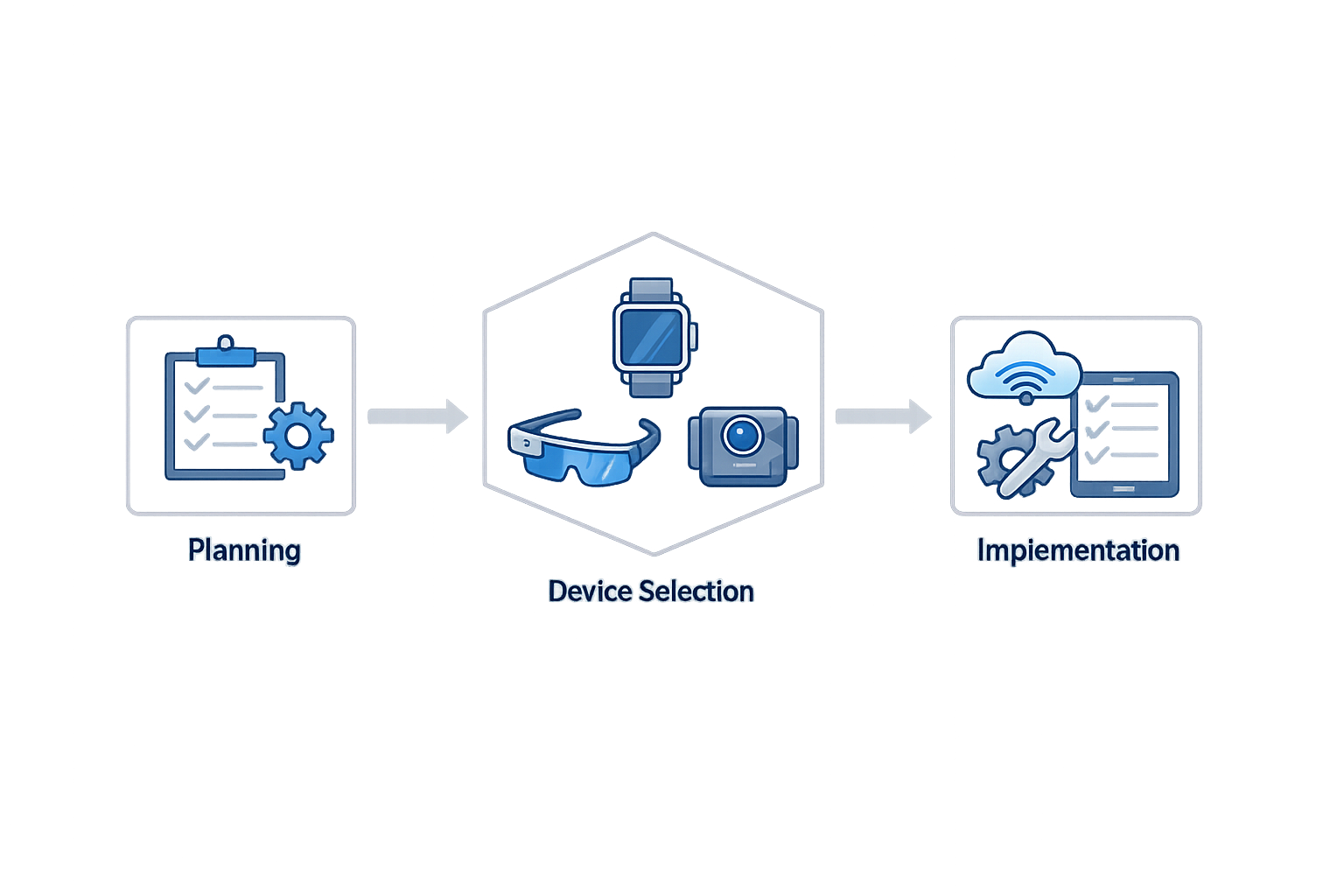
Integrating wearable technology into field operations requires a structured approach that balances technical capability with operational reality. Organizations that treat implementation as a series of deliberate steps—rather than a single technology purchase—build systems that scale with their business. The goal is not to deploy every available device, but to match specific tools to measurable workflow improvements.
Step 1: Identify High-Impact Workflow Targets
Step 1
Identify high-impact workflow targets
Start where the workflow is repeatable: focus on local and field-service businesses where the owner or a small crew sells measurable field work, documents completion and collects after service. Map the current process from customer inquiry through payment, then isolate the bottlenecks—dispatching delays, documentation gaps, or communication failures—that cost time or revenue. Wearable technology delivers the strongest return when it addresses a specific, recurring friction point rather than attempting to digitize every task at once.
The businesses that see immediate value are those with clear, repeatable service cycles. A pressure-washing crew that runs three jobs a day benefits more from real-time job updates than from a complex analytics dashboard. Prioritize the workflows where manual handoffs or information lag create visible problems, and design the wearable deployment around those pain points.
Step 2: Select Devices That Match Field Conditions
Step 2
Select devices that match field conditions
Choose wearable devices based on the environment your team operates in, not on feature lists. A ruggedized smartwatch that survives water exposure and impacts will outlast a consumer-grade device in outdoor service work. Battery life, connectivity options, and ease of use under work gloves matter more than screen resolution. Test devices in actual field conditions before committing to a fleet-wide rollout, and involve the technicians who will wear them in the selection process.
The device that works in a climate-controlled warehouse may fail on a construction site or during a summer exterior cleaning job. Evaluate durability, battery performance under load, and whether the interface remains usable when hands are wet or gloved. The best wearable is the one your team will actually use for a full shift.
Step 3: Integrate With Existing Systems
Step 3
Integrate with existing systems
Wearable devices generate value when they connect to the systems that already run your business—scheduling platforms, customer databases, and payment processing. Implementation typically targets two to four weeks after intake, subject to service complexity and integrations. Build the integration layer before deploying devices, so that data flows from the field into dispatch, invoicing, and reporting without manual re-entry. The goal is a single source of truth, not another disconnected data silo.
The integration step is where many deployments stall. If the wearable requires technicians to log data separately from the main dispatch system, adoption will collapse within weeks. Design the workflow so that using the wearable is the easiest path to completing the task, not an additional burden.
Step 4: Train Teams on Practical Use Cases
Step 4
Train teams on practical use cases
Training should focus on the specific tasks the wearable will improve, not on every feature the device offers. Show technicians how to update job status from the field, how to capture photos for documentation, and how to communicate with dispatch without returning to the truck. Keep training sessions short and hands-on, and provide quick-reference guides that fit in a pocket. The faster the team sees the device saving them time, the faster adoption becomes self-sustaining.
Avoid the temptation to train on hypothetical capabilities. If your current workflow does not require voice commands or biometric tracking, do not spend training time on those features. Teach the three to five actions that will happen daily, ensure everyone can perform them confidently, and expand from there as the workflow matures.
Step 5: Monitor Adoption and Iterate
Step 5
Monitor adoption and iterate
Track usage data from the first week of deployment and identify where technicians revert to old methods. Low adoption usually signals a workflow mismatch, not user resistance. Gather feedback directly from the field, adjust configurations to reduce friction, and celebrate early wins to build momentum. Implementation is not complete when devices are distributed—it is complete when the team prefers the new workflow to the old one.
The businesses that succeed with wearable technology treat the first deployment as a learning cycle, not a final product.
If technicians are bypassing the wearable to call dispatch directly, the voice interface may be unreliable or the device may not be accessible when they need it. If photo documentation is inconsistent, the camera workflow may require too many steps. Use the data to refine the process, and make adjustments quickly enough that the team sees their feedback implemented.
For organizations looking to build a complete operational system around field workflows, Workflow Automation for Small Business explores how wearable technology fits into a broader automation strategy that connects customer inquiry, service delivery, and payment collection into a single, repeatable process.
Tips and Tricks for Maximizing Wearable Technology Benefits
Wearable technology field operations investments pay off only when organizations commit to ongoing optimization. The gap between deployment and measurable return isn't technical — it's operational. Teams that treat implementation as a one-time event leave efficiency gains on the table, while those that refine workflows around real-time data capture see compounding improvements in productivity and margin.
Automate Opportunity Discovery to Protect Revenue
Manual tracking creates blind spots. When field teams rely on memory or end-of-day reporting, sales opportunities slip through unnoticed. Automating opportunity discovery ensures that no potential upsell, service add-on, or follow-up job goes unrecorded. Systems that surface these opportunities in real time allow technicians to act while still on-site, converting observations into booked work before the moment passes.
This automation directly impacts speed to cash and profit margins. When the system handles discovery, your team focuses on delivery and customer interaction, not administrative reconstruction.
Integrate AI-Powered Summaries for Data Efficiency
Field teams generate valuable data with every job, but raw notes and photos become useful only when synthesized. AI-powered summaries streamline this workflow by transforming on-site observations into structured, actionable records without requiring technicians to perform data entry. The result is faster handoffs, clearer communication with dispatch, and better visibility into recurring issues across jobs.
For logistics-heavy operations, this capability reduces the lag between field activity and operational response. When summaries populate automatically, managers can allocate resources, adjust schedules, and address bottlenecks in near real time rather than waiting for end-of-shift debriefs.
Leverage Premium Tools Strategically
Not every feature justifies its cost at every stage of growth. Premium products that enhance fleet visibility, boost close rates, or enable smarter reporting deliver value when they address a current constraint — not as speculative investments. Evaluate each add-on against a specific operational problem: Are missed appointments costing you jobs? Is fleet idle time eating margin? Do you lack visibility into individual performance metrics?
The cheapest platform is the one that solves the problem you have today, not the one with the longest feature list.
Start with core capabilities that run your full operation, then layer in premium tools as your team's capacity and complexity demand them. This staged approach keeps costs aligned with measurable impact and prevents feature bloat from overwhelming adoption.
For teams exploring broader digital transformation, workflow automation for small business offers complementary strategies that extend wearable technology benefits across the entire operation.
Train for Real-Time Decision-Making
Wearables provide data; training ensures that data becomes decisions. Field staff need clear protocols for when to escalate, when to upsell, and when to adjust scope based on real-time insights. Without this training, even the most capable devices reduce to expensive radios.
Build decision trees into your onboarding and refresher programs. Define thresholds — inventory levels that trigger reorder, time-on-task metrics that signal inefficiency, customer interactions that warrant manager involvement — and equip your team to act on them without waiting for approval. The goal is to move authority closer to the point of service, where wearable technology provides the context needed for confident action.
Monitor Adoption and Iterate
Deployment metrics matter less than utilization metrics. Track how often field staff access real-time updates, log observations through wearable interfaces, and act on automated prompts. Low engagement signals friction — interfaces that don't fit workflows, features that duplicate existing tools, or training gaps that leave users uncertain.
Address friction immediately. Solicit feedback from the field, observe actual usage patterns, and adjust configurations to reduce steps between data capture and value delivery. Wearable technology succeeds when it disappears into the workflow, not when it demands attention.
Conclusion
Wearable technology field operations have moved from experimental pilot programs to mission-critical infrastructure. Organizations that deploy smart devices—watches, glasses, headsets, and body-worn sensors—gain immediate visibility into team location, task status, and operational bottlenecks. These systems eliminate the lag between field events and office awareness, turning logistics from a reactive scramble into a proactive discipline.
The transformation extends beyond efficiency metrics. Real-time insights allow managers to adjust schedules mid-shift, reroute vehicles based on traffic or priority changes, and resolve customer issues before they escalate. Field technicians work faster when they carry digital checklists, instant access to service history, and direct communication channels that bypass phone trees. Wearable devices reduce the cognitive load of remembering procedures, tracking time, or logging data manually—tasks that slow down every job and introduce errors.
The cheapest wearable is the one your team actually uses every shift without prompting.
Adoption requires more than purchasing hardware. Successful deployments start with a clear problem statement: which delays, errors, or safety risks cost the most? The solution steps outlined earlier—assessing workflow gaps, selecting interoperable devices, training incrementally, and monitoring performance—provide a roadmap that minimizes disruption. Organizations that skip the assessment phase often end up with expensive devices that duplicate existing tools or fail to integrate with scheduling and inventory systems.
Maximizing return on investment depends on continuous optimization. Regular feedback loops, device hygiene protocols, and incremental feature rollouts keep adoption rates high and prevent the technology from becoming shelfware. When wearables connect seamlessly to dispatch, CRM, and payment platforms, they become the connective tissue that holds field operations together. For teams managing complex logistics, workflow automation for small business can amplify the benefits of wearable technology by reducing manual handoffs and accelerating decision cycles.
The competitive advantage belongs to organizations that move quickly. Wearable technology is no longer a differentiator—it is table stakes for any field operation competing on speed, accuracy, and customer experience. The tools exist, the business case is proven, and the implementation path is well-documented. The question is not whether to adopt wearable technology, but how fast your organization can deploy it before competitors do.
Explore how wearable technology is transforming field operations and logistics, enhancing efficiency and safety in the industry.
Related reading
Best Inventory Management Software for Small Warehouses
Related reading
What is Information Technology: Digital Transformation for IT Leaders
Written by
Xenophon Giannis
Published November 5, 2026 · 14 min read
Xenophon Giannis is the founder and CEO of Xenco Labs, where he designs, builds, deploys and operates production AI software solo — on his own multi-node cluster, with his own LLM gateway and automation infrastructure. Twenty-five years in enterprise technology came first: a decade at AboveNet, hired as its first sales rep after bankruptcy and promoted until he ran the entire Western Pacific region, then sales leadership at Black Lotus and Nexusguard in DDoS mitigation. He writes about what he actually ships, and what actually breaks in production.
You Might Also Like
More from the Xenco Labs blog

Agile Project Management Software: Tools for Sprints & Iterations
Explore Agile Project Management Software designed for sprints and iterations to enhance team collaboration and project efficiency.

Scheduling Software for Project Teams: Coordinate Resources
Explore how scheduling software for project teams helps coordinate resources, streamline workflows, and improve project management efficiency.

What is Information Technology: Digital Transformation for IT Leaders
Discover what IT leaders need to know about digital transformation, including strategies, challenges, and implementation insights in the context of what is information

Best Inventory Management Software for Small Warehouses
Explore the best inventory management software for small warehouses and growing businesses to streamline operations and improve efficiency.