
Best Inventory Management Software for Small Warehouses
Explore the best inventory management software for small warehouses and growing businesses to streamline operations and improve efficiency.
Introduction
Small warehouses face a distinct operational challenge: they need the precision and efficiency of larger facilities, but without the staffing, budget, or infrastructure those operations command. Manual spreadsheets and clipboards create bottlenecks. Stock discrepancies lead to delayed shipments. Time spent reconciling inventory is time not spent growing the business.
Inventory management software bridges that gap. For owner-operated warehouses and small teams, the right system transforms daily operations—turning guesswork into visibility, reactive firefighting into proactive control. When you can see what you have, where it sits, and when it needs replenishment, you make better decisions faster.
The challenge is choosing software that fits the way small warehouses actually work. Many platforms are built for enterprise complexity, with feature sets that overwhelm small teams and price tags that don't pencil out. Others are too basic, offering little more than digitized spreadsheets that fail to scale as order volume grows. The best inventory management software for small warehouses strikes a balance: robust enough to handle real operational demands, straightforward enough that your team can deploy it without hiring consultants.
This guide walks through what small warehouses need from inventory software, the common pitfalls to avoid, and how to evaluate solutions that deliver measurable results. Whether you're managing a single location or preparing to add capacity, the right system becomes the backbone of efficient, profitable operations. For businesses seeking workflow automation for small business operations, inventory management is often the highest-impact starting point.
Problem Statement
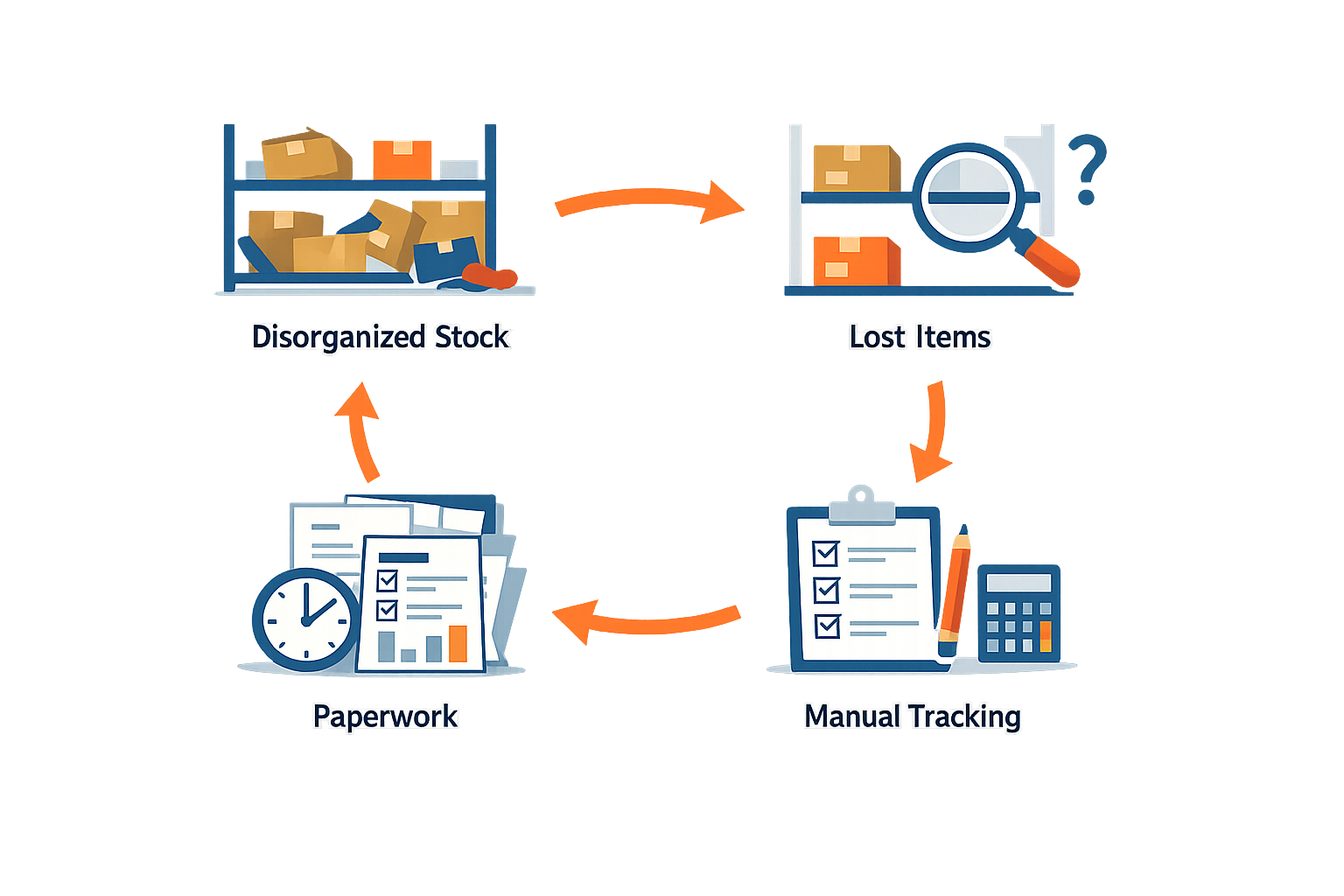
Small warehouses and growing businesses face operational friction that compounds daily when inventory management remains manual or fragmented. Without a unified system, teams lose visibility into stock levels, struggle to coordinate upcoming jobs, and spend hours reconciling spreadsheets that are outdated the moment they're saved. The result is a cycle of reactive firefighting rather than proactive planning.
The Cost of Manual Tracking
When inventory data lives in disconnected tools—clipboards, Excel files, email threads—accuracy erodes fast. Stock counts drift out of sync with reality. Teams over-order to compensate for uncertainty, tying up cash in safety stock that sits idle. Under-ordering creates its own chaos: delayed shipments, scrambled last-minute purchases, and frustrated customers waiting for products that should have been on the shelf.
Manual processes also fragment accountability. When one person updates a spreadsheet but forgets to notify the team, purchasing decisions get made on stale data. The warehouse operates in a fog, and management lacks the real-time insight needed to course-correct before problems escalate.
Scaling Without Systems
Growth amplifies every inefficiency. A manual process that worked for fifty SKUs becomes unmanageable at five hundred. As order volume climbs, the hours spent on data entry, cycle counts, and reconciliation multiply faster than revenue. Teams hire more people to handle the workload, but without a system that compounds value over time, each new hire simply adds capacity—not leverage.
The goal of implementing workflow automation for small business is to create a function that compounds over time, rather than just a one-time burst of activity. Inventory management software transforms tracking from a labor cost into an operational asset: one system that scales with the business, captures data once, and makes it available everywhere it's needed.
Missed Opportunities and Hidden Costs
Without integrated inventory management, small warehouses lose more than time. They lose the ability to spot trends, optimize reorder points, and negotiate better terms with suppliers. Financial controllers lack the granular data needed to track cost of goods sold accurately, making budget forecasting a guessing game. Operations teams can't identify slow-moving stock until it's already obsolete.
The hidden cost isn't just the inefficiency—it's the strategic blindness. Businesses make decisions based on intuition rather than data, and competitors with tighter systems move faster, price more aggressively, and capture the contracts that should have been yours.
Solution Steps
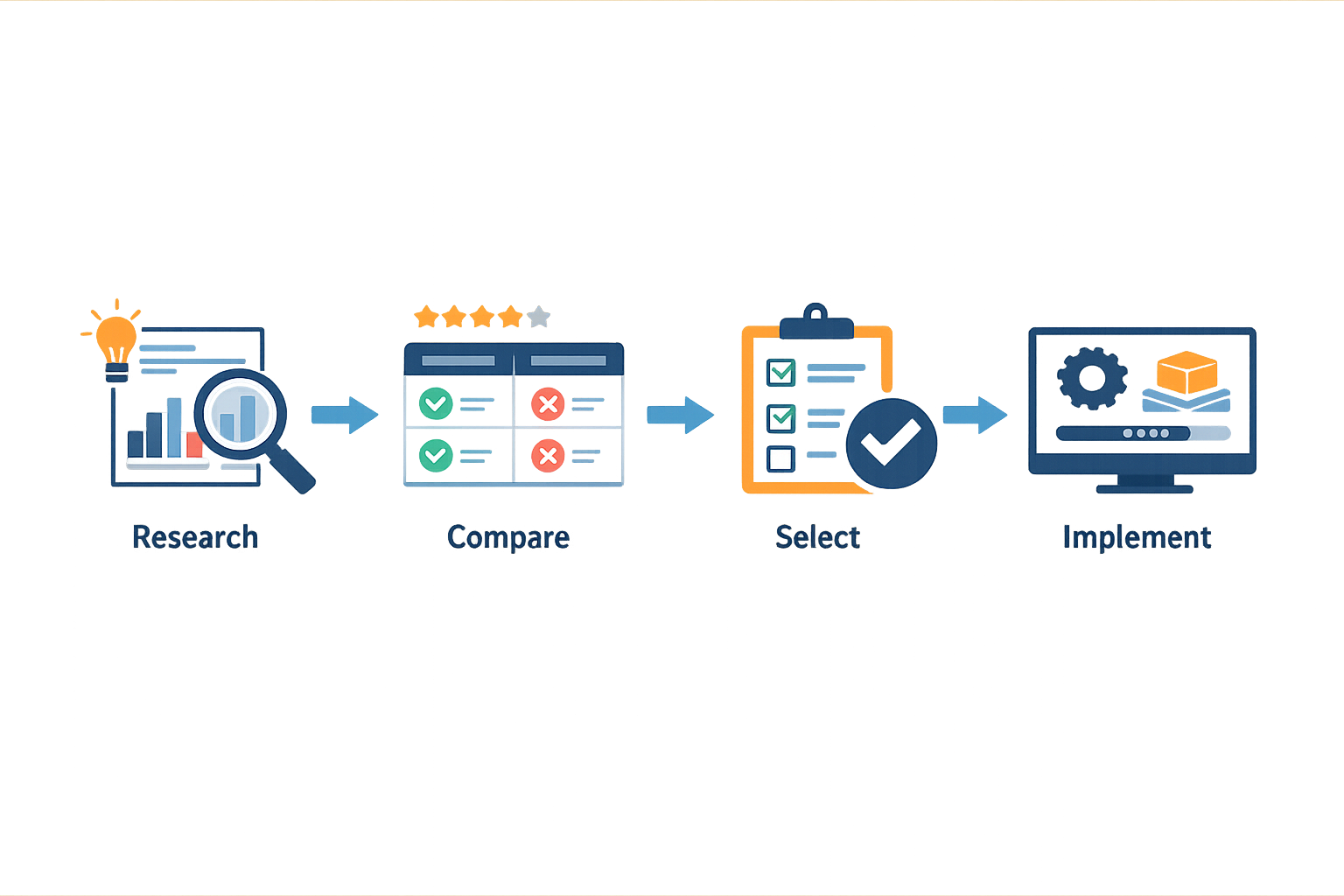
Finding and implementing the right inventory management software for small warehouses requires a methodical approach. The steps below walk you through evaluation, selection, and deployment so you avoid costly missteps and set your operation up for sustained growth.
Step 1: Map Your Current Workflow and Pain Points
Before you evaluate any platform, document how inventory moves through your warehouse today. Identify where manual processes create bottlenecks—receiving delays, stock discrepancies, or order fulfillment errors. Knowing your specific pain points ensures you prioritize features that solve real problems rather than chasing capabilities you'll never use.
Step 1
Document existing processes
Walk through a typical order cycle from receiving to shipping. Note every manual step, every spreadsheet handoff, and every point where information gets lost or duplicated. This baseline becomes your evaluation framework.
Step 2: Prioritize High-Value Features
Not all features deliver equal value. Focus on capabilities that directly address your documented pain points. Real-time inventory visibility, barcode scanning, and automated reorder alerts typically rank highest for small warehouses. Advanced analytics and multi-location support may matter less if you operate from a single site with straightforward SKU counts.
Step 3: Evaluate Integration Requirements
Your inventory system must connect to your existing tools—accounting software, e-commerce platforms, shipping carriers. Before you demo any solution, list every system that touches inventory data. Confirm that candidate platforms offer native integrations or reliable API access. A platform that forces manual data entry between systems will cost you more in labor than you save in software fees.
Real-time scheduling and team coordination tools can also play a role if your warehouse doubles as a dispatch hub. Flexible scheduling that adapts to changing priorities keeps operations smooth when demand spikes or staff availability shifts.
Step 4: Test With Real Scenarios
Request a trial or demo environment and run it through actual workflows. Process a sample receiving batch, simulate a stock count, generate a pick list for a multi-item order. Pay attention to how many clicks each task requires and whether the interface matches how your team actually works. Workflow automation for small business can eliminate repetitive tasks, but only if the platform's logic aligns with your operational reality.
Step 2
Run a live pilot
Select a small subset of SKUs or a single product category and manage it exclusively through the new system for two weeks. Track time savings, error rates, and team feedback. A successful pilot proves the system works before you commit to full deployment.
Step 5: Plan Your Implementation Cadence
Establish a recurring operating cadence that includes strategy, tooling, production, quality assurance, and reporting to streamline inventory management. Roll out the system in phases—start with receiving and put-away, then add order fulfillment, then reporting. Rushing a full cutover increases the risk of disruption. Set clear milestones, assign ownership for each phase, and schedule regular check-ins to address issues before they compound.
| Implementation Approach | Timeline | Risk Level | Best For |
|---|---|---|---|
| Phased rollout | 8–12 weeks | Low | Operations with complex workflows |
| Parallel run | 4–6 weeks | Medium | Teams with strong process discipline |
| Full cutover | 2–3 weeks | High | Simple operations with minimal SKU count |
Step 6: Train Your Team and Document Procedures
Software only works if your team uses it correctly. Schedule hands-on training sessions for every role that touches inventory—receiving clerks, pickers, managers. Create quick-reference guides for common tasks and post them at workstations. Designate a point person who can answer questions and troubleshoot issues during the first few weeks. Consistent use from day one prevents the system from becoming shelfware.
Tips and Tricks
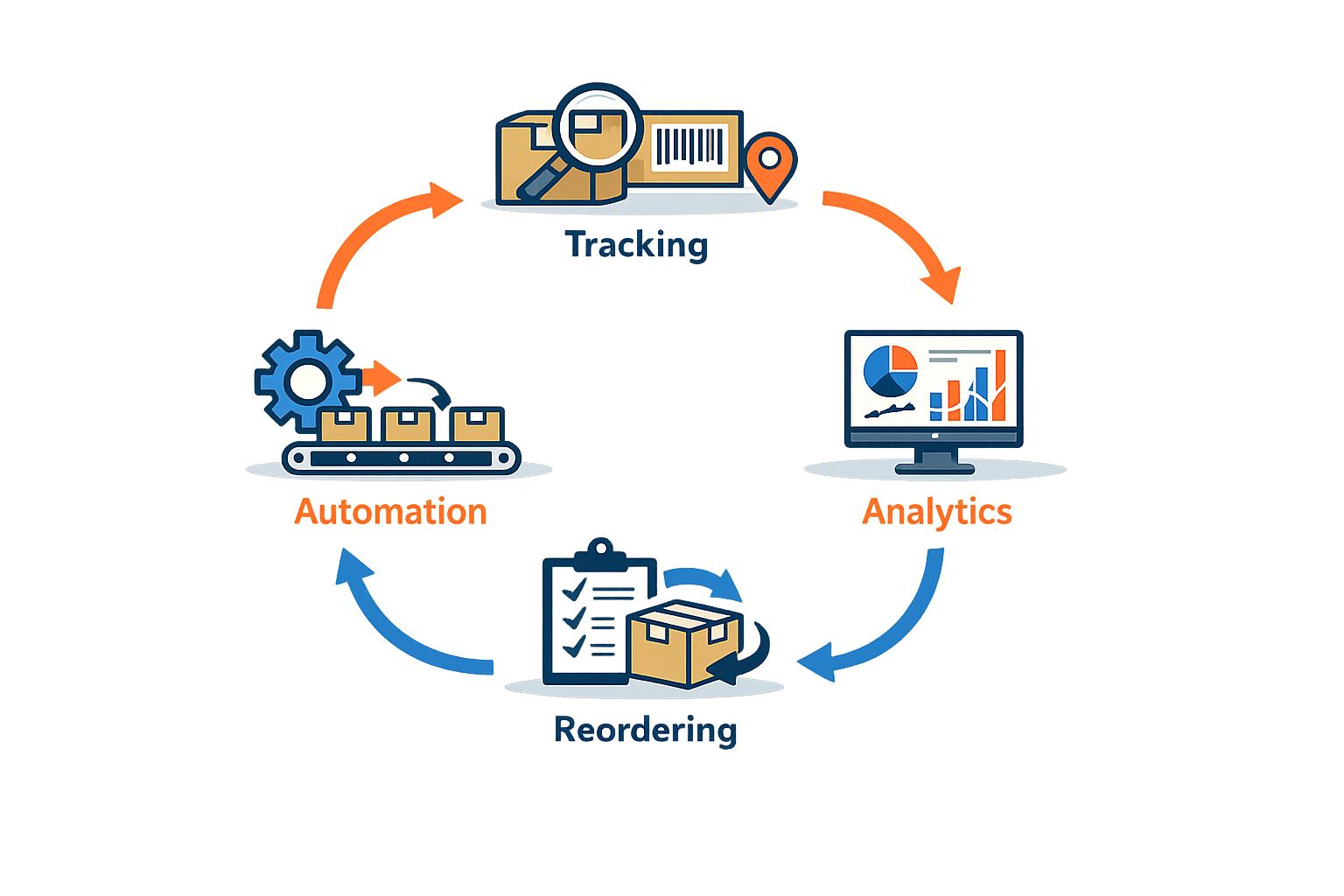
Once you've selected and implemented inventory management software, the real work begins: extracting maximum value from the platform. Small warehouses often run lean, so every efficiency gain compounds. The following tips help you optimize your software setup, automate repetitive tasks, and maintain accuracy as your operation scales.
Automate Route Planning and Scheduling
Manual route planning consumes hours each week and leaves room for human error. Modern inventory management platforms integrate scheduling and routing tools that optimize daily or weekly routes in seconds. When a last-minute change occurs—a rush order, a vehicle breakdown, or a staff absence—the system recalculates instantly, minimizing downtime and keeping your team productive.
Live GPS tracking extends this capability by providing real-time visibility into vehicle locations. You can give customers accurate ETAs, hold drivers accountable, and respond quickly when delays occur. For small warehouses managing local deliveries or service calls, this level of control transforms customer satisfaction and operational reliability.
Leverage Automation for Customer Communication
Inventory management isn't just about counting stock—it's about the entire order-to-delivery cycle. Automating customer communications reduces manual touchpoints and keeps clients informed without constant staff intervention. Configure your software to send automated status updates when orders ship, when drivers are en route, and when deliveries are complete.
Customizable email and SMS templates with dynamic content allow you to personalize messages at scale. For example, include the customer's name, order details, and estimated delivery window in every message. This level of professionalism builds trust and reduces inbound support requests, freeing your team to focus on higher-value tasks. Platforms like workflow automation tools demonstrate how small businesses can systematically eliminate repetitive manual work.
Automation doesn't replace the human touch—it amplifies it by ensuring no customer is left waiting for information.
Track Profitability at the Job Level
Small warehouses often operate on thin margins, so understanding profitability at a granular level is critical. Configure your inventory management software to track materials, labor, and expenses for each job or order. Real-time profitability dashboards show which activities generate profit and which drain resources.
Set profit margin thresholds for different job types. When a job falls below the threshold, the system flags it immediately. This early warning prevents unprofitable work from slipping through unnoticed and allows you to adjust pricing, reduce costs, or decline low-margin orders before they impact your bottom line.
Maintain Service History and Equipment Records
For warehouses that service recurring customers or manage equipment at client locations, maintaining detailed service history is a competitive advantage. Automated service reminders keep customers engaged and create predictable revenue streams. Equipment records at each property enable faster quoting and more personalized service, reducing the time your team spends gathering information on-site.
This historical data also supports better forecasting. When you know which products move fastest, which customers reorder regularly, and which equipment requires frequent servicing, you can adjust inventory levels and staffing proactively rather than reactively.
Integrate with Your Existing Tools
Your inventory management software should connect seamlessly with the tools you already use. Accounting integrations with platforms like QuickBooks Online or Xero eliminate double-entry and ensure financial data stays accurate. Marketing and automation integrations allow you to trigger campaigns based on inventory events—low stock alerts, reorder reminders, or seasonal promotions.
| Integration Type | Benefit | Example Use Case |
|---|---|---|
| Accounting | Eliminates manual data entry | Sync invoices and expenses automatically |
| Marketing | Triggers campaigns based on inventory events | Send reorder reminders when stock runs low |
| Fleet Management | Provides real-time vehicle tracking | Monitor delivery progress and driver performance |
| Supplier Portals | Automates purchase orders | Reorder stock when thresholds are met |
By connecting your inventory management software to a broader ecosystem, you create a single source of truth that powers every part of your operation. This reduces errors, speeds up decision-making, and allows your small warehouse to operate with the efficiency of a much larger organization.
Conclusion
The right inventory management software for small warehouses transforms daily operations from reactive firefighting into proactive control. When you can see stock levels in real time, automate reorder triggers, and track what moves through your facility without manual counts, you reclaim hours every week and eliminate the costly errors that erode margins. Small warehouses don't need enterprise complexity—they need tools that fit the scale of the operation and grow as the business does.
Choosing software isn't about features lists; it's about workflow fit. The best systems integrate naturally with how your team already works, whether that's scanning barcodes at receiving, updating counts from mobile devices on the floor, or syncing inventory data directly to your accounting platform. When the software aligns with the rhythm of your warehouse, adoption is fast and the return on investment shows up in weeks, not quarters.
For owner-operated businesses and small field teams managing both warehouse stock and service delivery, workflow automation for small business extends inventory control into the broader operational picture—linking what's on the shelf to what's scheduled in the field and what gets billed after the job. That end-to-end visibility is where small warehouses gain the efficiency edge that used to belong only to larger operations.
Start with a clear picture of your current pain points: Are you losing time on manual counts? Missing reorder windows? Struggling to reconcile physical inventory with what your system says? The software that solves your specific bottleneck is the one worth implementing. Pilot it in one product category or one section of the warehouse, measure the impact, then scale. Small warehouses win by moving deliberately, not by over-investing in capabilities they won't use for years.
Inventory management software isn't a luxury for small warehouses—it's the foundation that lets you compete on speed, accuracy, and customer service without adding headcount. When you can promise reliable delivery windows because you know exactly what's in stock and where it is, you're not just managing inventory—you're building the operational credibility that turns one-time buyers into repeat customers.
Written by
Xenophon Giannis
Published November 5, 2026 · 12 min read
Xenophon Giannis is the founder and CEO of Xenco Labs, where he designs, builds, deploys and operates production AI software solo — on his own multi-node cluster, with his own LLM gateway and automation infrastructure. Twenty-five years in enterprise technology came first: a decade at AboveNet, hired as its first sales rep after bankruptcy and promoted until he ran the entire Western Pacific region, then sales leadership at Black Lotus and Nexusguard in DDoS mitigation. He writes about what he actually ships, and what actually breaks in production.
You Might Also Like
More from the Xenco Labs blog

Service Business Software: What a Connected System Should Include
Pressure Washing Software: What an Owner-Operator Actually Needs
Discover the pressure washing software owner-operators need for scheduling, invoicing, customer management, and efficient operations in 2025. Learn how pressure washing

Workflow Automation for Small Business
Discover what workflow automation for small business is and how to implement it for small business operations. Boost efficiency, save time, and streamline tasks.

Pressure Washing CRM Business Software: Automate Beyond Customer
Discover how pressure washing CRM business software optimizes your operations by automating scheduling, invoicing, routing, and tasks beyond customer records.