
Service Business Software: What a Connected System Should Include
Introduction to Service Business Software
Service business management software addresses a consistent operational challenge for owner-operated service businesses: growth creates complexity faster than revenue creates capacity. The phone rings, estimates pile up, scheduling conflicts emerge, invoices lag behind completed work, and the owner becomes the bottleneck. Service business management software addresses this pattern by connecting the steps that move a customer from inquiry to payment into a managed system.
Traditional approaches treat each business function as a separate problem. One tool handles scheduling, another manages estimates, a spreadsheet tracks jobs, and invoicing happens whenever the owner finds time. This fragmentation creates gaps where customers fall silent, scope changes go undocumented, and revenue sits uncollected. A connected platform eliminates those gaps by designing the software around the actual operating loop: lead capture, estimation, booking, verification, contract execution, field work, documentation, and payment collection.
The businesses that benefit most from integrated systems share a common profile. They sell measurable field work, operate with small crews or solo, and need growth without proportional increases in administrative overhead. Exterior cleaning services, landscaping operations, mobile detailing, pool maintenance, and similar field-service verticals fit this architecture naturally. When best practices for deploying AI web apps are applied to service business contexts, automation handles the repetitive workflows while the owner retains control over pricing, scope approval, and customer commitments.
The shift from disconnected tools to a unified operating system changes how service businesses scale. Automation prepares estimates, moves approved jobs into scheduling, generates field checklists from signed contracts, and triggers invoicing when work is documented as complete. The owner's role shifts from managing every transaction manually to verifying key decision points and monitoring system performance. This structure creates the operational foundation that allows a service business to grow revenue without growing chaos.
Explore the essential components of service business management software and how a connected system can enhance your operations.
What is Service Business Management Software?
Service business management software is a connected system built to handle the full operational cycle of field service and owner-operated businesses. It integrates customer intake, scheduling, job documentation, invoicing, and payment collection into a single platform, replacing the fragmented mix of spreadsheets, phone logs, and standalone tools that most small service businesses start with.
Core Functionalities of Service Business Management Software
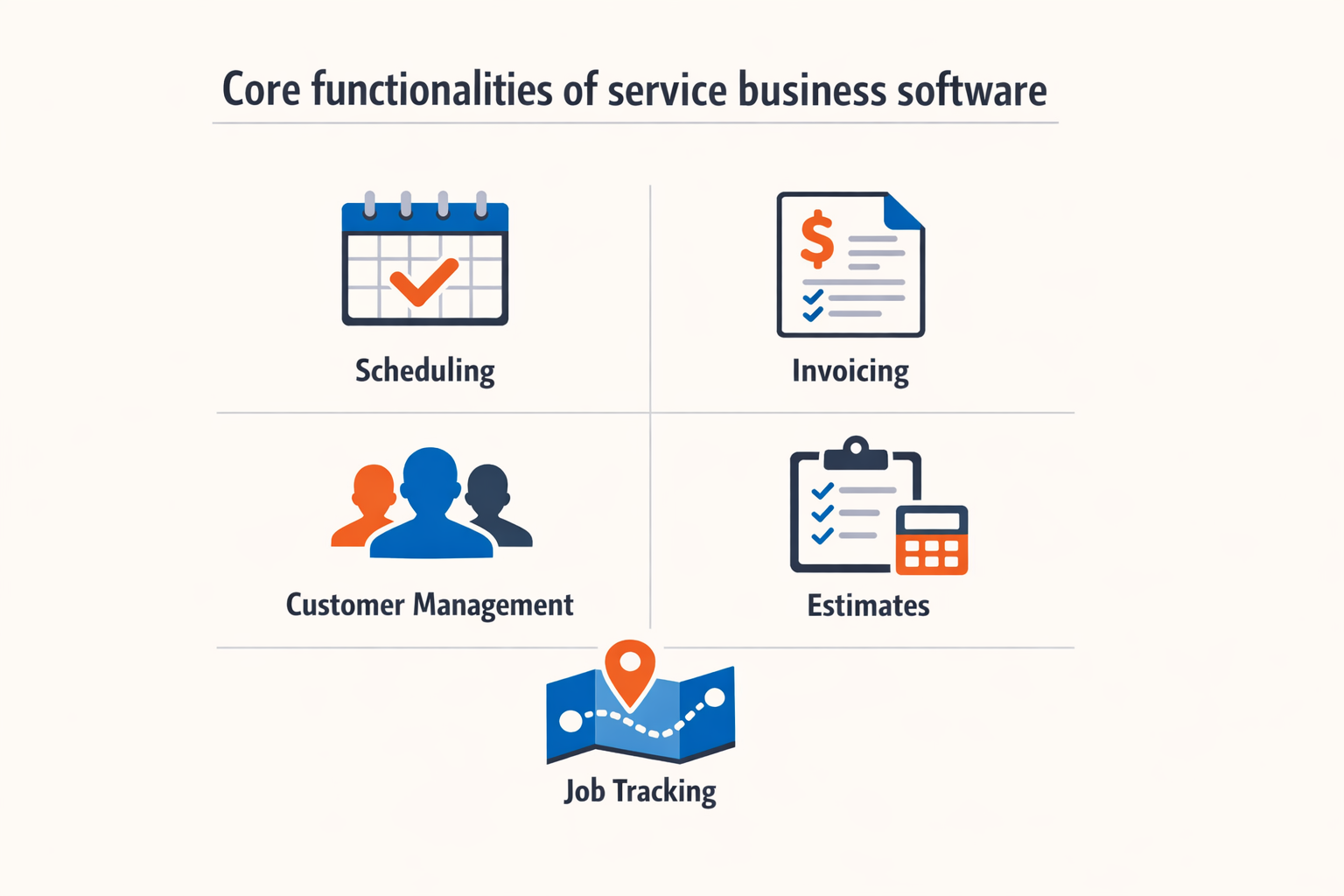
The software typically includes scheduling and dispatching tools that let you assign jobs to technicians, track field locations in real time, and send customers automated status updates. Housecall Pro, for example, consolidates scheduling, dispatching, estimates, invoicing, and payments into one interface, allowing businesses to manage their entire workflow without switching between apps.
Estimating and quoting modules automate the creation of written proposals from configurable rate cards, reducing the time between inquiry and approved scope. Once a customer accepts an estimate, the system can generate e-signable contracts, book the appointment against live calendar availability, and create field checklists derived directly from the approved scope. This chain ensures that what gets sold matches what gets done.
Invoicing and payment processing are embedded in the same workflow. Completion triggers invoice generation, payment reminders go out automatically, and integrations with processors like Stripe or QuickBooks keep financial records synchronized. The result is faster cash collection and fewer manual handoffs between job completion and payment.
Who Service Business Management Software Fits
These platforms are designed for owner-operated service businesses and small field teams that sell measurable field work — exterior cleaning, landscaping, pest control, mobile detailing, pool service, and similar trades. The architecture supports businesses where the owner or a small crew handles both sales and service delivery, and where growth depends on operational leverage rather than adding office staff.
More regulated trades can use the same core architecture with additional workflow design to accommodate licensing, permitting, or compliance documentation. The goal is to standardize repeatable tasks while keeping the business owner in the approval loop where pricing, scope, and customer commitments matter.
For teams exploring how AI-powered tools fit into broader operational systems, best practices for deploying AI web apps offer a framework for integrating intelligent automation into existing workflows.
Why Service Business Management Software Matters
Service business management software transforms how field-service operations run. When scheduling, invoicing, customer communication, and job tracking exist in separate tools—or worse, on paper—every handoff introduces delay and error. A connected system eliminates those gaps, giving owners visibility into their business from first contact to final payment.
Operational Efficiency Through Centralization
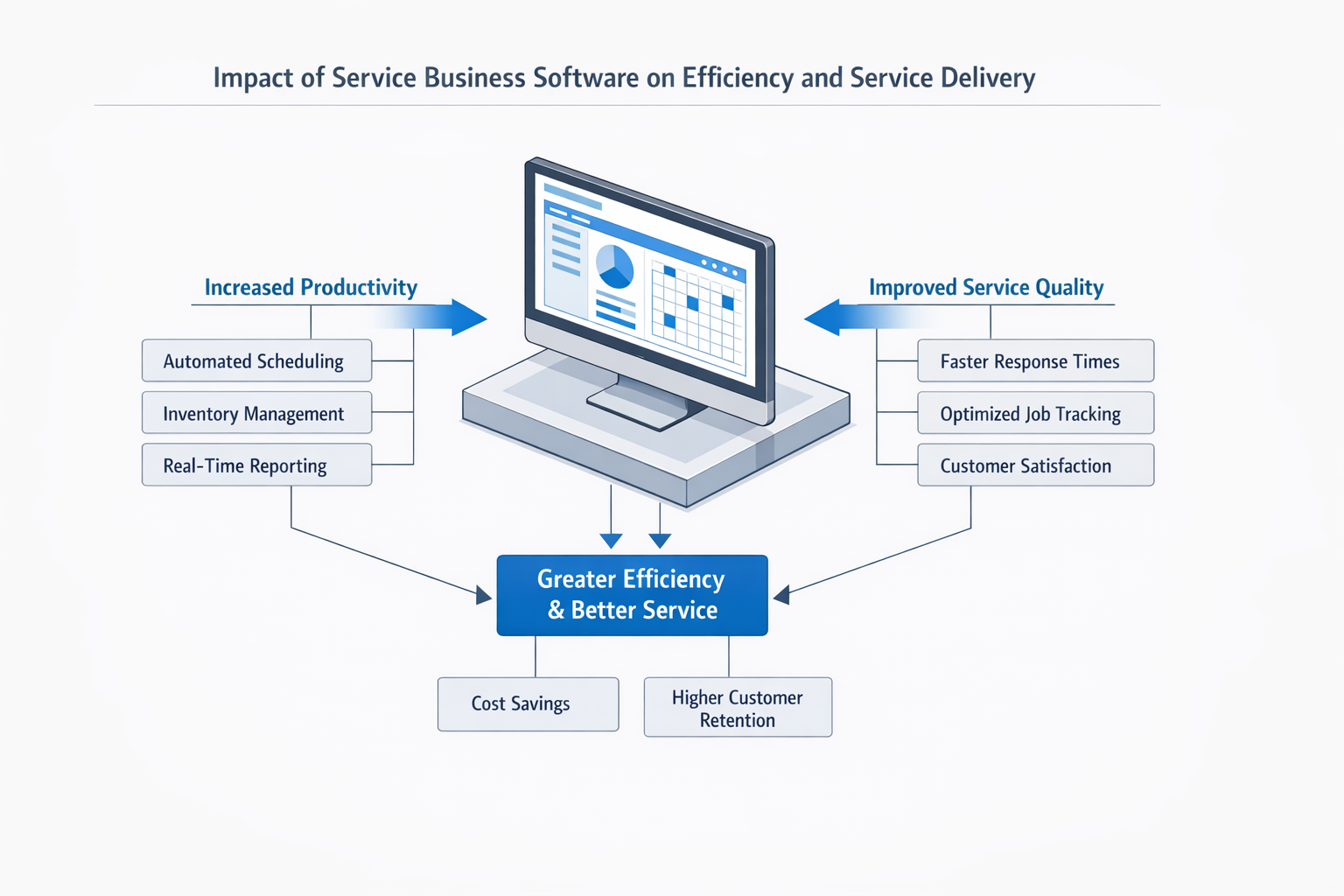
The most immediate benefit is speed. When customer data, job history, and service notes live in one place, technicians and office staff spend less time hunting for information and more time serving customers. Cloud-based platforms let teams access schedules, estimates, and payment status from anywhere, which matters when decisions need to happen in the field rather than back at the desk.
A single dashboard for operations also improves cash flow management. When invoicing, payment tracking, and job completion data flow through the same system, owners can see which jobs are paid, which invoices are aging, and where follow-up is needed—all without reconciling multiple spreadsheets.
Better Customer Experience
Customers expect transparency. Modern service business management software delivers automated appointment reminders, real-time technician location updates, and digital payment options that make the service experience feel professional rather than improvised. When a customer can approve an estimate, sign a contract, and pay an invoice from their phone, friction drops and conversion rates climb.
Automated communication also reduces no-shows and last-minute cancellations. SMS reminders and email confirmations keep jobs on track without requiring manual outreach from the office. For recurring-service businesses, automated reminders turn one-time customers into repeat clients by prompting them when the next service window opens.
Scalability Without Adding Overhead
Owner-operated businesses hit a ceiling when growth requires hiring office staff to handle scheduling, invoicing, and customer follow-up. Software that automates those tasks lets the business grow revenue without proportional increases in administrative overhead. The same system that manages ten jobs a week can manage fifty with minimal additional effort, because the software handles routing, reminders, and payment collection automatically.
The software that lets you manage fifty jobs a week is the same one that managed ten—because the system scales, not the headcount.
For teams exploring how connected systems integrate with broader operational strategies, best practices for deploying AI web apps offer useful parallels in automation and workflow design.
How to Choose the Right Service Business Management Software
Selecting service business management software is a procurement decision that shapes daily operations for years. The right system connects lead intake, scheduling, invoicing, and payment collection without forcing workarounds. The wrong one creates data silos, duplicate entry, and manual reconciliation that consumes the time the software was supposed to save.
Start by mapping your actual workflow from first customer contact to final payment. Identify where handoffs happen, where information gets re-entered, and where delays or errors cluster. The software you choose should automate those transitions, not require you to adapt your process to fit its assumptions.
Evaluate Core Workflow Coverage
A connected system handles the full operating loop without requiring staff to toggle between platforms. Look for software that covers lead capture, estimate generation, appointment scheduling, job dispatch, invoicing, and payment processing in a single environment. Platforms like Housecall Pro integrate scheduling, dispatching, estimates, invoicing, and payments, while purpose-built systems such as the Local Service Business OS include AI phone reception, configurable rate-card estimators, proposal workflows, and CRM-driven follow-up automation.
If a vendor describes their product as "best-of-breed" for one function and suggests integrating with third-party tools for the rest, expect integration maintenance, version conflicts, and support finger-pointing when something breaks. Unified platforms reduce those risks.
Assess Automation and Customization Balance
Automation should handle repetitive tasks while preserving decision points that require business judgment. Effective systems automate estimate delivery, appointment reminders, and invoice generation, but allow owners to verify pricing, approve scope changes, and review contracts before customer commitment. The Local Service Business OS, for example, automates estimate preparation and follow-up while routing scope and pricing decisions to the owner for approval.
Customization matters when your service pricing, territory rules, or workflow steps differ from the platform's defaults. Configurable rate cards, dynamic service catalogs, and adjustable approval gates let you adapt the software to your business rather than reverse-engineering your process to fit the tool.
Step 1
Inventory your current process
Document every step from lead arrival to payment collection. Note where information is re-entered, where delays occur, and where errors cluster. This inventory becomes your requirements checklist.
Step 2
Define must-have integrations
Identify the systems you cannot replace — accounting software, payment processors, or specialized tools. Confirm that candidate platforms support those integrations natively or via documented APIs, and verify whether integration setup is included or billed separately.
Step 3
Calculate total cost of ownership
Setup fees, monthly subscriptions, transaction fees, user licenses, and support tiers add up. Compare pricing structures across vendors and model costs at your current volume and at projected growth. Some platforms charge per transaction; others use flat monthly rates. Neither is inherently better, but the math changes depending on your job volume and average ticket size.
Prioritize Deployment Speed and Support Structure
Implementation timelines vary from same-day activation for out-of-the-box SaaS tools to multi-week builds for custom-configured systems. Faster deployment works when the platform's defaults align with your workflow; longer implementations make sense when the system is being tailored to your rate structure, service catalog, and approval rules. The Local Service Business OS targets implementation in two to four weeks after intake, depending on service complexity and approval turnaround.
Support structure matters as much as the software itself. Confirm whether the vendor offers phone support, live chat, or ticket-only assistance, and whether support is included in the base subscription or billed separately. Ask how software updates are managed — automatic updates can introduce breaking changes without warning, while manual update cycles let you test changes before deployment.
Bring us your services, pricing, territory and workflow. We will show you what can be standardized, automated and turned into a business that is easier to operate and easier to grow.
Match the Software to Your Business Model
Field service businesses with mobile crews need GPS tracking, route optimization, and real-time status updates. Platforms like Housecall Pro offer live GPS tracking, automated customer ETAs, and mobile dispatch. Owner-operated businesses where the owner handles estimates and approvals benefit from systems that automate intake and follow-up while preserving decision authority at key gates.
Recurring-service models — pool maintenance, pest control, property care — require subscription billing, automated service reminders, and customer account portals. Confirm that the platform supports recurring job scheduling, prorated billing, and subscription lifecycle management if those features are central to your revenue model.
For a practical comparison of deployment approaches, see Best Practices for Deploying AI Web Apps, which outlines implementation planning and rollout strategies that apply across software categories.
Best Practices for Implementing Service Business Management Software
Successful implementation of service business management software depends less on the platform you choose and more on how you prepare your team and data before launch. Most failed deployments trace back to skipped planning steps — not technical limitations. The businesses that see immediate ROI from new software treat implementation as a project with clear milestones, not a vendor handoff.
Start by auditing your current processes and identifying which workflows will move into the new system. Document how scheduling currently works, where customer data lives, and which payment methods you accept. This inventory becomes your implementation checklist and helps you spot gaps before they cause downtime.
Clean Your Data Before Migration
Dirty data compounds during migration. If your existing customer records contain duplicates, outdated phone numbers, or inconsistent address formats, those errors will replicate across every module of your new system. Dedicate time to scrubbing contact lists, standardizing field formats, and merging duplicate entries before the vendor touches your database.
Most platforms offer data import templates — use them. Map your existing fields to the new schema carefully, and run a test import with a small batch first. Catching formatting issues on 50 records is manageable; discovering them after importing 10,000 is not.
Train in Phases, Not All at Once
Rolling out every feature simultaneously overwhelms field teams and office staff. Prioritize the modules that touch customers first — scheduling, dispatching, and invoicing — then layer in reporting, inventory tracking, and advanced automation once the core workflows stabilize.
Schedule hands-on training sessions for each role, not generic overviews. Dispatchers need deep familiarity with the scheduling board; technicians need mobile app fluency; office managers need invoicing and payment processing confidence. Record these sessions so new hires can access the same training without waiting for the next group session.
The scheduling and dispatching board and screens are easy to navigate and very helpful.
Assign internal champions for each module — team members who become the first point of contact for questions before escalating to vendor support. This reduces support ticket volume and builds internal expertise faster than relying on external help documentation alone.
Integrate Systems Incrementally
If your business already uses accounting software, CRM tools, or marketing platforms, plan integrations one at a time. Connecting everything on day one creates too many variables when troubleshooting issues. Start with your accounting integration, verify that invoices and payments sync correctly, then move to the next system.
Test each integration with real transactions in a controlled environment before going live. Create a test job, generate an invoice, process a payment, and confirm that all data appears correctly in both systems. For more guidance on phased deployment strategies, see best practices for deploying AI web apps, which covers staged rollout principles applicable to any connected system.
Automate Communication Gradually
Automated appointment reminders, job confirmations, and payment receipts improve customer experience, but launching all automated messaging at once can feel impersonal if templates are not refined. Start with one or two high-value automations — appointment confirmations and payment receipts — and refine the messaging based on customer responses before adding more triggers.
Customize templates to match your brand voice, and include dynamic fields that personalize each message with the customer's name, appointment time, and technician details. Generic automated messages reduce trust; personalized ones reinforce professionalism.
Step 1
Map current workflows to new modules
Document every step of your scheduling, invoicing, and customer communication process as it exists today. Identify which steps will move into the new software and which require manual intervention during the transition period.
Step 2
Run parallel operations for two weeks
Operate both your old system and the new platform simultaneously for a defined period. This overlap catches data sync issues and gives your team a safety net while building confidence in the new tools.
Step 3
Measure baseline metrics before and after
Track key performance indicators — average invoice time, payment collection speed, scheduling errors — in the week before implementation and again four weeks after. Quantify the improvement to justify the investment and identify areas still needing optimization.
Monitor Adoption and Adjust Training
Implementation does not end when the software goes live. Monitor which features your team actually uses versus which they avoid. Low adoption of specific modules often signals unclear training or workflows that do not match real-world needs, not software limitations.
Schedule a 30-day post-launch review with your team to surface friction points. If technicians are not updating job statuses in the field, the mobile interface may be too complex or data entry may require too many taps. If dispatchers are still using spreadsheets alongside the scheduling board, the board may lack a feature they rely on. Address these gaps with targeted retraining or workflow adjustments before they become permanent workarounds.
Utilizing one-click digital invoicing and automated reminders streamlines the invoicing process and improves cash flow by ensuring timely payments. Build these automations into your standard operating procedures so they become habitual, not optional.
Common Mistakes in Using Service Business Management Software
Service business management software can transform operations, but only when deployed correctly. Most failures trace back to a handful of recurring mistakes — decisions made during selection or implementation that compound over time. Understanding these pitfalls helps you avoid expensive rework and operational disruption.
Choosing Software Without Mapping the Full Workflow
Many businesses evaluate software by feature checklist rather than workflow fit. They confirm the system handles scheduling and invoicing, then discover three months later that it cannot enforce owner approval before contracts go out, or that field documentation lives in a separate tool with no connection to the job record. The result is manual handoffs, duplicate data entry, and gaps where customer commitments fall through.
Map your entire operating loop — from first contact to final payment — before you evaluate any platform. Identify every approval gate, every handoff between roles, and every artifact (estimate, contract, checklist, invoice) the business must produce. Then test whether the candidate system supports that loop natively or requires you to stitch together integrations that may break under load.
Underestimating Implementation Complexity
Implementation is not installation. Businesses often assume that because the software is cloud-based, it will be running in a few days. In practice, a connected system requires rate-card configuration, service catalog setup, workflow rule definition, role and permission mapping, and integration with existing tools. Rushing through these steps to meet an arbitrary launch date produces a half-configured system that staff will bypass or misuse.
Plan for a realistic timeline that includes discovery, configuration, testing with real scenarios, and staged rollout. For field-service businesses with measurable scope and standardized pricing, expect two to four weeks from intake to operational deployment — longer if the service catalog is complex or if integrations depend on third-party API access. Treat the implementation as a project with defined milestones, not a switch you flip.
Failing to Retain Control Over Critical Approval Points
Automation is valuable, but not every step should be automated. Some businesses configure their software to send contracts or collect payment without owner review, assuming efficiency gains justify the risk. The first time an incorrect scope reaches a customer or an disputed invoice triggers a chargeback, the cost of that automation becomes clear.
Define which decisions require human verification and configure the system to pause at those gates. Owner approval before contract execution, scope confirmation after field measurement, and final invoice review before payment collection are common checkpoints that protect both the business and the customer. Automation should prepare the work and move it to the right queue; the business owner retains approval where pricing, scope, and customer commitments matter.
The goal is not to remove the owner from the loop — it is to remove the owner from the repetitive tasks that do not require judgment.
Ignoring Data Migration and Historical Record Integrity
When switching from spreadsheets, email, or a previous platform, businesses often treat historical data as optional. They launch the new system with a clean slate, then lose the ability to reference past jobs, compare year-over-year performance, or respond to customer inquiries about prior service. Incomplete migration also makes it impossible to validate that the new system is calculating estimates or invoices correctly, because there is no baseline to compare against.
Plan the migration as part of the implementation. Identify which historical records must carry forward (customer accounts, active subscriptions, prior job documentation), define the mapping between old and new data structures, and validate a sample migration before committing the full dataset. If the legacy system cannot export clean data, manual reconstruction may be necessary for high-value customer records.
Deploying Without Training or Documented Procedures
Software does not train itself, and intuitive interfaces do not eliminate the need for procedural documentation. Businesses launch a new system, show the team where to click, and assume adoption will follow. Two weeks later, staff are still using the old method because they do not trust the new tool or because they encounter an edge case the training did not cover.
Create role-specific procedures that document how each team member interacts with the system. For field crews, that means how to access the job checklist, upload completion photos, and mark tasks complete. For office staff, it means how to verify estimates, generate contracts, and process invoices. For owners, it means how to review pending approvals and run reports. Refer to best practices for deploying AI web apps for structured approaches to training and procedural clarity in connected systems.
Run through real scenarios during training — not hypothetical demos, but actual jobs from the prior week recreated in the new system. Let the team encounter and resolve common issues in a controlled setting before they face them with a customer on the line.
Treating the System as Static After Launch
Service businesses evolve. Pricing changes, new services are added, staff roles shift, and customer expectations rise. A system configured for last year's operation will not serve this year's business without adjustment. Yet many businesses treat their software as a fixed asset, never revisiting workflows, rate cards, or automation rules after the initial deployment.
Schedule quarterly reviews of system configuration and performance. Update rate cards when costs change, refine workflow rules when bottlenecks emerge, and retire unused features that clutter the interface. Managed platforms handle updates and infrastructure maintenance, but configuration and workflow tuning remain the business's responsibility. If the system is not evolving with the business, it is becoming a constraint.
Frequently Asked Questions about Service Business Software
What is the main benefit of using service business management software?
The primary benefit is operational visibility. Service business management software consolidates scheduling, customer data, invoicing, and field operations into a single system. This centralization eliminates the friction that comes from juggling spreadsheets, paper forms, and disconnected tools. When your dispatch board, customer history, and billing all live in the same platform, decision-making speeds up and errors drop.
Cloud-based platforms extend this advantage by enabling access from anywhere. As one contractor noted, "We love that this is a cloud based software that we can access from anywhere." This mobility matters when office staff, field technicians, and managers need real-time information without being tethered to a single workstation.
How do I know if my business needs service business management software?
If you are managing more than a handful of jobs per week and relying on manual coordination, you have already hit the threshold. Common indicators include double-booked appointments, technicians calling the office for customer details, delayed invoicing, or difficulty tracking which jobs are profitable. These friction points compound as job volume grows.
Service business management software addresses these problems by automating scheduling, centralizing customer records, and streamlining invoicing. The return on investment typically shows up first in time saved on administrative tasks, followed by improved cash flow from faster billing cycles.
Can service business management software integrate with my existing tools?
Most modern platforms offer integrations with accounting software, payment processors, and CRM systems. The depth of integration varies by vendor. Some platforms provide native connections to QuickBooks, Xero, or Stripe, while others rely on third-party middleware like Zapier.
Before committing to a platform, verify that it connects to the tools you cannot replace. Ask vendors for documentation on their API capabilities and existing integrations. If a critical integration is missing, confirm whether the vendor's roadmap includes it or whether a workaround exists.
What features should I prioritize when evaluating service business management software?
Start with scheduling and dispatch. A visual dispatch board that shows technician availability, job locations, and travel time prevents double-bookings and reduces windshield time. Next, evaluate customer management features. The ability to access full customer history, prior jobs, and equipment details from any device keeps service consistent.
Invoicing and payment processing rank third. Platforms that let technicians collect payment on-site or send invoices immediately after job completion accelerate cash flow. Reporting comes last, but it matters for long-term planning. Look for platforms that offer prebuilt reports on job profitability, technician performance, and revenue trends.
How long does it take to implement service business management software?
Implementation timelines vary based on business size and data complexity. A small operation with basic customer records can go live in a few days. Larger businesses with years of historical data, custom pricing structures, or multiple service lines may need several weeks.
The critical path involves migrating customer data, setting up service pricebooks, and training staff. Plan for a phased rollout. Start with a pilot group — office staff and a few technicians — before expanding to the full team. This approach surfaces configuration issues early and gives you time to refine workflows before everyone depends on the new system.
Is service business management software scalable as my company grows?
Scalability depends on the platform's architecture and pricing model. Cloud-based systems generally scale better than on-premise solutions because they handle infrastructure upgrades automatically. Look for platforms that support multiple user roles, customizable workflows, and tiered pricing based on user count or job volume.
As one vendor describes it, platforms are "built to manage any kind of workflow" and "adapt and scale with your business." Test this claim by asking how the platform handles increased job volume, additional service lines, or expansion into new markets. Vendors should provide clear answers about performance limits and upgrade paths.
What are the ongoing costs beyond the subscription fee?
Beyond the monthly or annual subscription, expect costs for payment processing fees, additional user licenses, and optional add-ons like advanced reporting or custom integrations. Some platforms charge transaction fees on payments collected through their system, typically 2-3% per transaction.
Training and support may incur additional costs if you exceed the included hours. Budget for occasional consulting fees if you need help with complex configurations or workflow redesigns. Finally, factor in the time cost of maintaining the system — updating pricebooks, managing user permissions, and refining reports.
How do I get my team to adopt new service business management software?
Adoption starts with involving your team early. Before selecting a platform, gather input from dispatchers, technicians, and office staff about their current pain points. When people see that the new system addresses their specific frustrations, resistance drops.
Provide hands-on training in small groups rather than large all-hands sessions. Let technicians practice on test jobs before going live. Assign a champion in each role — someone who learns the system quickly and can answer peer questions. Recognize early adopters publicly and address concerns from skeptics privately. If you are exploring broader operational improvements alongside software adoption, best practices for deploying AI web apps can offer useful frameworks for managing technical rollouts.
Conclusion: The Future of Service Business Management Software
Service business management software has evolved from a collection of disconnected tools into integrated systems that handle the full operating loop—from lead capture through payment collection. The businesses that adopt connected platforms gain measurable advantages: faster quote turnaround, fewer missed appointments, cleaner documentation trails, and reduced administrative overhead. These improvements compound over time, creating operational capacity that owner-operated teams can reinvest in growth rather than back-office work.
The future trajectory points toward deeper automation in customer-facing workflows and field operations. AI-powered phone receptionists, rules-based estimators, and scope-derived checklists are already deployed in production environments, allowing small teams to deliver enterprise-grade responsiveness without hiring coordinators or dispatchers. As these systems mature, the competitive gap between businesses that automate their workflows and those that rely on manual coordination will widen—not because automation is inherently superior, but because it frees the operator to focus on service delivery and customer relationships instead of data entry and scheduling conflicts.
For service businesses evaluating their next platform, the decision framework remains straightforward: prioritize systems that connect your existing workflow stages, retain approval authority where pricing and scope matter, and produce audit-ready records without manual reconciliation. The right platform should make your business easier to operate and easier to scale, not harder. If you're exploring how connected systems apply to operational challenges beyond service workflows, best practices for deploying AI web apps offer a complementary perspective on implementation discipline and production readiness.
The operators who treat software selection as a workflow design exercise—rather than a feature checklist—will build businesses that can grow profitably without proportional increases in overhead. That outcome is the entire point of a connected system.
Written by
Xenophon Giannis
Published November 4, 2026 · 25 min read
Xenophon Giannis is the founder and CEO of Xenco Labs, where he designs, builds, deploys and operates production AI software solo — on his own multi-node cluster, with his own LLM gateway and automation infrastructure. Twenty-five years in enterprise technology came first: a decade at AboveNet, hired as its first sales rep after bankruptcy and promoted until he ran the entire Western Pacific region, then sales leadership at Black Lotus and Nexusguard in DDoS mitigation. He writes about what he actually ships, and what actually breaks in production.
You Might Also Like
More from the Xenco Labs blog

Pressure Washing Software: What an Owner-Operator Actually Needs
Discover the pressure washing software owner-operators need for scheduling, invoicing, customer management, and efficient operations in 2025. Learn how pressure washing

Workflow Automation for Small Business
Discover what workflow automation for small business is and how to implement it for small business operations. Boost efficiency, save time, and streamline tasks.

Pressure Washing CRM Business Software: Automate Beyond Customer
Discover how pressure washing CRM business software optimizes your operations by automating scheduling, invoicing, routing, and tasks beyond customer records.

How Much Does Small Business Automation Cost? Small Business Guide
Discover how much small business automation costs, including pricing factors, AI receptionist options, and budgeting strategies.