
Scheduling Software for Project Teams: Coordinate Resources
Explore how scheduling software for project teams helps coordinate resources, streamline workflows, and improve project management efficiency.
Introduction
Project teams operate in environments where timing, resource availability, and coordination determine whether deliverables meet expectations or fall short. Traditional methods—spreadsheets, email chains, whiteboard schedules—fragment information across tools and people, creating gaps that grow expensive as teams scale. Scheduling software for project teams addresses this fragmentation by consolidating assignments, availability, and progress tracking into a single platform that every stakeholder can reference in real time.
The value proposition is straightforward: when everyone sees the same schedule, updated instantly as conditions change, teams spend less time reconciling conflicting information and more time executing work. Modern scheduling platforms go beyond calendar views, offering features like automated technician assignment, route optimization, and integrated document management that keep projects moving without constant manual intervention. For teams managing multiple concurrent projects, these capabilities translate directly into faster turnaround times and clearer accountability.
What distinguishes effective scheduling software from basic calendar tools is the depth of integration with operational workflows. The best platforms don't just track who's working when—they connect scheduling decisions to profitability metrics, resource utilization data, and client communication systems. This integration allows project managers to make informed trade-offs between competing priorities, backed by real-time visibility into how each scheduling choice affects labor costs, project margins, and delivery timelines. For teams looking to move beyond reactive coordination, workflow automation for small business offers a foundation for scaling operations without proportionally scaling administrative overhead.
When everyone sees the same schedule, updated instantly as conditions change, teams spend less time reconciling conflicting information and more time executing work.
The technical capabilities matter, but adoption depends on solving real pain points that project teams experience daily. Platforms that centralize drawings, plans, and documents in secure locations reduce the time spent hunting for current versions of critical files. Tools that efficiently assign technicians and manage dispatch boards streamline the workflow by eliminating the back-and-forth that typically accompanies last-minute schedule changes. These features address the operational friction that slows teams down, making scheduling software not just a convenience but a competitive advantage in environments where responsiveness separates winning bids from lost opportunities.
Problem Statement
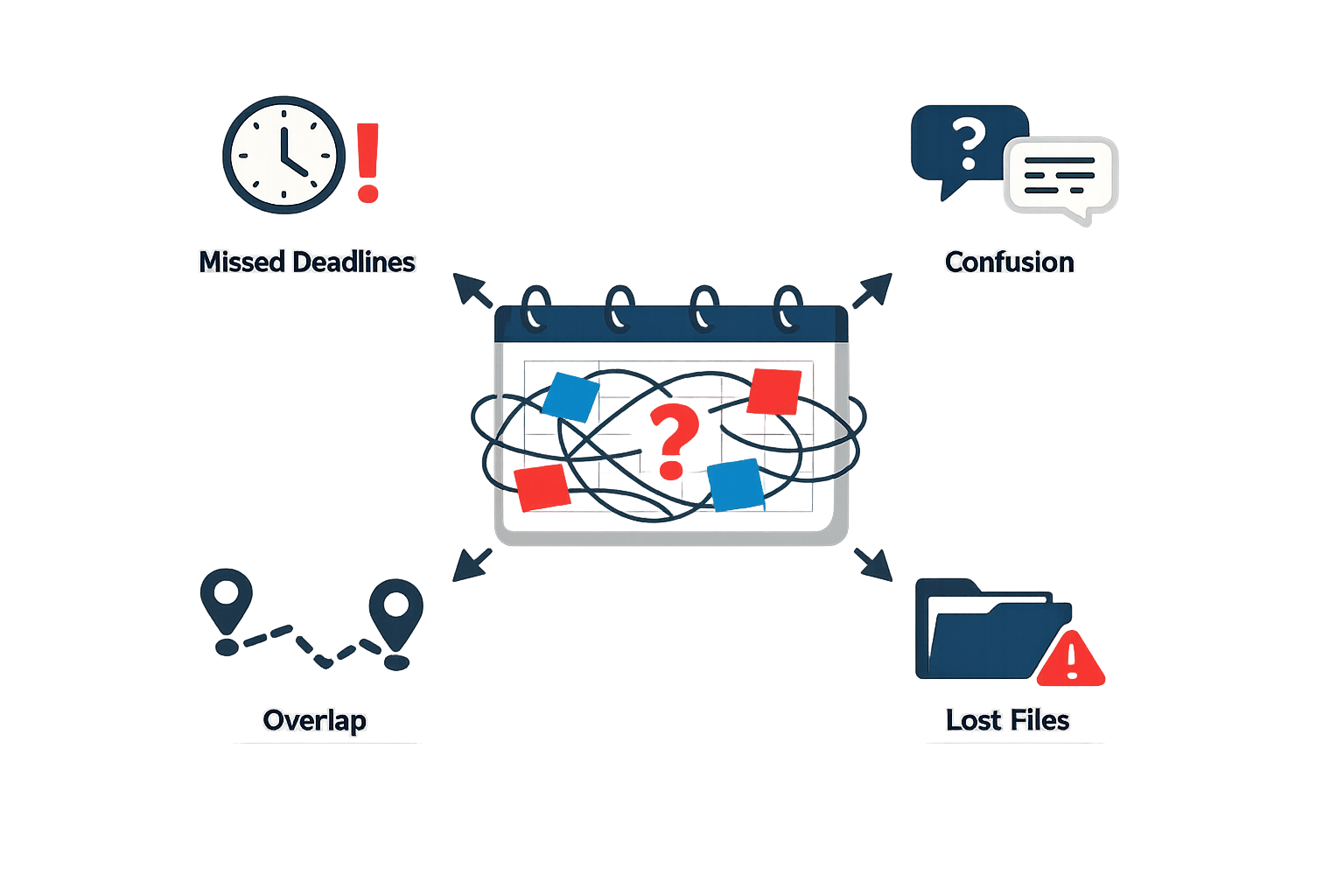
Project teams operating without dedicated scheduling software face a cascade of coordination failures that compound over time. Resource conflicts emerge when multiple managers book the same technician or equipment without visibility into existing commitments. Critical project documents scatter across email threads, shared drives, and individual laptops, forcing team members to waste hours hunting for the current version of a drawing or specification. Manual scheduling processes create information silos where dispatch knows one version of the day's plan while field crews work from outdated assignments.
The Cost of Fragmented Workflows
Without centralized scheduling tools, teams lose the ability to track who is working on what, where materials are allocated, and whether labor costs align with project budgets. Managers resort to spreadsheets and phone calls to coordinate resources, introducing delays at every handoff. Field technicians arrive at job sites missing equipment or documentation because no single system tracks what each job requires. Change orders and scope adjustments propagate slowly through informal channels, leaving crews working from obsolete plans while the office operates on updated assumptions.
The absence of real-time visibility means managers discover problems reactively rather than proactively. A technician running late on one job creates a domino effect across the day's schedule, but without automated alerts, the next customer waits without explanation. Budget overruns surface only during retrospective reviews, long after the team could have adjusted resource allocation to protect margins.
Dispatch and Field Coordination Breakdowns
Manual dispatch processes force office teams into constant firefighting mode. Assigning the right technician to each job requires knowing skills, certifications, current location, and availability — information that changes minute by minute but lives in static lists or someone's memory. When urgent calls arrive, dispatchers guess at who might be free rather than seeing real-time status. The result: technicians driving unnecessary miles, customers experiencing longer wait times, and the business absorbing inefficiency as a cost of doing business.
Field teams equipped only with paper forms and phone-based communication operate in partial darkness. They lack access to complete job histories, equipment manuals, or the ability to update project status from the field. This forces redundant trips, delays billing, and creates data entry backlogs when crews return to the office. For businesses managing complex workflows across multiple job sites, these coordination gaps directly erode profitability and customer satisfaction.
Modern workflow automation for small business addresses these fragmentation issues by connecting scheduling, dispatch, and field execution in a single operational view — eliminating the manual handoffs that create delays and errors.
Solution Steps
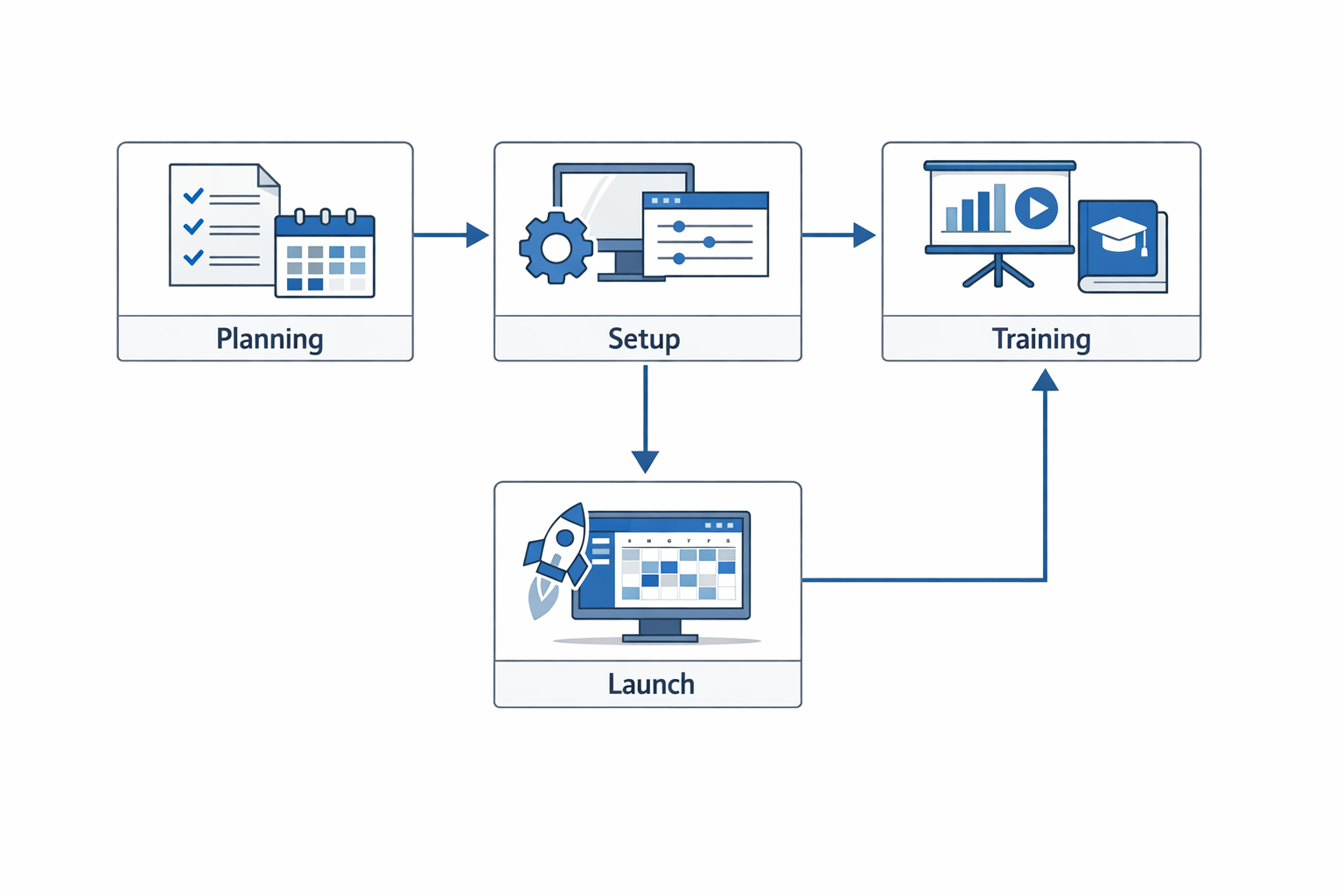
Implementing scheduling software for project teams requires a structured approach that addresses both technical setup and team adoption. The following steps outline a practical framework for coordinating resources effectively while maintaining operational continuity.
Step 1: Audit Current Scheduling Practices
Step 1
Inventory existing workflows
Document how your team currently schedules work, assigns resources, and tracks availability. Identify which processes rely on spreadsheets, email threads, or manual coordination. Catalog the specific pain points: double-bookings, missed assignments, or delayed updates. This baseline reveals what your scheduling software must replace and what it must integrate with.
Understanding your current state prevents selecting features you don't need while ensuring you don't overlook capabilities that solve real bottlenecks. Teams often discover that their scheduling problems stem from information silos rather than calendar conflicts.
Step 2: Define Resource Requirements and Constraints
Step 2
Map team capacity and availability
List every resource type your projects require: personnel by skill set, equipment, shared workspaces, or third-party vendors. Document availability patterns, including part-time schedules, shift rotations, and planned time off. Identify hard constraints like certification requirements, geographic limitations, or equipment maintenance windows that restrict assignment flexibility.
Scheduling software performs best when it understands your constraints upfront. Platforms like Jobber allow adding users to access and manage schedules collaboratively, enabling real-time visibility across distributed teams. Clear resource definitions prevent the software from suggesting assignments that look feasible on paper but fail in practice.
Step 3: Configure Scheduling Rules and Automation
Step 3
Establish assignment logic
Set up rules that govern how work gets assigned: skill matching, geographic proximity, workload balancing, or priority sequencing. Configure automated notifications for schedule changes, approaching deadlines, or resource conflicts. Define approval workflows for overtime, shift swaps, or high-priority reassignments.
Centralized platforms can manage drawings, plans, and documents in one secure location, ensuring that scheduling decisions reference current project information rather than outdated assumptions.
Step 4: Integrate With Existing Systems
Step 4
Connect data sources
Link your scheduling software to project management tools, time tracking systems, and communication platforms your team already uses. Establish data flows that keep schedules synchronized with project timelines, resource availability, and actual work completed. Test integrations under realistic load conditions to confirm that updates propagate reliably.
Integration failures create the dual-entry problem the software was meant to eliminate. Mobile workforce tools enable team members to perform tasks, checklists, and timekeeping from anywhere, but only if those inputs feed back into the central schedule without manual reconciliation.
Step 5: Train Teams on Core Workflows
Step 5
Focus on daily operations
Train team members on the specific workflows they'll use daily: checking assignments, updating availability, logging time, and requesting schedule changes. Provide role-specific guidance for schedulers, field personnel, and project managers. Create quick-reference materials that address common scenarios rather than exhaustive feature documentation.
Adoption stalls when teams perceive the software as adding steps rather than removing friction. Demonstrate how the new system eliminates the coordination tasks they currently handle manually. For teams exploring broader operational improvements, workflow automation for small business strategies can complement scheduling software implementation.
Step 6: Monitor Performance and Adjust
Step 6
Track scheduling metrics
Measure schedule adherence, resource utilization, and coordination time before and after implementation. Monitor conflict resolution speed, assignment accuracy, and team satisfaction with schedule visibility. Identify patterns in scheduling failures: are they data problems, rule problems, or adoption problems?
Scheduling software succeeds when it makes the invisible visible — surfacing resource constraints and coordination gaps that manual methods obscured.
Regular performance reviews ensure the system evolves with your team's needs rather than calcifying around initial assumptions. Adjust automation rules, refine resource definitions, and expand integrations based on observed usage patterns rather than theoretical requirements.
Tips and Tricks for Effective Scheduling
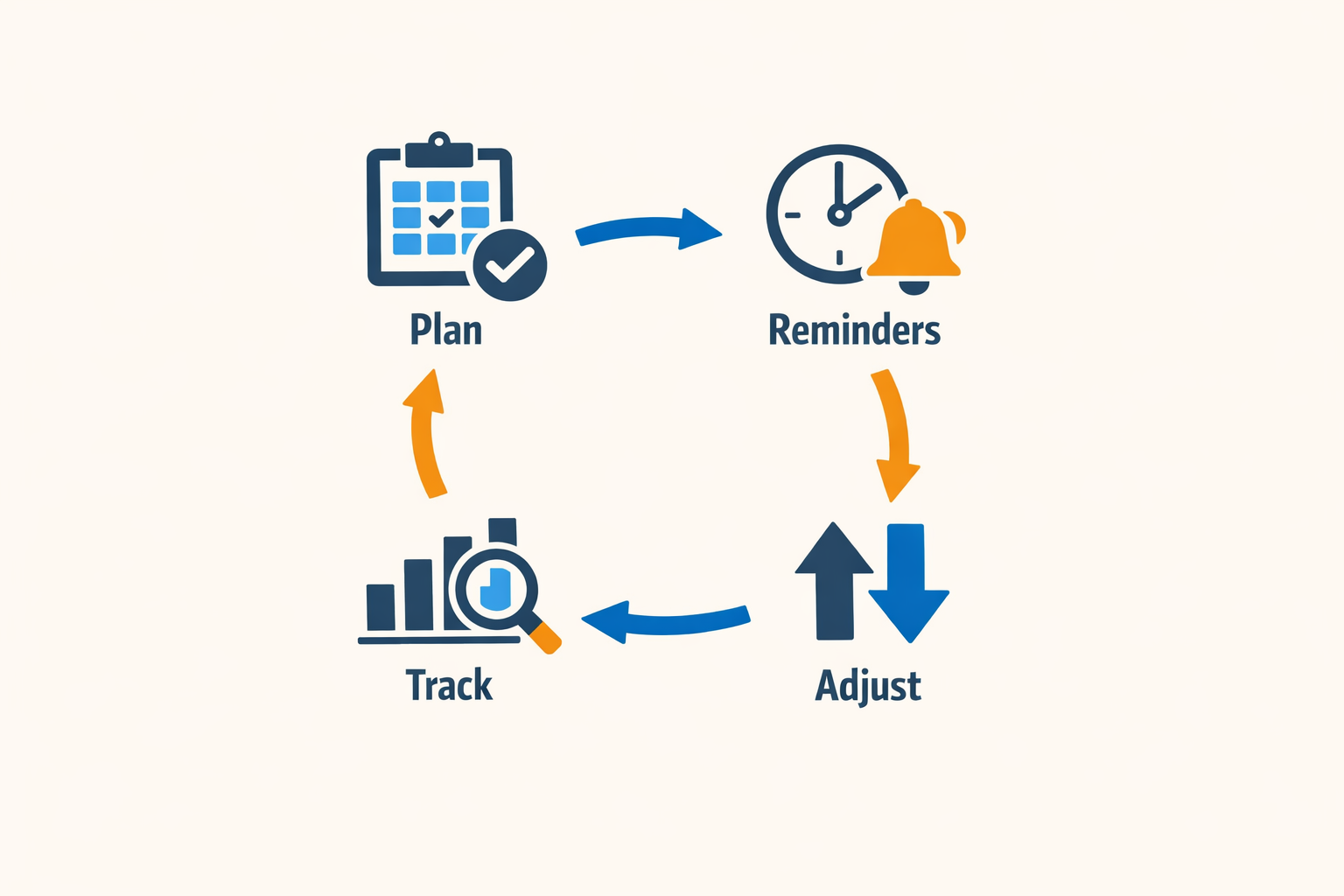
Adopting scheduling software for project teams is one thing; using it effectively is another. The difference between a tool that sits idle and one that transforms operations often comes down to how teams configure, integrate, and maintain their scheduling workflows. These practical tips help project teams extract maximum value from their scheduling investments.
Leverage Mobile Access for Real-Time Updates
Field teams rarely sit at desks. Mobile workforce tools that enable task completion, checklist execution, and timekeeping from any location remove friction from the scheduling process. When technicians or project personnel can update their status, log hours, and mark tasks complete from their phones, the central schedule reflects reality rather than yesterday's plan. This real-time visibility prevents double-booking, reduces idle time, and allows dispatchers to respond immediately when priorities shift.
Use Crew Scheduling and Team Mentions to Enhance Coordination
Complex projects involve multiple people working interdependently. Crew scheduling features that group team members by skill set, location, or project phase streamline assignment and ensure the right mix of expertise arrives at each job. Team mentions within the scheduling platform create direct communication channels, allowing quick clarification without switching to email or separate messaging apps. When a schedule change affects multiple crew members, tagged notifications ensure everyone receives the update simultaneously, reducing confusion and missed handoffs.
For teams managing both internal coordination and client-facing workflows, tools like those described in workflow automation for small business demonstrate how scheduling integrates with broader operational systems.
Centralize Work Requests with Custom Forms
Incoming work requests from multiple channels — website, email, phone, social media — create scheduling chaos when tracked separately. Custom request forms that funnel all inquiries into a single queue give schedulers complete visibility and prevent jobs from slipping through cracks. These forms can capture project scope, preferred timing, resource requirements, and client contact information in a standardized format, making it easier to assess priority and allocate resources accurately. When integrated with the scheduling platform, new requests automatically populate the pipeline, ready for assignment once capacity becomes available.
Step 1
Standardize intake across all channels
Deploy the same custom request form on your website, client portal, and social media profiles. Consistency in data collection means every incoming request arrives with the information schedulers need to make intelligent assignments without follow-up calls.
Monitor Profitability Alongside Schedules
Scheduling isn't just about filling time slots — it's about deploying resources where they generate the best return. Platforms that display real-time profitability based on tracked labor, materials, and expenses allow project managers to see which jobs are performing and which are eroding margins. Setting profit margin thresholds per job type triggers alerts when scheduled work falls below acceptable levels, giving teams the opportunity to adjust scope, renegotiate terms, or reallocate resources before losses accumulate.
A schedule optimized for utilization but blind to profitability is just an expensive way to stay busy losing money.
Automate Routine Scheduling Decisions
Repetitive scheduling decisions — assigning routine maintenance, booking recurring service appointments, routing teams based on proximity — consume time that could be spent on strategic planning. Automation features that handle these standard workflows free schedulers to focus on exceptions and high-value projects. When a customer books online, automated scheduling can assign the job based on team availability, travel time, and skill requirements without human intervention. Route optimization algorithms adjust daily or weekly schedules in seconds, minimizing drive time and maximizing productive hours.
Maintain a Single Source of Truth
Scheduling software loses effectiveness when teams maintain parallel systems — spreadsheets for one project type, whiteboards for another, email threads for urgent changes. Consolidating all scheduling activity into a single platform ensures everyone works from the same information. Integrations with accounting, CRM, and project management tools synchronize data automatically, eliminating manual reconciliation and the errors that come with it. When the schedule is the authoritative record, disputes about who was assigned where, and when, disappear.
Conclusion
Scheduling software for project teams transforms resource coordination from a reactive scramble into a proactive system. By centralizing assignments, automating dispatch workflows, and providing real-time visibility into team capacity, these platforms eliminate the fragmentation that causes missed deadlines and overbooked crews. Teams that adopt purpose-built scheduling tools report faster turnaround on work requests, clearer accountability across field and office staff, and measurably tighter control over labor costs.
The benefits extend beyond operational efficiency. When your scheduling system automatically flags conflicts, recommends optimal routes, and tracks profitability against labor hours, project managers gain the margin protection and predictability required to scale without adding administrative overhead. Client satisfaction improves when teams arrive on time with the right resources, and internal morale strengthens when technicians and crews work from accurate, conflict-free calendars rather than chasing last-minute changes.
For teams still coordinating projects through spreadsheets or disconnected tools, the transition to integrated scheduling software delivers immediate returns: fewer scheduling errors, reduced idle time, and a single source of truth that both field teams and office staff can trust. The initial setup investment—mapping workflows, training users, configuring dispatch logic—pays dividends in the form of repeatable processes that don't depend on institutional memory or manual intervention.
Adopting scheduling software is not a distant goal reserved for enterprise-scale operations. Small and mid-sized project teams benefit most acutely, because the cost of coordination errors hits harder when margins are thin and every technician hour counts. The right platform scales with your team, automating the repetitive work that consumes manager bandwidth and surfacing the insights that drive smarter resource allocation. If your current scheduling method requires constant firefighting, workflow automation for small business can provide the structural foundation that turns reactive coordination into predictable execution.
Start by auditing one high-friction workflow—dispatch, job assignment, or crew scheduling—and measure the time your team spends reconciling conflicts or communicating changes. That baseline becomes your benchmark for improvement. Modern scheduling software for project teams is built to deliver measurable efficiency gains within the first billing cycle, not quarters down the road.
Related reading
What is Information Technology: Digital Transformation for IT Leaders
Written by
Xenophon Giannis
Published November 6, 2026 · 13 min read
Xenophon Giannis is the founder and CEO of Xenco Labs, where he designs, builds, deploys and operates production AI software solo — on his own multi-node cluster, with his own LLM gateway and automation infrastructure. Twenty-five years in enterprise technology came first: a decade at AboveNet, hired as its first sales rep after bankruptcy and promoted until he ran the entire Western Pacific region, then sales leadership at Black Lotus and Nexusguard in DDoS mitigation. He writes about what he actually ships, and what actually breaks in production.
You Might Also Like
More from the Xenco Labs blog

Agile Project Management Software: Tools for Sprints & Iterations
Explore Agile Project Management Software designed for sprints and iterations to enhance team collaboration and project efficiency.

What is Information Technology: Digital Transformation for IT Leaders
Discover what IT leaders need to know about digital transformation, including strategies, challenges, and implementation insights in the context of what is information

How Wearable Technology Is Transforming Field Operations
Explore how wearable technology field operations are being transformed through smart devices that enhance efficiency, safety, and real-time communication.

Best Inventory Management Software for Small Warehouses
Explore the best inventory management software for small warehouses and growing businesses to streamline operations and improve efficiency.