
How to Design a Request a Quote Form That Captures Qualified Jobs
Learn how to design a request a quote form that effectively captures qualified jobs and leads for your business with proven field strategies.
Introduction
What Is a Quote Request Form?
A quote request form is a structured intake tool that collects enough detail to generate a written estimate without a phone call. Unlike a generic contact form that asks for name, email, and a message box, a quote request form captures scope, timing, service area, and project parameters. The best implementations allow customers to configure common work against a published rate card and receive an estimate immediately, filtering out low-intent inquiries before they reach your CRM.
A quote request form is the first structured handoff between a prospect and your service business. When someone fills it out, they are signaling intent—but the quality of that signal depends entirely on what you ask and how you ask it. At Xenco Labs, we work with owner-operated service businesses where every lead matters, and we have seen firsthand how a generic contact form generates noise while a purpose-built quote request form generates bookable jobs.
This approach ties directly into small business automation—the quote request form becomes the first step in a workflow that moves from top-funnel awareness through mid-funnel qualification and into bottom-funnel scheduling and invoicing. When the form is designed correctly, it does not just capture a lead; it captures a qualified job with enough context to price, schedule, and close without multiple back-and-forth exchanges.
The mechanics matter. You control what the quote request form can and cannot do—like answering common service questions, taking detailed requests, or even booking jobs directly into your calendar when paired with live availability. This level of control separates forms that generate work from forms that generate inbox clutter.
In the sections that follow, we will walk through the common failure modes of poorly designed quote request form implementations, then lay out a step-by-step process for building one that actually works. The goal is not more leads—it is better leads, earlier qualification, and less wasted time chasing prospects who were never going to convert.
Problem Statement
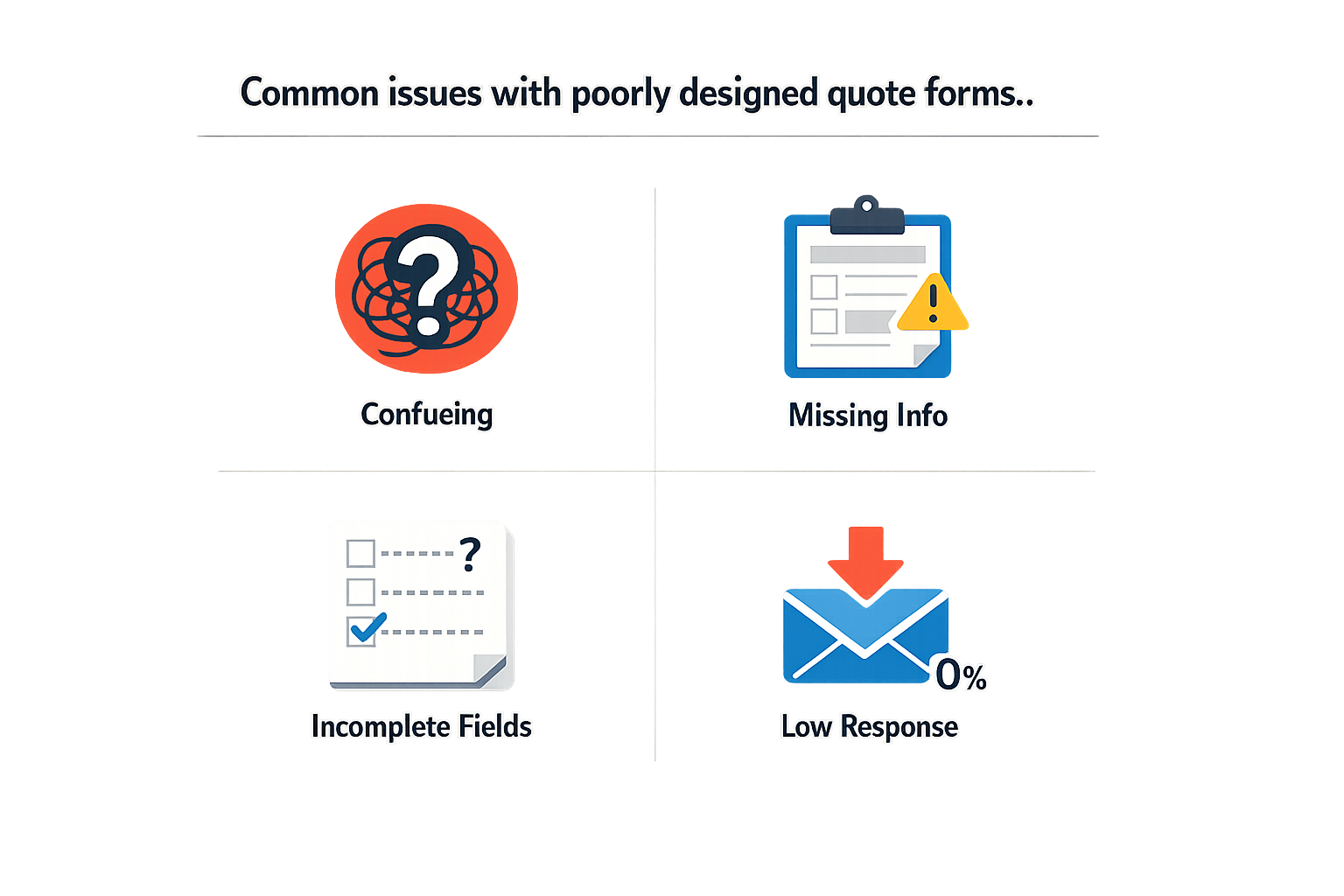
Most service businesses lose qualified leads before the first phone call — not because the leads are uninterested, but because the quote request form is poorly designed. A generic contact form asks for name, email, and a message box, then dumps every inquiry into the same bucket. The result is a CRM full of tire-kickers, spam, and requests that fall outside your service area or capability. Your team spends hours qualifying leads that should have been filtered out by the quote request form itself.
The disconnect happens at the handoff between marketing and operations. Marketing wants low friction to maximize form submissions. Operations needs structured data to route jobs, estimate scope, and prioritize follow-up. When the quote request form design favors one side over the other, the business pays in wasted labor or missed revenue. A form that asks too little generates high volume and low conversion. A form that asks too much scares off legitimate prospects who aren't ready to commit to a fifteen-field interrogation.
The Cost of Unqualified Leads
Every unqualified lead that reaches your intake process has a real cost. Your team spends time on discovery calls that go nowhere. Your CRM fills with records that never move past the initial stage. Your follow-up sequences trigger for contacts who were never viable in the first place. When you can't distinguish between a homeowner with a $10,000 HVAC replacement budget and someone fishing for free advice, your sales process becomes a numbers game instead of a conversion system.
The gap widens when the quote request form doesn't align with your back-end systems. If your form collects data in a format your CRM or dispatch software can't parse, someone has to manually rekey every submission. If the form doesn't capture service type, location, or urgency, your intake team has to ask those questions again by phone or email. Each additional touchpoint is another chance for the lead to go cold or choose a competitor who made the process easier.
Where Generic Forms Fail
Generic forms fail because they treat every inquiry as identical. They don't segment by service type, project size, or timeline. They don't surface the information your team needs to generate an accurate quote without a site visit. They don't integrate with the tools you already use to manage jobs and customer relationships. The result is a disconnect between what the quote request form collects and what your business needs to act on the lead efficiently.
For service businesses operating in competitive local markets, this inefficiency is a liability. When a prospect submits a quote request form, they're often comparing multiple providers. The business that responds fastest with the most relevant information wins. A form that requires manual follow-up to gather basic details adds hours or days to your response time. By the time you circle back with clarifying questions, the prospect has already booked with someone else.
The cheapest lead is the one your quote request form qualifies automatically, before your team spends a single minute on it.
Modern service platforms offer tools to streamline this process, but many businesses still rely on outdated form builders that don't integrate with their operational stack. The friction shows up in conversion rates, cost per acquisition, and the quality of jobs that make it to your calendar. Fixing the quote request form is not a marketing problem or an operations problem — it's a system design problem that requires both sides to agree on what "qualified" means and how the form should surface that signal.
For businesses looking to align their intake process with broader operational goals, local SEO for contractors and automation strategies can help identify where manual handoffs are costing you qualified leads.
How Do You Design an Effective Quote Request Form?
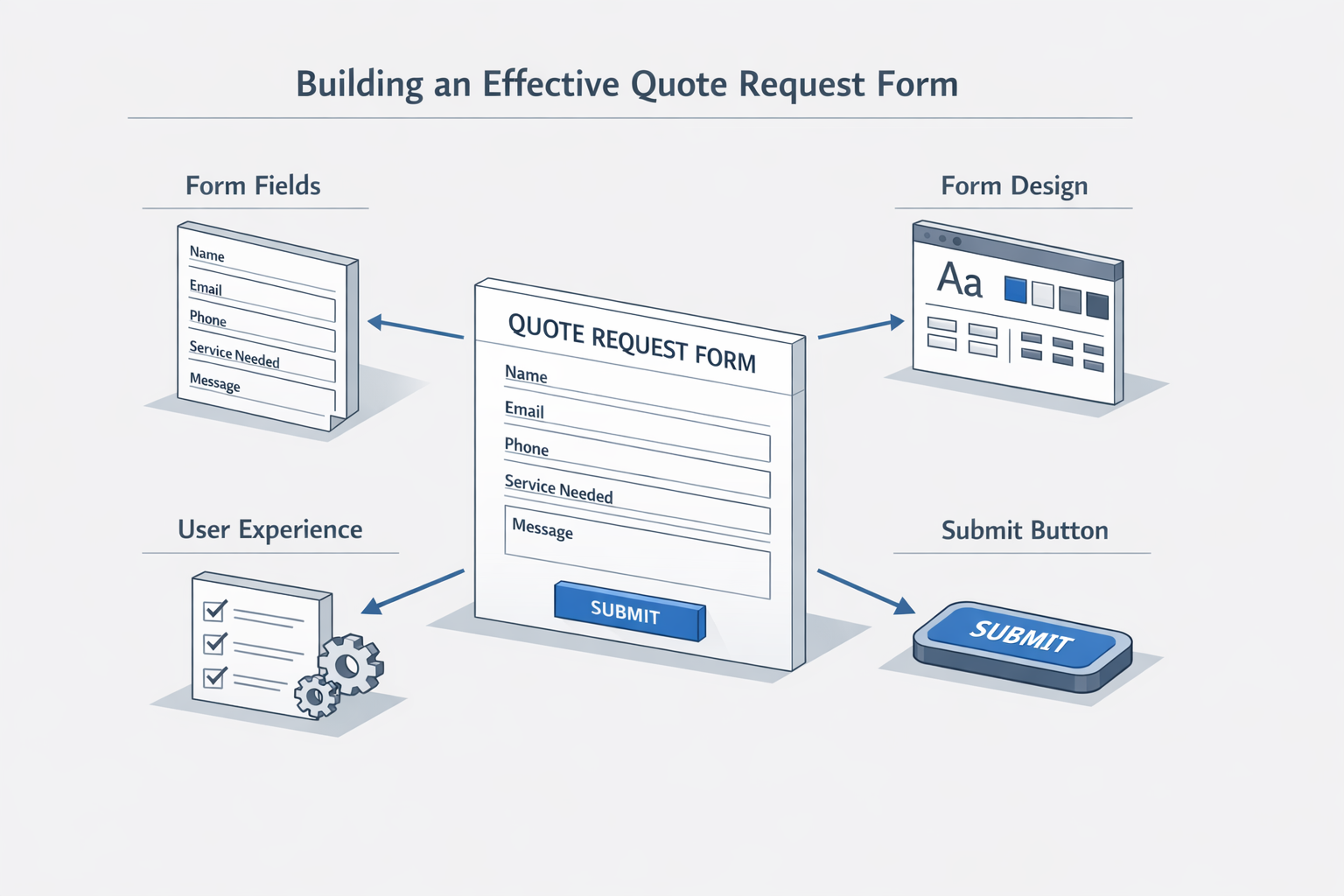
Building a quote request form that filters for qualified jobs requires deliberate structure. The goal is to collect enough information to assess fit without creating friction that drives prospects away. The steps below walk through the design process from field selection to final implementation.
Step 1: Define Your Minimum Qualifying Information
Before you add a single field, list the data points your sales or operations team needs to decide whether a job is worth pursuing. For most service businesses, this includes contact details, project scope indicators, and timing. A baseline quote request form should capture at least eight core fields: name, company, title, email, phone, industry, country, and message. These fields give you enough context to route the inquiry correctly and assess whether the prospect matches your ideal customer profile.
Step 1
Identify qualifying criteria
Work backward from your close rate. Pull your last 50 closed jobs and identify the three attributes they had in common at first contact. Those attributes become required fields on your quote request form. Everything else is optional or eliminated.
Step 2: Structure Fields to Capture Intent
Generic message boxes collect noise. Structured fields collect intent. Replace open-ended "Tell us about your project" prompts with dropdown menus, radio buttons, or short conditional questions that guide the prospect toward specificity. For example, a three-question quiz at the start of the quote request form can assess risk level or project complexity and then adjust which fields appear next. This approach captures intent data that a static form never asks for, and it reduces the cognitive load on the prospect.
Step 3: Optimize for Discoverability and Conversion
Your quote request form must be easy to find and easy to complete. Use keyword-rich titles in the form header and in the page metadata so that prospects searching for quote request form options land directly on your page. Apply category tags to the form page so it surfaces in site search and related content blocks. Pair the quote request form with AI-generated hero images or video assets that reinforce the value proposition and reduce bounce rate. The form itself should be visually clean, with clear labels, logical field order, and a single prominent call-to-action button.
Step 2
Design for mobile-first completion
More than half of service quote request form submissions originate on mobile devices. Test your form on a phone. If any field requires zooming or horizontal scrolling, redesign it. Use large touch targets and minimize typing wherever possible.
Step 4: Integrate With Your Quote-to-Booking Workflow
A quote request form is not a lead capture tool — it is the first step in a structured workflow. Connect the form to your CRM, project management system, or invoicing platform so that submissions automatically create records, trigger notifications, and populate templates. Editable templates let you incorporate brand colors, payment terms, and custom fields that align with your quoting process. When a quote request form submission flows directly into a draft quote or estimate, your response time drops and your close rate improves.
Step 3
Automate follow-up sequences
Set up an automated email sequence that sends a confirmation immediately, a follow-up within 24 hours, and a check-in after three days if no quote has been issued. This keeps the prospect engaged while your team reviews the quote request form.
For service businesses looking to streamline operations beyond the form itself, marketing channel plans for home service businesses can extend the same principles to scheduling, invoicing, and customer communication.
Step 5: Test, Measure, and Iterate
Launch the quote request form with analytics in place. Track submission rate, field completion rate, and downstream conversion from submission to booked job. If a specific field shows high abandonment, make it optional or remove it. If certain industries or project types convert at higher rates, consider creating dedicated quote request form versions for those segments. The form that works today may not work six months from now as your service mix or target market evolves.
What Are the Best Practices for Quote Request Form Optimization?
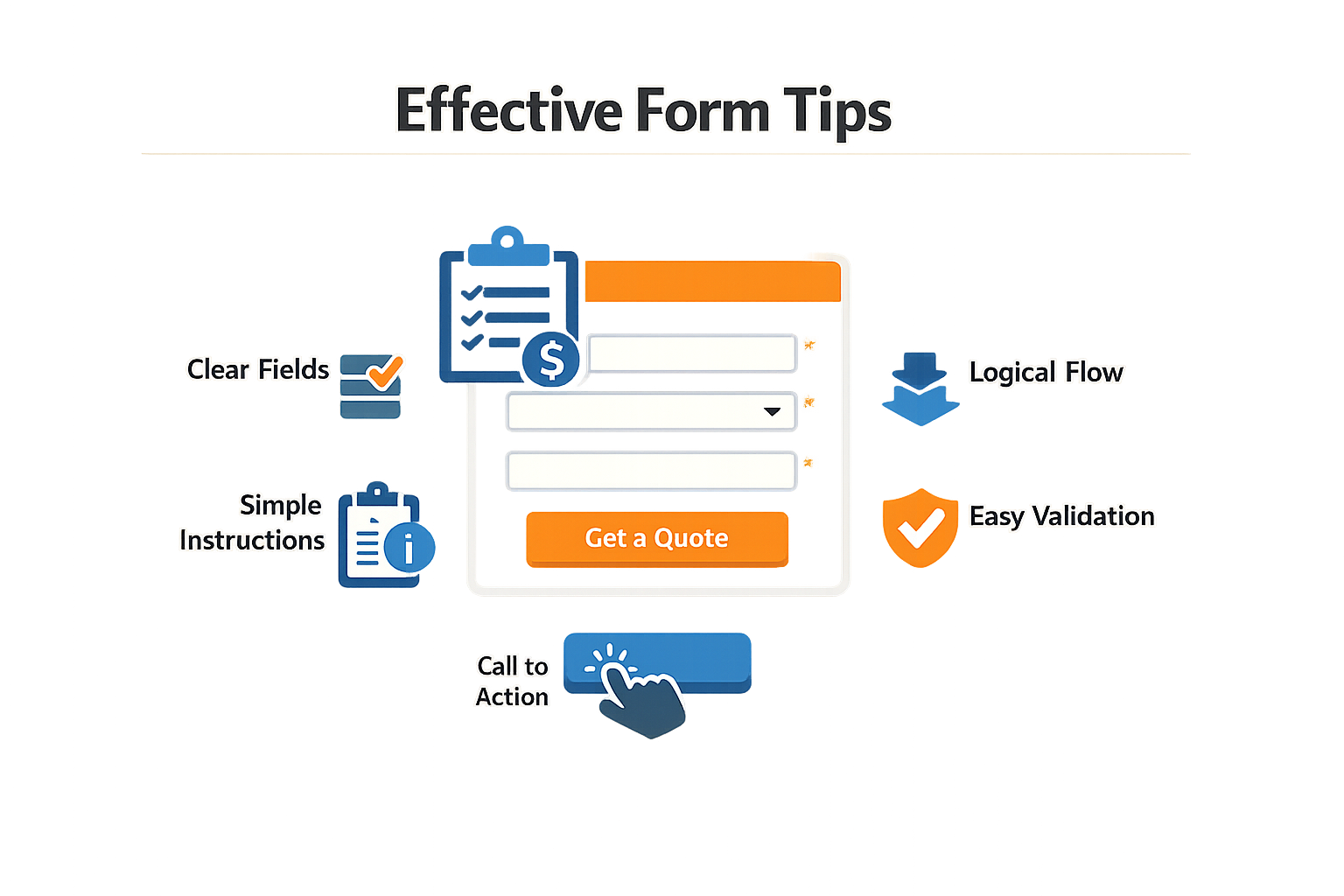
Once your quote request form structure is in place, the next layer is optimization — small adjustments that compound into measurably better conversion and qualification rates. These tactics address common friction points we see in service business forms: prospects who abandon mid-form, submissions that lack actionable detail, and follow-up sequences that fail to nurture warm leads into booked jobs.
Add Visual and Social Proof to Your Quote Request Form
A bare form communicates nothing about your credibility. Enhance your quote request form by embedding customer reviews, project photos, or brief case study snippets directly on the page. When a prospect sees a recent five-star review or a before-and-after image relevant to their job type, hesitation drops. This content differentiates you from competitors whose forms feel transactional rather than consultative.
Automate Follow-Up Workflows to Prevent Lead Leakage
The most common failure mode for quote request form implementations is not the form itself — it is what happens after submission. Prospects who do not receive a response within hours often move to the next provider. Automated nurture and follow-up workflows ensure no lead disappears into an inbox. Configure your CRM to send an immediate acknowledgment email, schedule a follow-up task for your team within 24 hours, and trigger reminder sequences if the prospect has not responded within a set window.
For service businesses handling high volumes, tools that auto-draft quotes from quote request form submissions reduce response time from days to minutes. The system pulls the submitted details, applies your rate card, and generates a draft you review and send — removing the manual transcription step that slows most operations.
Job completion prompts automated follow-up, keeping customers engaged and preventing leads from vanishing into the inbox.
Optimize Payment Method Presentation for Higher Conversion
When your quote request form includes pricing or payment options, the order and visibility of those methods matter. Dynamic payment method filtering — displaying only the options relevant to the prospect's location, job size, or device — maximizes conversion by reducing cognitive load. A prospect on mobile in California does not need to see payment methods unavailable in their region; showing fewer, more relevant choices increases the likelihood they complete the quote request form.
This principle extends to financing options. If you offer payment plans for larger jobs, surface that option prominently on the quote request form for high-value requests. Prospects who see flexible payment terms are more likely to submit details for jobs they might otherwise defer.
Integrate E-Signature and Scope Confirmation
The gap between estimate and booked job is where many service businesses lose momentum. Streamline this transition by converting your quote request form submissions directly into e-signable agreements. Once you finalize scope with the customer, they sign digitally and the job moves into your scheduling system without manual handoffs. This workflow eliminates the back-and-forth of email approvals and reduces the window in which a prospect can reconsider or shop competitors.
For owner-operators managing multiple job types, this integration is particularly valuable. A single quote request form submission becomes a checklist with before-and-after media capture, payment milestones, and completion triggers — all automated from the initial form data.
Link Your Form to Broader Automation Systems
Your quote request form does not exist in isolation. It should feed into a larger service area business SEO and automation workflow that handles lead scoring, CRM updates, calendar scheduling, and post-job follow-up. When quote request form submissions automatically populate your job board, assign tasks to technicians, and trigger customer communication sequences, you eliminate the manual triage that bottlenecks most service operations.
The payoff is not just speed — it is consistency. Every lead receives the same high-quality response regardless of when they submit the quote request form or which team member is on duty.
Conclusion
A well-designed quote request form is not a static asset — it is the operational bridge between awareness and revenue. Service businesses that treat quote request form design as an iterative discipline, rather than a one-time implementation, consistently capture more qualified leads and reduce time spent on unworkable inquiries. The difference between a quote request form that converts and one that leaks opportunity often comes down to field selection, conditional logic, and the discipline to ask for qualifying information without overwhelming the user.
At Xenco Labs, we have seen service owners transform their lead quality by aligning quote request form structure with their CRM and quote-to-booking workflows. The forms that perform best are those that reflect the actual decision criteria used in the field — service area boundaries, job size thresholds, and timing constraints that matter to scheduling and profitability. When your quote request form mirrors the questions your intake team would ask on the phone, you automate qualification without sacrificing the human context that builds trust.
Implementation is straightforward: start with the core qualifying fields, test the quote request form with real users, and refine based on conversion and lead quality metrics. Track not only submission rates but also the percentage of submitted leads that convert to booked jobs — that ratio tells you whether your quote request form is doing its job. If you are capturing volume but losing quality, tighten your fields; if submissions drop but conversions rise, you are filtering correctly.
For service businesses ready to scale their lead capture infrastructure, integrating quote request form design with broader small business automation strategies ensures that qualified leads flow seamlessly from initial inquiry through scheduling and invoicing. The quote request form is the first operational checkpoint in that chain — design it with the same rigor you apply to your service delivery, and it will pay dividends in both lead quality and operational efficiency.
FAQ
How long should a quote request form be?
A quote request form should collect 8-12 fields for most service businesses: contact details (name, email, phone), project scope indicators (service type, job size), timing (urgency, preferred start date), and location (service area, zip code). Forms with fewer than 8 fields often lack the data needed to qualify leads; forms with more than 15 fields see abandonment rates above 40%. Test your form length against conversion and lead quality metrics to find the optimal balance.
What fields are essential on a quote request form?
Essential quote request form fields include name, email, phone, service type, project location, and preferred timeline. Optional but valuable fields include budget range, property type, and how the customer found you. Avoid asking for information you can gather later in the sales process, such as detailed project specifications or payment preferences, unless those details directly impact your ability to provide an accurate quote.
How do you reduce quote request form abandonment?
Reduce quote request form abandonment by implementing conditional logic (showing only relevant fields), using clear labels and helper text, optimizing for mobile devices, and placing trust signals (reviews, certifications) near the form. Remove optional fields that don't directly impact qualification, use progress indicators for multi-step forms, and test your form on actual mobile devices to identify friction points.
Should a quote request form include pricing?
Include pricing on your quote request form only if you offer transparent, published rates for common services. Dynamic pricing tools can calculate estimates based on form inputs (service type, location, job size) and display a range immediately. This approach pre-qualifies budget-conscious prospects and reduces back-and-forth. For custom or complex work, use the quote request form to collect scope details and follow up with a personalized estimate within 24 hours.
How do you integrate a quote request form with your CRM?
Integrate your quote request form with your CRM using native connectors (Zapier, Make, or platform-specific APIs) that automatically create contact records, trigger follow-up sequences, and populate custom fields. Map form fields to CRM properties (service type → deal stage, location → territory assignment) to enable automated routing and prioritization. Test the integration with sample submissions to ensure data flows correctly and notifications reach the right team members.
Sources(18)
- Google Business Profile guidelines
- Google Business Profile Help — Guidelines for representing your business on Google
- Google Business Profile guidelines
- Google Business Profile guidelines
- ServiceTitan
- Jobber — Pricing page
- Managed Search & Content Intelligence
- ServiceTitan
- FieldPulse
- Local Service Business OS
- Google Search Central — Local business (LocalBusiness) structured data
- Stripe Invoicing documentation
- Google Search Central documentation
- Google Business Profile guidelines
- jobber (competitive_claim)
- local-service-business-os (xl_local_os_editorial)
- jobber (competitive_claim)
- sonoma-wash-co (operational_policy)
Written by
Xenco Labs Editorial
Published October 20, 2026 · 16 min read
The Xenco Labs editorial team writes about building and shipping AI products to production.
You Might Also Like
More from the Xenco Labs blog

Speed to Lead: Lead Response Time for Service Businesses: Why Speed
Discover how lead response time impacts conversion rates for service businesses and learn proven strategies to improve your response speed. Speed to lead is crucial

General Contractor Website Design: Features for Winning Jobs
Learn the essential features of general contractor website design that help service businesses win jobs and attract clients effectively.

Landscaping SEO: SEO for Landscaping: How to Get Found Locally
Learn effective landscaping SEO strategies to enhance local visibility and attract customers to your landscaping business online.

Home Service Marketing: A Channel Plan for Owner-Operated Businesses
Discover practical home service marketing strategies. Build an effective channel plan for owner-operated service companies.