
MSP Software Buying Guide: Key Features for Managed Service Providers
Explore the MSP Software Buying Guide highlighting key features that matter for Managed Service Providers to streamline their operations.
Introduction
Why MSP Software Selection Defines Operational Capacity
An MSP Software Buying Guide begins with a simple truth: managed service providers operate in an environment where every manual handoff costs margin. The software you choose either becomes the connective tissue that holds quoting, scheduling, service delivery, and billing together — or it becomes another subscription that requires its own management overhead. Most MSPs inherit a collection of point solutions over time: one tool for tickets, another for time tracking, a third for invoicing, and a spreadsheet somewhere tracking what actually happened. The cumulative cost is not the monthly fees; it is the cognitive load of remembering which system holds the current version of truth for any given customer interaction.
The distinction between software that supports managed services and software that manages the service operation is not semantic. Platforms designed around operational reality treat the quote as the source of scope, the scope as the source of the task list, and task completion as the trigger for invoicing. When these connections are native rather than bolted together through integrations, fewer things fall through the cracks. The system enforces the workflow instead of depending on discipline to keep information synchronized across tools.
This guide focuses on the structural characteristics that separate operational platforms from feature checklists. It covers how to evaluate whether a system reduces handoffs, how to distinguish between integration theater and actual data flow, and what questions to ask during demos that reveal whether the vendor understands service delivery or just software sales. For teams evaluating options, the goal is not to find the tool with the longest feature list — it is to identify the platform that eliminates the most manual steps between customer contact and completed job invoicing.
What This Guide Covers
The sections that follow address the core challenges MSPs face when evaluating software, the decision framework for comparing platforms, and the operational tests that reveal whether a system will reduce workload or simply relocate it. The problem statement examines why most selection processes focus on the wrong criteria. The solution steps provide a structured evaluation method that prioritizes workflow consolidation over feature counts. Tips and tricks highlight the questions that separate vendors who understand service operations from those who understand software demos. The conclusion synthesizes the decision criteria into a checklist that aligns software selection with operational goals rather than marketing promises.
What Makes MSP Software Selection So Difficult?
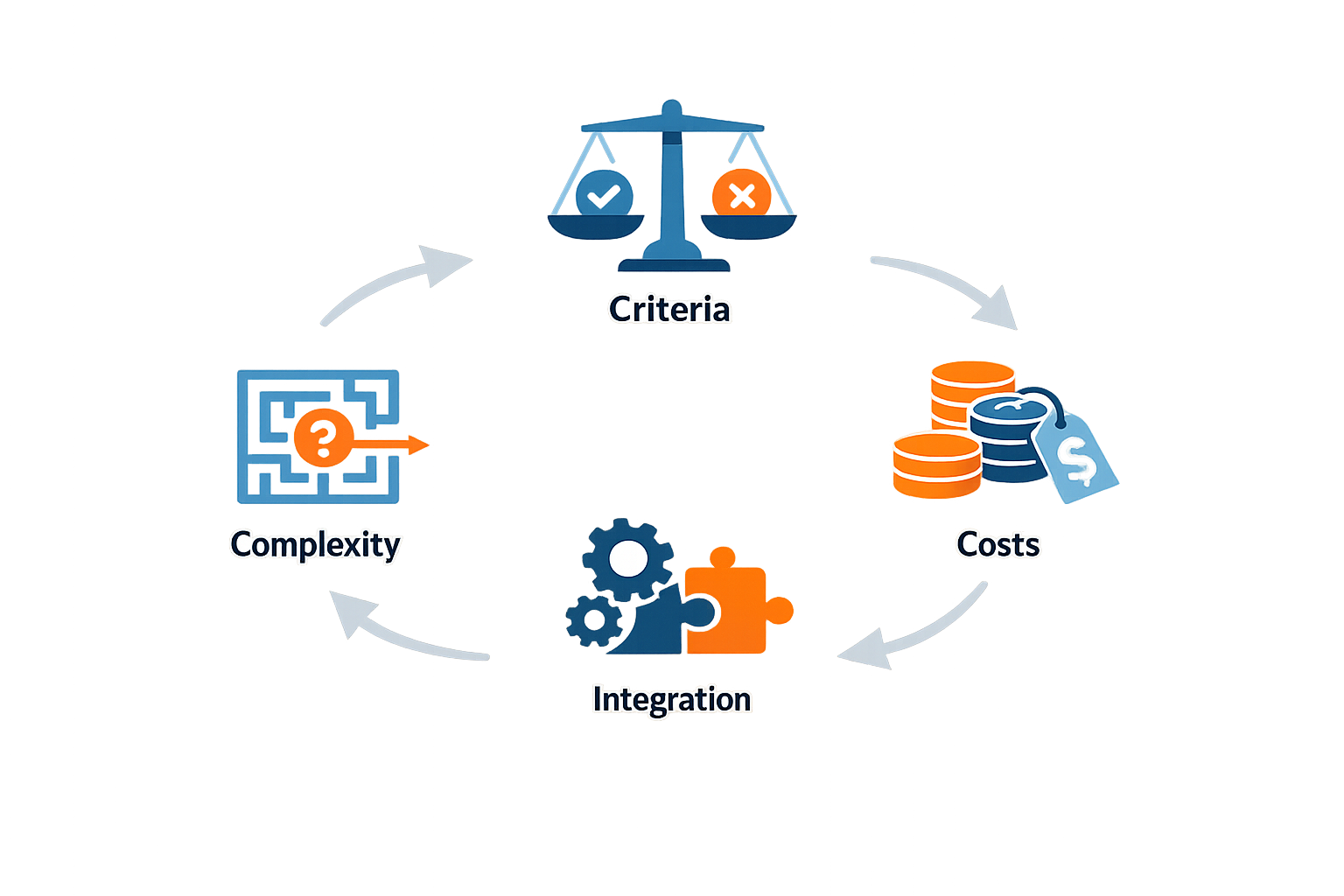
Managed service providers face a recurring challenge: software platforms promise unified operations, yet most purchasing decisions end in partial deployments, workarounds, and scattered data. The root cause is not a shortage of features — it is the mismatch between what vendors demonstrate and what teams actually need to execute day-to-day work.
The Intelligence Gap
Most MSPs begin their search with a feature checklist: ticketing, billing, asset tracking, reporting. What they discover after deployment is that the platform lacks the intelligence layer required to convert raw data into actionable insight. Teams spend hours reconciling information across modules because the software treats each workflow as a standalone task rather than a connected operation. Without a unified view of customer history, technician activity, and service agreements, the platform becomes a data repository instead of a decision engine.
Mobile Workforce Disconnects
Field technicians require tools that function offline, capture accurate time and materials data, and sync seamlessly when connectivity returns. Many platforms claim mobile capabilities but deliver browser-based interfaces that break under poor signal conditions or require constant manual data entry. The result is duplicate work: technicians complete tasks in the field, then office staff re-enter the same information to generate invoices or update asset records. This disconnect erodes both productivity and data integrity, particularly when service agreements depend on accurate labor and material tracking.
Document and Asset Sprawl
Service contracts, equipment manuals, compliance checklists, and project plans live in different systems — or worse, in email threads and shared drives. When a technician needs a schematic or a manager needs to verify warranty coverage, the search consumes time that should be spent resolving the customer issue. Centralized document management is not a luxury; it is the foundation of consistent service delivery. Platforms that treat documentation as an afterthought force teams to maintain parallel filing systems, increasing the risk of outdated information reaching the field.
The cheapest platform is the one that eliminates the need for your team to guess where the last version of a critical document lives.
Workflow Automation for Small Business
Smaller MSPs face an additional constraint: limited administrative capacity. Manual scheduling, invoice generation, and follow-up tasks consume hours that could be spent on revenue-generating work. Platforms that require extensive configuration or lack pre-built automation templates shift the burden back to the team, defeating the purpose of the investment. Effective workflow automation for small business operations must deliver immediate value without requiring a dedicated implementation team or months of customization.
Reporting That Measures What Matters
Dashboards filled with vanity metrics — total tickets closed, average response time — provide little guidance for margin protection or resource allocation. MSPs need visibility into labor costs per project, material variances against estimates, and profitability trends by customer or service type. When reporting tools cannot answer "which accounts are eroding our margin" or "where are we losing time in the dispatch cycle," leadership operates on intuition rather than data. The platform must surface actionable intelligence, not just activity logs.
How to Evaluate MSP Software: A Step-by-Step Buying Guide
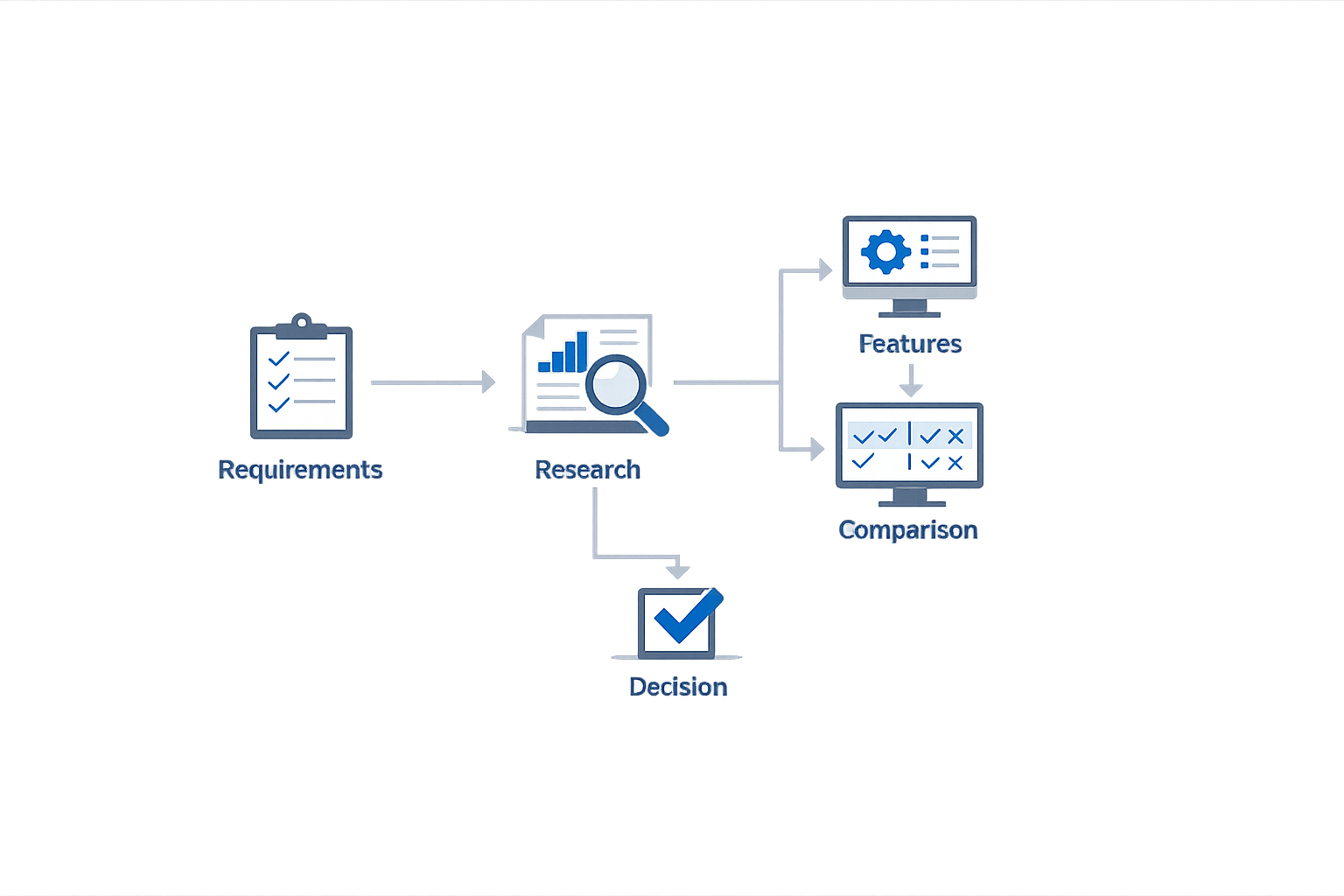
Selecting the right MSP software requires a methodical evaluation of features against your actual operational needs. The goal is not to find the platform with the longest feature list, but the one whose core capabilities align with how your team books, schedules, delivers, and invoices service work. Follow these steps to move from requirements to a confident vendor decision.
Step 1: Map Your Current Workflow End-to-End
Step 1
Map your current workflow end-to-end
Document every touchpoint from initial customer contact through final payment collection. Include how leads arrive (phone, web, chat), how estimates are generated, how appointments are scheduled, how field work is documented, and how invoices are created and paid. Identify which steps depend on manual handoffs, spreadsheets, or memory—these are the friction points your software must eliminate.
This inventory reveals whether you need integrated AI chat and phone reception, a configurable rate-card estimator, or automated quote follow-up workflows. A platform designed around disconnected SaaS subscriptions will force you to recreate the same manual handoffs you're trying to eliminate.
Step 2: Prioritize Features That Reduce Manual Handoffs
Step 2
Prioritize features that reduce manual handoffs
Rank potential features by their impact on operational continuity. Look for systems where approved scope flows automatically into contracts, job tasks, completion records, and invoicing without re-keying data. CRM and nurture workflows should prevent quote follow-up from relying on memory. Evaluate whether the platform supports conversion-focused workflows like AI phone receptionists trained on your business knowledge, appointment scheduling against live calendar availability, and scope-derived field task checklists.
For example, a system that includes before-and-after photo documentation, customer account portals, and automated invoice generation from completed work reduces dispute risk and speeds cash collection. Premium features like AI-powered troubleshooting assistants, fleet tracking, and custom forms may be valuable, but only after core workflow automation is in place.
Step 3: Evaluate Integration and Customization Depth
Step 3
Evaluate integration and customization depth
Test whether the platform can sync accounting data with your ERP, reconcile purchase orders automatically, and surface real-time insights into labor, materials, and profitability. Assess whether you can configure service catalogs, rate cards, and proposal templates to match your pricing model. Platforms built for specialty contractors often include tools to manage service agreements, work orders, and assets from a unified interface, with mobile workforce capabilities for scanning, tasks, and timekeeping.
A robust platform should support digital forms to standardize field workflows and compliance, centralized document storage for drawings and plans, and the ability to create and convert RFIs to change orders. If your operation includes recurring services or subscription models, verify that the software provides native controls for managing those revenue streams.
Step 4: Compare Pricing Models and Implementation Timelines
Step 4
Compare pricing models and implementation timelines
Request custom quotes that reflect your team size and feature requirements. Seat-based pricing is common, with core platforms running full operations and premium products layered on for advanced needs like enhanced fleet visibility or smarter reporting. Clarify setup fees, monthly managed costs, and typical implementation timelines. For example, a standard build might carry a $14,500 setup fee with monthly costs from $995, targeting a 2–4 week implementation after intake, subject to service complexity and integration requirements.
Understand what's included in the base build versus optional add-ons. A complete system should bundle the branded website, service catalog, estimate delivery, appointment scheduling, quote verification, contract workflow, field task checklist, customer portal, invoicing, payment collection, CRM, abandoned-quote follow-up, nurture campaigns, and analytics—not sell them piecemeal.
Step 5: Validate with a Pilot or Proof-of-Concept
Step 5
Validate with a pilot or proof-of-concept
Before committing to a full rollout, run a limited pilot with a subset of your team or a specific service line. Track whether the platform reduces manual handoffs, improves quote-to-close rates, and delivers the promised visibility into operations. Measure lead response time, conversion rates, and time-to-invoice against your baseline. Use this data to confirm that the software aligns with your operational reality, not just the vendor's demo script.
A successful pilot proves that the system works the way your business works—not the other way around.
Tips and Tricks

Choosing the right software platform is half the battle—using it effectively is the other half. Even a well-featured system delivers limited value when your team doesn't adopt it, your workflows aren't mapped to its capabilities, or you're paying for modules that sit idle. The following practical tips help managed service providers extract maximum return from their software investment while avoiding common pitfalls that erode efficiency and profitability.
Equip Mobile Teams with Field-Ready Tools
Your technicians are your revenue engine, and the tools they carry determine how much value they can deliver per visit. Equip your mobile workforce with tools for scanning, tasks, checklists, and timekeeping to enhance productivity and efficiency. A mobile app that supports barcode scanning, job checklists, and real-time clock-in eliminates the guesswork and paper trails that slow down billing. When field staff can mark tasks complete, capture photos, and log materials on-site, you reduce rework, improve accuracy, and shorten the time between job completion and invoice delivery.
Look for platforms that work offline and sync when connectivity returns—job sites rarely guarantee strong cell signals. The best mobile tools guide technicians through standardized procedures, reducing training time and ensuring consistency across your team.
Centralize Documents and Avoid Version Chaos
Scattered files cost you time, create compliance risk, and frustrate your team. Centralize your drawings, plans, and documents in one secure place to streamline operations and improve accessibility. When contracts, service agreements, safety certifications, and project documentation live in a single system with version control, your office staff and field teams always reference the current file—not last month's draft buried in someone's email.
A centralized document repository also simplifies audits, onboarding, and client handoffs. Tag files by customer, project, or asset type so retrieval takes seconds, not searches through shared drives. Workflow automation for small business extends this principle across your entire operation, connecting documents to the jobs and customers they support.
Automate Follow-Up to Capture Lost Revenue
Prospects who request quotes but don't convert represent your largest untapped revenue pool. Utilizing CRM and nurture workflows can prevent quote follow-up from relying on memory, ensuring better customer engagement. Automated nurture and follow-up workflows help ensure prospects and customers do not disappear into an inbox, improving engagement. A well-configured CRM sends reminders at the right intervals—three days after the quote, one week later, and again before the opportunity ages out—without requiring your team to track every open proposal manually.
The same principle applies to unsigned contracts, unpaid invoices, and service renewals. Automation doesn't replace human judgment; it surfaces the opportunities that need attention and ensures nothing falls through the cracks while your team focuses on active jobs. Understanding lead response time for service businesses can help you configure follow-up sequences that maximize conversion.
Match Your Software to How You Actually Work
Off-the-shelf platforms often force you to adapt your processes to their assumptions. The most effective systems are designed around the way a small service company actually works—not around a collection of disconnected SaaS subscriptions. Before committing to a platform, map your current workflow from lead capture through final payment. Identify the handoffs, approvals, and data entry steps that slow you down. Then evaluate whether the software eliminates those friction points or simply digitizes them.
A system that aligns with your real operations reduces training time, increases adoption, and delivers ROI faster. If the demo requires you to re-engineer how you sell, schedule, or invoice, expect resistance from your team and a longer path to profitability.
The best software doesn't make you change how you work—it makes how you work faster, cleaner, and more profitable.
Conclusion
Choosing the right MSP software is not a one-time decision—it's a commitment that shapes how your managed service provider operates, scales, and competes. The features that matter most are the ones that eliminate friction in your daily workflows: centralized document management that keeps plans, contracts, and compliance records accessible in one secure location; mobile tools that equip technicians with real-time task lists, checklists, and timekeeping capabilities; and automation that surfaces sales opportunities, tracks every client interaction, and protects your margins through accurate labor and materials tracking.
The buying process itself demands discipline. Start with a clear inventory of your current pain points—where manual handoffs slow you down, where data silos create blind spots, where your team wastes time on repetitive tasks that software should handle. Prioritize platforms that integrate with your existing accounting and ERP systems, offer robust reporting dashboards for real-time visibility, and provide the flexibility to adapt as your service offerings evolve. A platform that centralizes your drawings, plans, and documents in one secure place streamlines operations and improves accessibility, reducing the risk of version control errors and compliance gaps.
Equally important is ensuring your mobile workforce has the tools they need to succeed in the field. Equipping technicians with mobile capabilities for scanning, tasks, checklists, and timekeeping enhances productivity and ensures that every billable hour is captured accurately. The right software doesn't just track work—it enables your team to perform better, sell more effectively, and deliver consistent service quality across every client engagement.
Ultimately, the MSP software you choose becomes the operational backbone of your business. It should reduce administrative overhead, improve client satisfaction through faster response times and better communication, and give you the data you need to make informed decisions about resource allocation, pricing, and growth strategy. The investment is significant, but the cost of choosing poorly—lost productivity, frustrated teams, and missed revenue opportunities—is far higher. Take the time to evaluate thoroughly, involve your team in the selection process, and choose a platform that aligns with where your business is going, not just where it is today. For additional guidance on optimizing your service operations, explore our insights on workflow automation for small business to see how the right tools can transform your efficiency and profitability.
FAQ
What is the most important feature in an MSP Software Buying Guide?The most important feature is workflow consolidation—software that connects quoting, scheduling, service delivery, and invoicing without manual handoffs. A unified platform reduces administrative overhead and ensures data flows seamlessly from lead capture through payment collection.
How do I know if MSP software will integrate with my existing tools?Ask vendors for a detailed integration map showing how their platform syncs with your accounting, ERP, and communication systems. Request a proof-of-concept that tests real data flows, not just API availability, to confirm the integration eliminates manual reconciliation.
What should I prioritize: features or ease of use?Prioritize ease of use for your team's daily workflows. A feature-rich platform that requires constant workarounds or extensive training will see low adoption. Choose software that matches how your team actually works, with automation that reduces repetitive tasks.
How long does MSP software implementation typically take?Implementation timelines range from 2–4 weeks for standard builds to several months for complex integrations. The timeline depends on your service complexity, data migration requirements, and the number of third-party tools that need to connect to the new platform.
Should I choose cloud-based or on-premise MSP software?Cloud-based platforms offer faster deployment, automatic updates, and remote access for field teams. On-premise solutions provide more control over data security but require internal IT resources for maintenance. Most MSPs choose cloud platforms for flexibility and lower upfront costs.
Related reading
How to Choose the Best Project Management Software
Related reading
General Contractor Website Design: Features for Winning Jobs
Related reading
Sources(12)
- ServiceTitan
- FieldPulse
- Jobber — Pricing page
- ServiceTitan
- Managed Search & Content Intelligence
- Local Service Business OS
- Housecall Pro
- Xenco Labs — Services
- Stripe Documentation — Invoicing
- Xenco Labs — Local Service Business OS SEO/AEO/content strategy (2026-10-08)
- Google Search Central — AI features and your website
- Google Search Central — Spam policies for Google web search
Written by
Xenophon Giannis
Published November 8, 2026 · 15 min read
Xenophon Giannis is the founder and CEO of Xenco Labs, where he designs, builds, deploys and operates production AI software solo — on his own multi-node cluster, with his own LLM gateway and automation infrastructure. Twenty-five years in enterprise technology came first: a decade at AboveNet, hired as its first sales rep after bankruptcy and promoted until he ran the entire Western Pacific region, then sales leadership at Black Lotus and Nexusguard in DDoS mitigation. He writes about what he actually ships, and what actually breaks in production.
You Might Also Like
More from the Xenco Labs blog

Intranet Software with Project Management: Centralize Team Collaboration

Project Dashboard Setup: Key Metrics to Track and Build
Learn how to set up a project dashboard, what key metrics to track, and how to build one that suits your team's needs with Project Dashboard Setup best practices.

Work Order Management Software: Streamline Service Requests
Discover how work order management software streamlines service requests and task assignments, improving efficiency and response times for your team.

How to Choose the Best Project Management Software
Learn how to choose the best project management software that fits your team's needs, boosts productivity, and streamlines collaboration effectively.