
How to Choose the Best Project Management Software
Learn how to choose the best project management software that fits your team's needs, boosts productivity, and streamlines collaboration effectively.
Introduction
Every team faces the same challenge: coordinating work across people, deadlines, and shifting priorities without losing visibility or momentum. The difference between teams that deliver consistently and those that struggle often comes down to one decision—choosing project management software that fits how they actually work, not just what looks impressive in a demo.
The stakes are higher than most organizations realize. Poor software selection doesn't just waste budget on unused licenses; it creates friction in daily workflows, fragments communication across multiple tools, and ultimately undermines the productivity gains you set out to achieve. When teams adopt tools that don't match their collaboration patterns or project complexity, adoption stalls, workarounds multiply, and the software becomes a liability rather than an asset.
Workflow automation starts with the right foundation. Before evaluating features or comparing vendors, you need a clear framework for what success looks like in your environment—whether you're managing client projects with tight deadlines, coordinating cross-functional initiatives, or scaling operations across distributed teams. The right platform should reduce administrative overhead, surface bottlenecks before they delay deliverables, and provide real-time visibility without requiring constant manual updates.
This guide walks through a systematic approach to evaluating and selecting project management software that aligns with your team's operational reality. You'll learn how to assess your current workflow challenges, identify must-have versus nice-to-have features, avoid common implementation pitfalls, and build a selection process that delivers measurable improvements in coordination, accountability, and project outcomes. The goal isn't to find the most feature-rich platform—it's to find the one your team will actually use to get better results.
Learn how to choose the best project management software that fits your team's needs and boosts productivity.
What is Project Management Software?
Project management software is a digital platform that centralizes the planning, execution, tracking, and delivery of work across teams. At its core, it replaces scattered emails, spreadsheets, and status meetings with a single system where tasks, deadlines, resources, and progress live in one place. The software typically includes task assignment, scheduling tools, file storage, and real-time visibility into who's doing what and when it's due.
The fundamental value proposition is coordination at scale. When three people are working on a project, a shared document might suffice. When fifteen people across four locations need to deliver interdependent work on a tight deadline, you need structured workflows, automated notifications, and a shared source of truth. Project management software provides that structure without requiring everyone to be in the same room or on the same call.
Core Functionalities That Define the Category
Most project management platforms share a set of baseline capabilities. Task management lets you create, assign, and track individual work items with due dates and priority levels. Scheduling tools—whether calendar views, Gantt charts, or kanban boards—show how tasks sequence and overlap. Collaboration features like comments, file attachments, and team mentions keep conversations tied to the work itself rather than buried in email threads.
Resource management is another pillar: knowing who's available, who's overloaded, and where bottlenecks are forming. Workflow automation for small business extends this further by triggering actions automatically—sending reminders, updating statuses, or reassigning tasks when conditions change. Reporting and analytics close the loop, surfacing metrics like task completion rates, time spent, and project profitability so teams can learn and adjust.
The software doesn't enforce a single methodology. Some teams run agile sprints with daily standups; others use waterfall timelines with fixed milestones. The platform adapts to the process you choose, providing the scaffolding to make that process visible and repeatable. What matters is that everyone sees the same plan, updates propagate instantly, and nothing falls through the cracks because someone forgot to forward an email.
Why Choosing the Right Software Matters
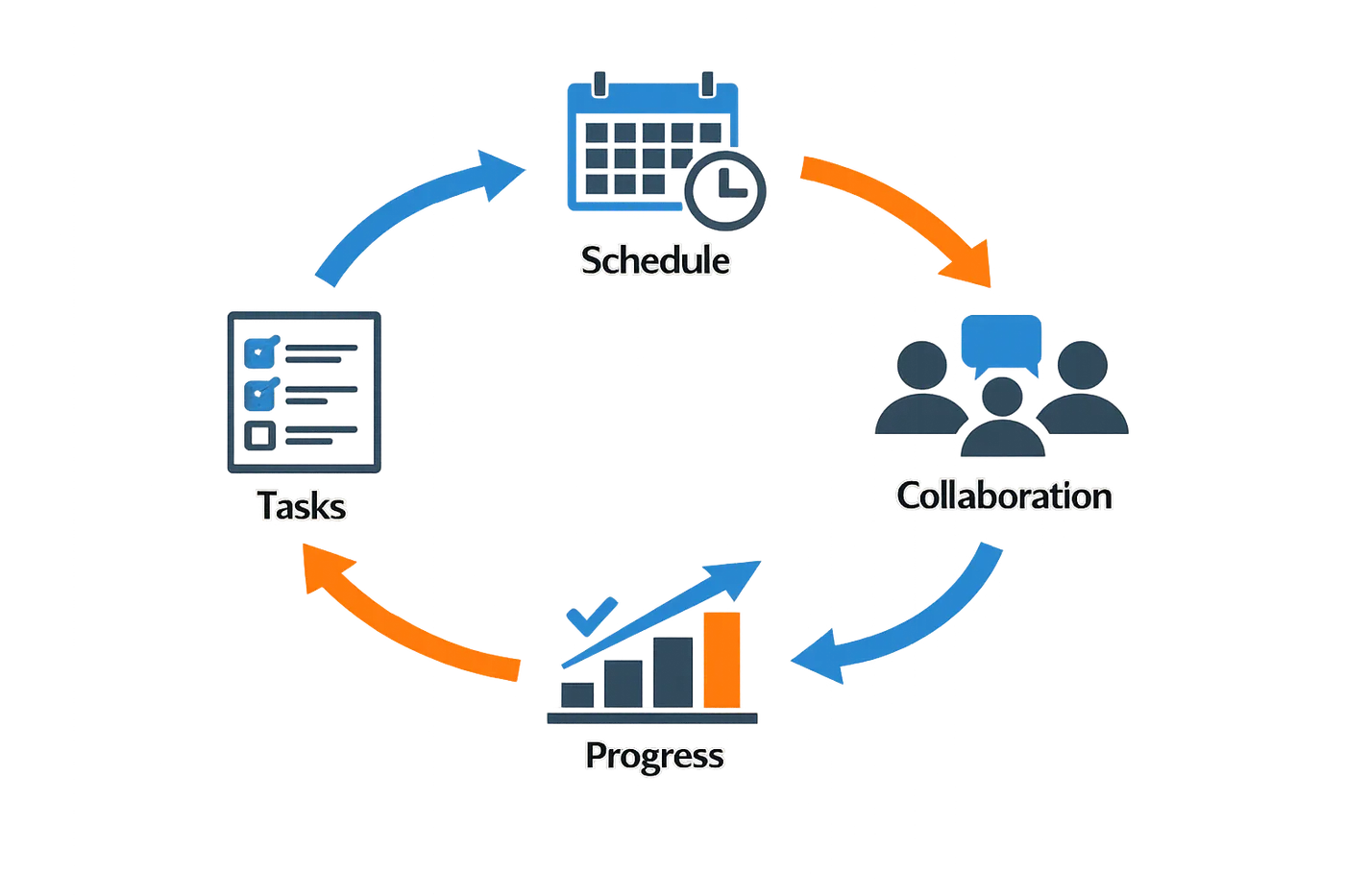
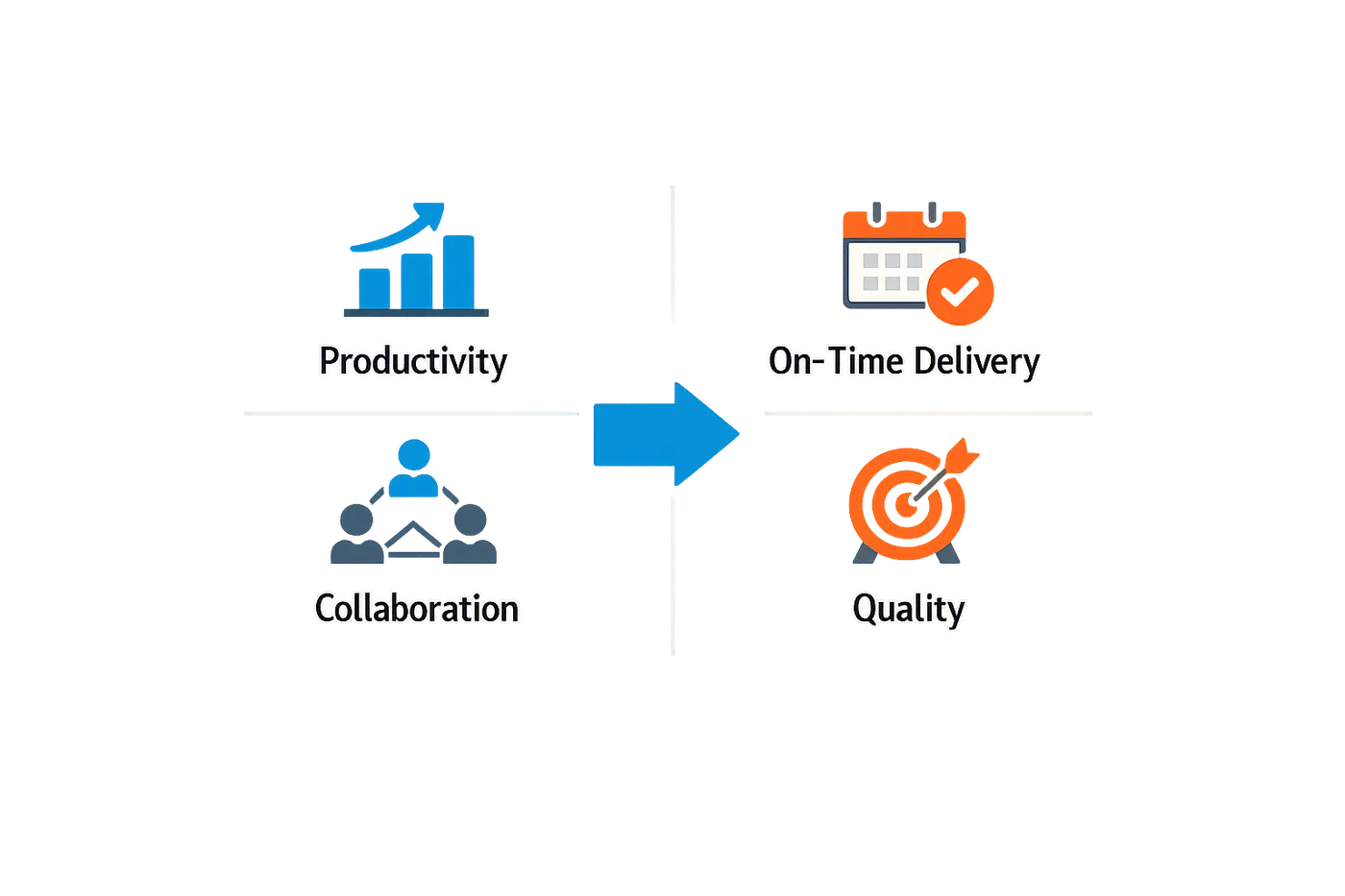
The right project management software doesn't just organize tasks—it shapes how your team works, how fast you deliver, and whether projects stay profitable. A platform that fits your workflow reduces friction, cuts wasted motion, and lets people focus on the work instead of fighting the tools. When the software aligns with how your team actually operates, you see measurable gains in output and margin.
Choosing the right project management software can lead to more productive workflows and better profit margins.
The Cost of Misalignment
When your software doesn't match your process, you pay twice: once in subscription fees, and again in the hours your team spends working around it. Disconnected tools force manual handoffs between estimating, scheduling, field work, and invoicing. Each handoff is a chance for details to slip, deadlines to drift, or scope to expand without anyone noticing until the invoice goes out.
Teams that rely on a collection of disconnected SaaS subscriptions spend more time copying data between systems than they do improving the work itself. The system should be designed around the way a small service company actually works—not around a vendor's feature list.
Real-Time Visibility Drives Better Decisions
Real-time insights into your business are crucial for making informed decisions and improvements. When you can see project status, resource allocation, and budget performance without waiting for end-of-week reports, you catch problems while they're still small. A platform that surfaces this information automatically lets you adjust course before a project goes off the rails.
Software that tracks budgets versus actuals in real time ensures every project stays on budget. You know immediately when labor hours are running high, when materials cost more than estimated, or when a job is trending toward a loss. That visibility is the difference between recovering margin and writing off the overage.
Workflow Efficiency Compounds Over Time
The productivity gains from well-chosen software compound with every job. When approved scope flows directly into contracts, job tasks, completion records, and invoicing, you eliminate rework and reduce the cycle time from quote to cash. CRM and nurture workflows keep quote follow-up from depending on memory, so fewer opportunities fall through the cracks.
For service businesses, the platform should handle the full cycle: phone or web intake, rule-based estimating from your real rate card, live calendar scheduling, field confirmation, e-signable agreements, job checklists that match what was sold, and automatic invoice generation on completion. When each step triggers the next without manual intervention, your team scales without adding overhead.
Choosing project management software that aligns with how your team operates—rather than forcing your team to adapt to the software—is the foundation of sustainable growth. The right platform doesn't just track work; it removes the obstacles that slow work down. For more on how automation can streamline these workflows, see Workflow Automation for Small Business.
How to Choose the Best Project Management Software
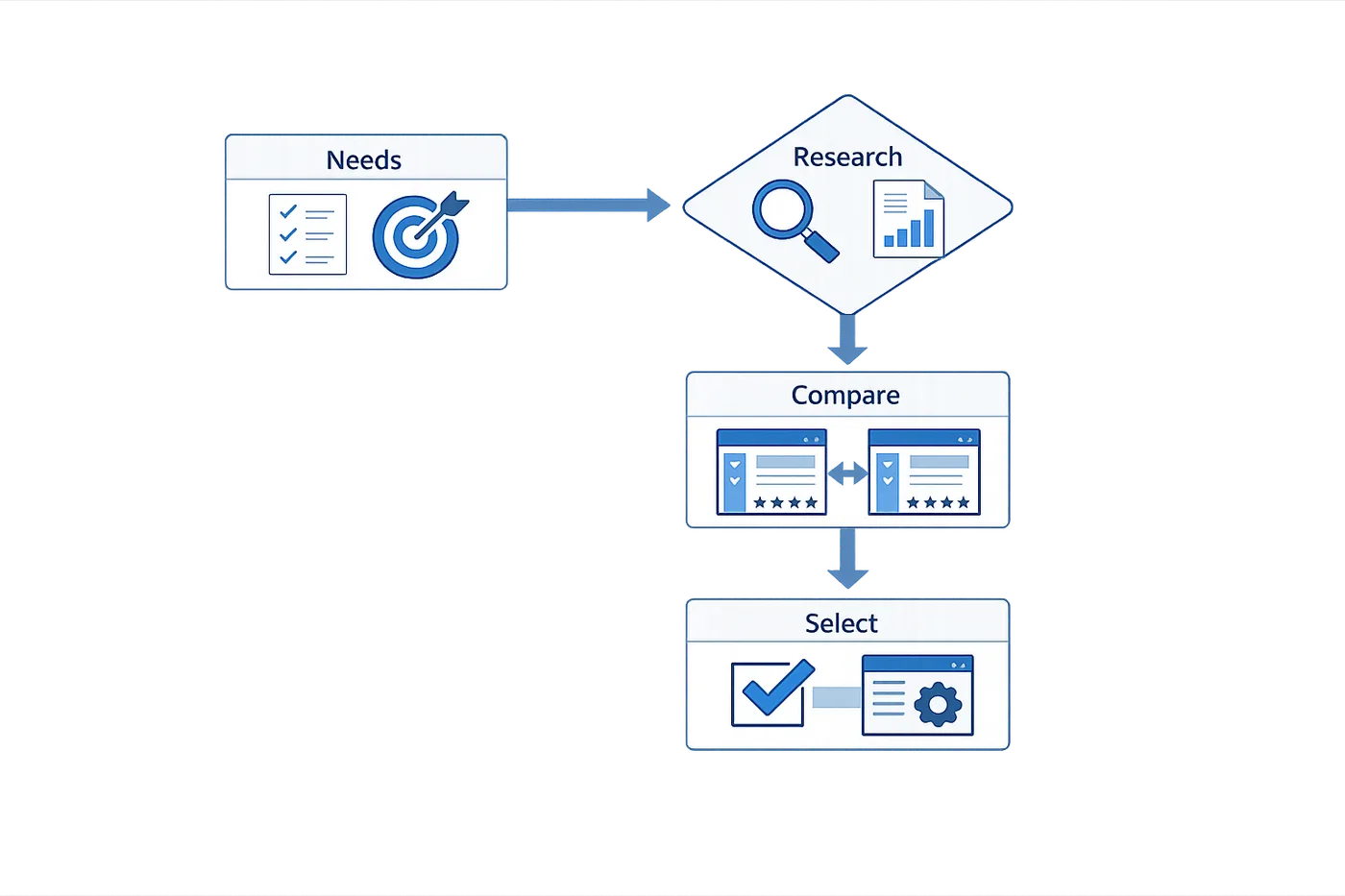
Selecting project management software isn't a features checklist exercise—it's a question of operational fit. The wrong platform creates friction at every handoff; the right one becomes invisible infrastructure that your team stops thinking about because it just works. This section walks through the evaluation framework that separates tools you'll actually use from those that gather dust after the trial period.
Step 1: Define Your Non-Negotiables Before You Look at Features
Start by cataloging what breaks when your current system fails. If missed deadlines trace back to unclear task ownership, you need granular assignment and notification logic. If scope creep is bleeding budgets, you need change-order tracking and approval workflows. Write down the three operational problems that cost you the most money or credibility in the last quarter—those define your baseline requirements. Everything else is negotiable.
Step 2: Map Required Capabilities to Your Team's Actual Work Patterns
Project management software must match how your team actually operates, not how a vendor thinks you should operate. If your field crews work offline for hours at a time, cloud-only tools with no local caching will fail. If your sales process requires real-time visibility into project profitability before quoting, you need integrated cost tracking and margin alerts. Platforms like FieldPulse emphasize adaptability—allowing teams to configure workflows around existing processes rather than forcing process redesigns around rigid software templates.
Step 1
Inventory your workflow touchpoints
List every point where information moves between roles: sales to operations, operations to field, field to finance. Note which transitions currently require manual data re-entry, phone calls, or status meetings. These are your integration requirements.
Step 2
Test real-time tracking and resource visibility
Look for software that provides real-time tracking of project progress and effective resource allocation. Platforms that surface current project status without requiring manual updates reduce coordination overhead and catch budget overruns before they compound.
Step 3
Validate scheduling flexibility
Flexible, real-time scheduling helps ensure that your team is at the right place at the right time, which can significantly boost productivity. Test whether the platform can handle same-day changes, route optimization, and crew availability conflicts without breaking your workflow.
Step 3: Evaluate Integration Depth, Not Just Integration Count
A platform that claims to integrate with 500 tools often means it can import a CSV or trigger a Zapier webhook—not that it maintains bidirectional sync with your accounting system. Test the integrations you'll actually use: does a completed job in the project tool automatically generate an invoice in QuickBooks with the correct line items and tax treatment? Does a schedule change push calendar updates to technician phones without a manual sync step? Integration quality matters more than integration quantity.
Step 4: Assess Personalization and Scalability
Personalizing project management software to support existing processes can enhance team efficiency and workflow management. Evaluate whether the platform allows you to rename fields, customize views, and build approval chains that match your org chart. Equally important: can it scale without requiring a platform migration in 18 months? A tool designed to adapt and scale with your business prevents the costly rip-and-replace cycle that kills momentum and erodes team trust in new systems.
The best project management software is the one your team forgets they're using because it eliminated the friction points they used to work around manually.
Step 5: Run a Constrained Pilot with Real Work
Don't evaluate software with dummy data or hypothetical projects. Pick one active project with moderate complexity—enough moving parts to stress-test the platform, but not so critical that a tool failure derails delivery. Run it for two full weeks with the team members who will actually use the system daily, not just the champions who volunteered for the pilot. Track where the software saved time and where it added steps. If the pilot team asks to keep using it after the trial ends, you've found a fit.
For teams managing complex workflows across multiple roles, workflow automation platforms can complement project management software by handling repetitive handoffs and reducing manual coordination overhead.
Best Practices for Implementing Project Management Software
Implementation is where software selection either pays dividends or falls apart. A tool chosen for the right reasons still fails when the rollout is rushed, the team isn't trained, or the operating cadence never takes root. The best implementations treat software as infrastructure, not a product launch — they build the habits that make the tool indispensable before declaring victory.
Successful rollouts share a few structural moves: they start with measurement, they establish recurring operating rhythms early, and they tie adoption to real outcomes rather than feature checklists. The goal is to make the software invisible — a natural part of how work gets routed, tracked, and closed.
Start With Baseline Measurement
Before the software goes live, document the current state. Measure cycle times, handoff delays, task visibility gaps, and the number of status-check meetings your team runs each week. These baselines give you something concrete to compare against after 30, 60, and 90 days. Without them, you're guessing whether the tool improved anything or just moved the chaos to a different screen.
Track a handful of leading indicators: how long it takes a new task to get assigned, how often deadlines slip without warning, and how many updates require a Slack thread to clarify. If the software doesn't move those numbers, either the tool is wrong or the implementation skipped a step.
Establish a Recurring Operating Cadence
One-time training sessions fade. What sticks is a regular rhythm — daily standups that pull from the tool, weekly pipeline reviews that surface stalled tasks, and monthly retrospectives that adjust workflows based on what the software is showing you. The cadence makes the tool a source of truth instead of a parallel system people update when they remember.
As one internal evaluation noted, the goal is not a burst of activity but a function that compounds — recurring habits that make the software more valuable the longer it runs. For teams managing workflows that touch multiple systems, workflow automation for small business can reinforce the operating cadence by reducing manual handoffs.
Coordinate Teams With Structured Communication
Project management software doesn't replace communication; it structures it. Use crew scheduling features, team mentions, and task-level comments to keep conversations attached to the work they reference. When updates live in the tool instead of scattered across email and chat, new team members onboard faster and context doesn't evaporate when someone takes a day off.
Scheduling and coordination features — like crew scheduling and team mentions — improve communication by making assignments and updates visible in one place. If your team still needs a meeting to figure out who's working on what, the software isn't being used correctly.
Track Real-Time Progress and Resource Allocation
Real-time tracking of project progress and effective resource allocation prevent small delays from becoming budget overruns. Configure dashboards to show active tasks, upcoming deadlines, and resource utilization at a glance. If a team member is overloaded or a project is drifting off schedule, the software should surface that before it requires a crisis meeting.
For teams managing inventory or materials, tracking inventory levels ensures upcoming jobs run smoothly and reduces last-minute scrambles. The software should make it easy to see what's on hand, what's allocated, and what needs to be ordered — without opening a separate spreadsheet.
Step 1
Configure dashboards for leading indicators
Set up views that show task age, assignment gaps, and deadline proximity. Don't wait for a retrospective to discover a bottleneck — the dashboard should flag it while there's still time to fix it.
Step 2
Run a 30-day adoption audit
After the first month, review which features are being used and which are ignored. If a core feature isn't adopted, schedule a focused training session or simplify the workflow — don't assume it will fix itself.
Step 3
Tie software metrics to business outcomes
Connect task completion rates to revenue, cycle times to customer satisfaction, or resource utilization to margin. When the team sees how the tool impacts outcomes they care about, adoption becomes self-reinforcing.
Make the Software a Habit, Not a Chore
The best implementations make the software the path of least resistance. If updating a task in the tool is harder than sending a Slack message, people will choose Slack. Design workflows so that using the software is faster, clearer, and less error-prone than the informal systems it replaces.
That means reducing duplicate entry, automating status updates where possible, and making sure the tool integrates with the systems your team already uses. If the software feels like extra work, it won't stick — no matter how many features it has.
Common Mistakes to Avoid When Choosing Software
Selecting project management software is rarely a straight path. Teams often stumble over predictable pitfalls that waste time, budget, and goodwill. Understanding these mistakes before you commit to a platform can save months of friction and protect the momentum you've built.
Prioritizing Features Over Workflow Fit
The most common trap is choosing software based on a feature checklist rather than how your team actually works. A platform loaded with capabilities you'll never use creates complexity without value. Instead of asking "Does it have Gantt charts?" ask "Do we manage dependencies visually, or do we work in sprints?" The right tool adapts to your existing processes, not the other way around.
Skipping the Trial With Real Work
Many teams run demos with sample data or hypothetical projects, then wonder why adoption fails in production. A meaningful trial uses real tasks, real deadlines, and real team members. Load your actual project backlog, invite your least tech-savvy contributor, and see if the software survives contact with daily reality. If it feels clunky during the trial, it won't improve under pressure.
Ignoring Integration Requirements
Project management software doesn't operate in a vacuum. If it can't connect to your CRM, accounting system, or communication tools, you're building data silos. Before committing, verify that the platform integrates with the systems your team already depends on. Native integrations are stronger than third-party bridges—ask whether the connection is maintained by the vendor or a plugin that might break with updates.
Teams that overlook integration needs often discover too late that manual data entry between systems erases any efficiency gains the new software promised. Workflow automation for small business becomes impossible when your tools don't talk to each other.
Underestimating Onboarding and Training Needs
Even intuitive software requires a learning curve. Assuming your team will "figure it out" leads to incomplete adoption and workarounds that undermine the system. Budget time for structured onboarding, not just a single walkthrough. Identify power users who can answer questions and model best practices. If the vendor doesn't offer training resources or responsive support, factor that gap into your decision.
The software you choose is only as effective as your team's ability to use it consistently.
Choosing Based on Price Alone
The cheapest option often costs more in the long run. Low-cost platforms may lack critical features, offer minimal support, or charge hidden fees for user seats, storage, or integrations. Conversely, enterprise-tier pricing doesn't guarantee value if you're paying for capacity you'll never need. Focus on total cost of ownership: subscription fees, implementation time, training hours, and the cost of switching if the platform fails.
Overlooking Scalability and Flexibility
What works for a five-person team may collapse at fifteen. If your software can't scale with headcount, project complexity, or client volume, you'll face a painful migration within a year. Ask whether the platform supports custom workflows, role-based permissions, and tiered access. A rigid system that worked perfectly at launch can become a bottleneck as your needs evolve.
Failing to Involve End Users in the Decision
Managers often select software without input from the people who will use it daily. This top-down approach breeds resistance and low adoption. Include team members from different roles in the evaluation process. Their feedback reveals usability issues and workflow mismatches that leadership might miss. When people feel heard, they're more likely to commit to the new system.
Frequently asked questions
What counts as a user in project management software?
A user is anyone who accesses your account at the office or in the field to view or manage the team's schedule. This includes office staff, field technicians, managers, and anyone who needs visibility into project status or task assignments. Most platforms charge per user per month, so understanding who needs full access versus read-only visibility affects your total cost.
How do I know if my team is ready for new software?
You're ready when manual processes create more friction than they solve. Signs include missed deadlines because information lives in multiple places, team members asking "where do I find that?" more than once a day, or spending hours each week reconciling schedules and task lists. If your current system requires workarounds to function, you've outgrown it.
Should I prioritize features or ease of use?
Ease of use wins when adoption is your biggest risk. A feature-rich platform that your team won't use delivers zero value. Start with the workflows that cause the most pain today, then choose software that solves those problems without requiring a training manual. You can always add complexity later; you can't recover from a failed rollout.
How long does implementation typically take?
For small teams (under 10 users), expect two to four weeks from purchase to full adoption. Larger teams or complex workflows may need six to eight weeks. The timeline depends less on the software and more on how thoroughly you prepare: clean data migration, clear role assignments, and scheduled training sessions compress the calendar significantly.
What's the difference between project management and task management software?
Task management tracks individual to-dos and personal productivity. Project management coordinates multiple people, dependencies, timelines, and resources toward a shared outcome. If your work involves handoffs, approvals, or coordinating across departments, you need project management capabilities. If you're organizing your own workload, task management suffices.
Can I switch project management software later if this one doesn't work?
Yes, but switching costs time and focus. Most platforms export data in standard formats, so you won't lose historical records. The real cost is retraining your team and rebuilding workflows. Choose carefully up front, but don't let fear of switching paralyze your decision. A mediocre platform you use today beats a perfect platform you'll implement someday.
How do I get my team to actually use the new software?
Make it the path of least resistance. If the old process (email, spreadsheets, verbal updates) still works, people will default to it. Disable or remove the old tools, make the new platform the single source of truth, and tie visible outcomes—like task assignments and deadline tracking—directly to it. Adoption follows necessity.
What should I look for in customer support?
Response time matters more than channel options. Look for platforms that publish their average response time and offer support during your working hours. Check whether support is included in your tier or costs extra. Read recent reviews to see how current customers describe their support experience—marketing promises and real-world responsiveness often diverge.
Is cloud-based or self-hosted better?
Cloud-based wins for most teams. It eliminates server maintenance, ensures automatic updates, and enables remote access without VPN complexity. Self-hosted makes sense only if you have strict data residency requirements, existing IT infrastructure to manage it, and the budget to maintain it. For everyone else, cloud-based reduces overhead and accelerates deployment.
How do I measure whether the software is working?
Track the metrics that mattered before you bought it. If you chose the platform to reduce missed deadlines, measure on-time completion rates. If the goal was better resource allocation, track billable utilization or project profitability. Define success criteria during evaluation, then review them monthly. Software that doesn't move your numbers isn't earning its cost.
Conclusion
Choosing the best project management software is not a one-time decision—it's an investment in how your team works, communicates, and delivers value. The right platform aligns with your workflows, scales as you grow, and eliminates the friction that slows projects down. The wrong one becomes shelfware within months, leaving you back at square one with lost time and budget.
Start with clarity: define your requirements, involve the people who will use the system daily, and test thoroughly before committing. Prioritize features that solve your actual pain points—whether that's task visibility, resource allocation, or real-time collaboration—and resist the temptation to chase feature bloat. A tool your team will actually use beats a feature-rich platform they'll avoid.
Implementation matters as much as selection. Roll out deliberately, train consistently, and measure adoption against the outcomes you defined upfront. When done well, the right project management software drives more productive workflows and better profit margins, turning project chaos into predictable delivery.
At Xenco Labs, we've seen teams transform their operations by choosing software that fits their reality—not the other way around. Take the time to choose thoughtfully, and your team will thank you with faster cycles, clearer communication, and work they're proud to ship. For more insights on streamlining operations, explore our guide on workflow automation for small business.
Related reading
MSP Software Buying Guide: Key Features for Managed Service Providers
Related reading
Written by
Xenophon Giannis
Published November 7, 2026 · 21 min read
Xenophon Giannis is the founder and CEO of Xenco Labs, where he designs, builds, deploys and operates production AI software solo — on his own multi-node cluster, with his own LLM gateway and automation infrastructure. Twenty-five years in enterprise technology came first: a decade at AboveNet, hired as its first sales rep after bankruptcy and promoted until he ran the entire Western Pacific region, then sales leadership at Black Lotus and Nexusguard in DDoS mitigation. He writes about what he actually ships, and what actually breaks in production.
You Might Also Like
More from the Xenco Labs blog

Intranet Software with Project Management: Centralize Team Collaboration

Project Dashboard Setup: Key Metrics to Track and Build
Learn how to set up a project dashboard, what key metrics to track, and how to build one that suits your team's needs with Project Dashboard Setup best practices.

Work Order Management Software: Streamline Service Requests
Discover how work order management software streamlines service requests and task assignments, improving efficiency and response times for your team.
MSP Software Buying Guide: Key Features for Managed Service Providers
Explore the MSP Software Buying Guide highlighting key features that matter for Managed Service Providers to streamline their operations.