
How to Get More Google Reviews: Google Review Link Without Breaking
Learn how to use your Google review link to get more Google reviews ethically. Proven strategies that follow Google's rules and boost reputation. Discover how to get
Introduction
Why Google Reviews Matter for Your Business
Google reviews shape whether potential customers choose your business or scroll past it. When someone searches for a service you offer, your star rating and review count appear prominently in local results—often before they ever visit your website. Service businesses especially depend on this social proof: 90% of customers say reviews influence their decision to hire a service provider.
The google review link is your primary tool for collecting this feedback. It's a URL that takes customers directly to the review form on your Google Business Profile, removing friction from the process. When customers have to hunt for where to leave a review, most simply don't bother. A direct link solves that problem.
Businesses that actively collect reviews using compliant methods can double their monthly Google review volume without risking their profile status.
But getting more reviews isn't just about having the link—it's about using it correctly. Google maintains strict policies about how businesses can solicit reviews, and violations can result in review removal or profile suspension. The challenge isn't whether to ask for reviews; it's how to ask in ways that follow the rules while still driving results. For businesses managing multiple digital touchpoints, understanding these boundaries is as critical as deploying AI web apps with proper safeguards.
The Review Collection Landscape
Tracking your Google rating and new reviews enhances your online reputation and helps you respond quickly to customer feedback. Modern service businesses monitor their review metrics the same way they track sales pipelines—because reviews directly feed the pipeline. A single negative review left unanswered can cost you dozens of potential customers who never reach out.
The businesses that succeed at review collection treat it as a system, not an afterthought. They know exactly where their google review link lives, when to share it, and how to frame the ask without crossing into prohibited territory. They respond to feedback quickly and conversationally, showing prospects that real people run the business. And they do all of this while staying firmly inside Google's guidelines, because a short-term spike in reviews means nothing if it comes with a penalty that tanks your visibility for months.
Problem Statement
Businesses face a structural dilemma when soliciting Google reviews: the practices that feel most natural — asking customers on-site, offering incentives, or requesting specific content — are precisely the ones Google prohibits. The platform's contribution policy requires that reviews "reflect a genuine experience" and forbids merchants from pressuring users or dictating review content while customers are still on the premises. This leaves service businesses in a bind: wait passively for organic reviews that rarely arrive, or risk policy violations that can trigger removal and reputational damage.
The enforcement mechanism compounds the problem. Google's automated systems scan for patterns that suggest manipulation — clusters of reviews from the same IP range, identical phrasing across multiple accounts, or suspiciously timed five-star bursts. When a flagged review enters the queue, the Reviews Management Tool processes it over several days, and businesses have no appeal channel beyond re-reporting. A single misstep — say, a well-meaning employee asking for "a great review with your name" — can cascade into multiple removals if the pattern repeats.
The Incentive Trap
Many businesses default to offering discounts or entry into prize drawings in exchange for reviews, unaware that Google classifies this as "fake engagement." The policy explicitly states that paid-for reviews or ratings "that do not accurately represent the location or product" will be removed. The challenge is that customers who receive an incentive — even a small one — are statistically more likely to leave positive feedback, which creates a selection bias that Google's algorithms can detect. The result: businesses invest time and money into a review campaign, only to watch the entire batch disappear when the platform identifies the pattern.
The timing restriction creates a second trap. Google forbids soliciting reviews "while on the premises," but most service interactions happen on-site — a dental cleaning, an oil change, a haircut. By the time the customer leaves, the moment of peak satisfaction has passed, and the likelihood of a review drops sharply. Businesses that try to bridge this gap with QR codes at the register or verbal requests at checkout are technically violating policy, even if the request is polite and non-coercive.
The cheapest review strategy is the one that survives Google's next algorithmic update without triggering a mass removal.
The final challenge is content control. Businesses naturally want reviews that mention specific services, highlight differentiators, or include keywords that improve local search visibility. But Google's policy prohibits "requesting that specific content be included," which means any script that guides a customer toward particular phrasing — "Please mention our same-day service" — is a violation. This leaves businesses with a choice: accept generic reviews that provide little SEO value, or risk removal by shaping the narrative.
Solution Steps
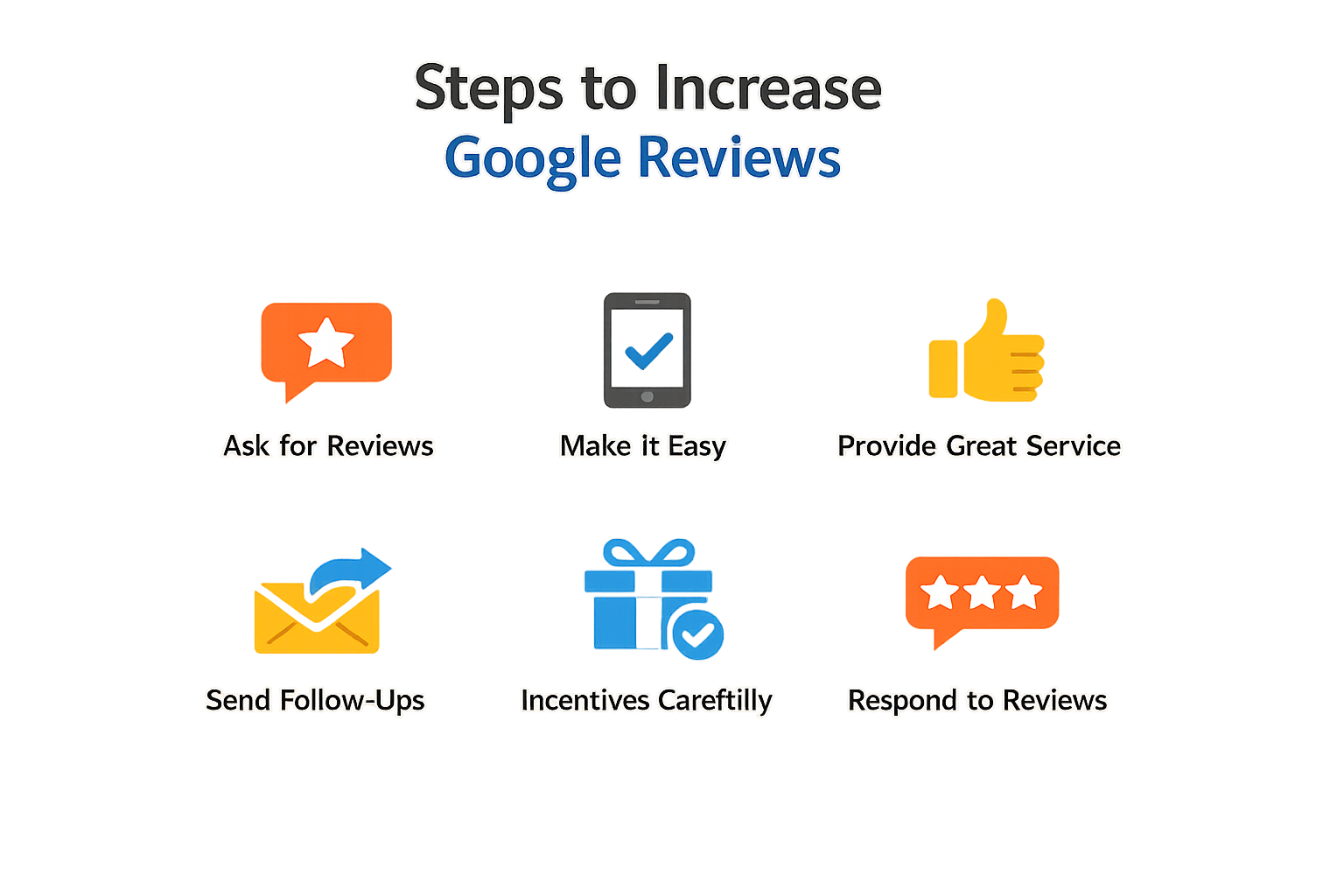
Getting more reviews without crossing Google's lines is a process, not a trick. The mechanics are straightforward: find your google review link, deliver it at the right time, and respond in a way that encourages the next person. Each step matters because Google watches for patterns that look like manipulation — bulk incentives, fake reviews, or responses that read like ads.
Locate and test your google review link
Step 1
Find your review link in Google Business Profile
Log into your Google Business Profile dashboard, navigate to the "Home" tab, and click "Get more reviews." Google generates a short URL that sends customers directly to the review form. Copy this link exactly — it is tied to your profile and pre-fills the correct business information.
Step 2
Verify the link in an incognito window
Paste the link into an incognito browser session and confirm it loads your business profile with the review dialog open. If it redirects to a generic search page, your profile may have verification issues that need resolution before you distribute the link.
Testing prevents the scenario where you send a broken link to fifty customers and realize it two weeks later. The link should work on mobile and desktop without requiring customers to hunt for your business name.
Deliver the google review link at high-satisfaction moments
Step 3
Identify post-service touchpoints
Map the points in your workflow where customers express satisfaction — after a completed service call, a successful project delivery, or a resolved support ticket. These moments have higher conversion rates than generic follow-up emails sent days later.
Step 4
Embed the link in confirmation messages
Include the google review link in transactional emails or SMS confirmations that customers already expect. A single line — "If we met your expectations, we'd appreciate a review" — followed by the link keeps the ask low-pressure and contextually relevant.
Google explicitly permits asking customers to leave reviews and provides the link mechanism for that purpose. The violation occurs when you condition the ask on positive sentiment ("If you loved our service...") or offer compensation. Keep the request neutral and the link accessible.
Respond to reviews without turning replies into promotions
Google's guidance is direct: your reviewers are already customers, so responses should not pitch deals or promotions. A reply that thanks a customer and then lists your current specials reads as an ad, not a conversation.
Step 5
Write replies that acknowledge specifics
Reference a detail from the review — a service mentioned, a team member named, or a problem solved. This signals that you read the feedback rather than pasting a template. When a review raises a legitimate issue, acknowledge limitations honestly without accepting blame for factors outside your control.
Step 6
Prioritize replies where you can add value
Focus on reviews that ask questions, mention confusion, or describe an edge case other customers might encounter. A helpful update in a reply can prevent the next support ticket. Generic "thank you" responses to every five-star review dilute the signal and waste the opportunity to share useful context.
For teams managing review volume, tools that track your Google rating and surface new reviews in a dashboard reduce the lag between a review being posted and your reply going live. Faster responses show active engagement, which matters to both Google's algorithms and prospective customers reading the thread. If you're scaling operations across multiple service areas, best practices for deploying AI web apps can inform how you structure automated alerts without automating the replies themselves.
Tips and Tricks
Once you have the mechanics of your google review link in place, sustaining a steady flow of reviews requires discipline around timing, response quality, and policy compliance. These strategies help you maintain momentum without triggering Google's filters or alienating customers.
Time Your Review Requests to Match Customer Experience
Ask for reviews when the customer's positive experience is fresh — typically within 24–48 hours of service completion. For service businesses, this means automating the request immediately after the job closes or the invoice is paid. Waiting weeks dilutes recall and reduces conversion. The goal is to catch the customer while they still remember the specific details that make a review credible and useful to others.
Respond to Every Review with Specificity, Not Templates
Google's guidance is explicit: avoid sending the same "thank you" to everyone. Instead, focus your replies on reviews where you can share a helpful update, answer a question, or acknowledge a specific detail the customer mentioned. This signals to both Google and future customers that you are listening and genuinely care about their experience. Generic responses look automated and erode trust.
When responding to negative reviews, protect privacy and avoid personal attacks. Never share a reviewer's private information or engage in personal attacks. Acknowledge mistakes honestly, but don't take responsibility for things outside your control. A measured, factual response often does more to reassure prospective customers than a perfect five-star average.
Be conversational, not promotional: Your reviewers are already customers, so avoid using your response to offer deals or promotions.
Use QR Codes for In-Person Review Requests
For brick-and-mortar locations or field service teams, a QR code that links directly to your google review link simplifies the process. Print it on receipts, service completion forms, or counter signage. Customers can scan and leave a review in under a minute without typing a URL or searching for your business. This reduces the friction that kills conversion on mobile devices.
Monitor and Report Policy Violations Promptly
If you find a review on your Business Profile that violates Google policies — spam, fake reviews, or personal attacks — report it for removal using the Reviews Management Tool. Review evaluation typically takes several days, so flag violations as soon as you spot them. Only reviews that violate Google policies are eligible for removal; negative but honest reviews stay, and your response to them becomes part of your public reputation management.
Build a Cadence, Not a Campaign
Review acquisition works best as an ongoing process, not a one-time push. Integrate review requests into your standard post-service workflow: CRM triggers, email sequences, or staff checklists. Consistency beats intensity. A steady trickle of authentic reviews over months builds more credibility than a spike of 20 reviews in a single week, which can look suspicious to both Google and prospective customers.
For more on integrating review workflows into broader digital operations, see Best Practices for Deploying AI Web Apps for automation patterns that scale without breaking compliance.
Conclusion
Getting more Google reviews without breaking Google's rules isn't complicated — it requires discipline about what you ask for and how you ask for it. The mechanics are simple: find your google review link in your Business Profile, share it through channels where customers already expect to hear from you, and never tie the request to an incentive or outcome. Google's policies exist to protect review integrity, and businesses that treat those boundaries as guardrails rather than obstacles build sustainable review volume that compounds over time.
The strategies covered here — timing requests after service completion, using conversational language in follow-ups, responding to reviews without promotional language, and monitoring for policy violations — form a system that works because it aligns business goals with platform rules. When you prioritize authentic customer experiences over review count, the volume follows naturally. Negative reviews become opportunities to demonstrate accountability rather than threats to manage, and your response strategy becomes part of your reputation signal rather than damage control.
The businesses that succeed long-term with Google reviews are the ones that understand review acquisition as an operational discipline, not a marketing tactic. Your google review link is a tool, not a shortcut. Use it consistently, ask ethically, and let the quality of your service drive the ratings. For teams managing review operations at scale alongside other digital assets, the same principles of systematic deployment and compliance monitoring apply across platforms — best practices for deploying AI web apps share the same emphasis on building systems that work within platform constraints rather than around them.
Maintain the discipline, respect the rules, and let your customer experience speak for itself. That's how you build a review profile that survives policy changes and algorithm updates.
Related reading
Local Landing Pages: Location Pages SEO: Service-Area and City Pages
SEO Forecasting: SEO KPIs & Forecasting: Build a Search Forecast
Sources(9)
- Google Business Profile Help — Tips to get more reviews
- Google Maps — Prohibited and restricted content (user contributions policy)
- Google Search Central documentation
- Google Search Central — AI features and your website
- Google Search Central documentation
- Google Maps review policy and Business Profile review guidance
- Google Search Central — Local business (LocalBusiness) structured data
- Google Business Profile guidelines
- Google Search Central documentation
Written by
Xenophon Giannis
Published October 18, 2026 · 12 min read
Xenophon Giannis is the founder and CEO of Xenco Labs, where he designs, builds, deploys and operates production AI software solo — on his own multi-node cluster, with his own LLM gateway and automation infrastructure. Twenty-five years in enterprise technology came first: a decade at AboveNet, hired as its first sales rep after bankruptcy and promoted until he ran the entire Western Pacific region, then sales leadership at Black Lotus and Nexusguard in DDoS mitigation. He writes about what he actually ships, and what actually breaks in production.
You Might Also Like
More from the Xenco Labs blog

How to Design a Request a Quote Form That Captures Qualified Jobs
Learn how to design a request a quote form that effectively captures qualified jobs and leads for your business with proven field strategies.

Speed to Lead: Lead Response Time for Service Businesses: Why Speed
Discover how lead response time impacts conversion rates for service businesses and learn proven strategies to improve your response speed. Speed to lead is crucial

General Contractor Website Design: Features for Winning Jobs
Learn the essential features of general contractor website design that help service businesses win jobs and attract clients effectively.

Landscaping SEO: SEO for Landscaping: How to Get Found Locally
Learn effective landscaping SEO strategies to enhance local visibility and attract customers to your landscaping business online.